Advanced Form Analytics to Measure Submissions and Conversions
Track how users interact with your online forms in real time. Measure drop-off rates, completion rates, submission trends, and performance insights to improve conversions and user experience.
Start Tracking Your Form Data for Free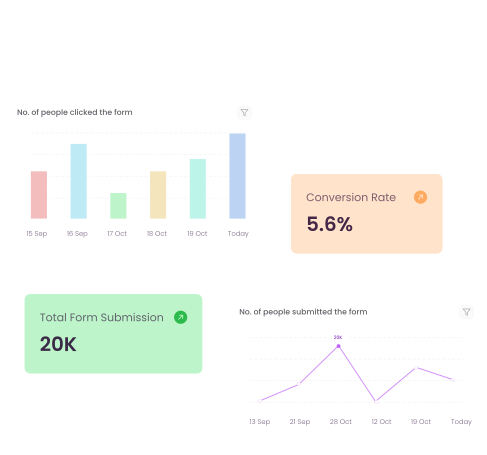










Trusted by 50,000 Businesses and Teams Worldwide
Formester helps businesses track form submissions, analyze responses, and improve conversions with advanced form analytics and powerful form management tools.






How Form Analytics Helps You Improve Conversions
Form analytics helps you understand how users interact with your forms, where they drop off, and how you can improve conversions with real data.
Know Your Customers Better
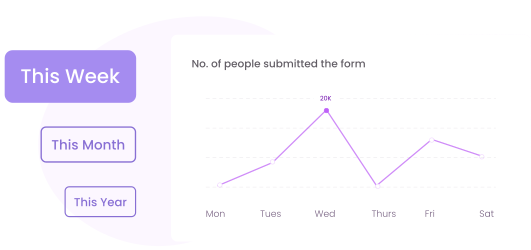
Understand your users with detailed form analytics data. Track traffic sources, devices, locations, and behavior to see who is filling out your forms and how they interact with them.
Reduce Form Abandonment
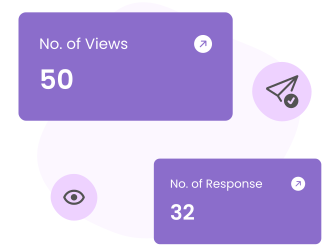
Identify where users drop off before submitting a form. With advanced form analytics, you can find problem areas, improve form structure, and increase completion rates.
Track and Analyze Form Traffic
See where your form visitors come from and how they interact with your forms. Measure performance across devices and platforms to improve your lead generation strategy.
Get Actionable Insights
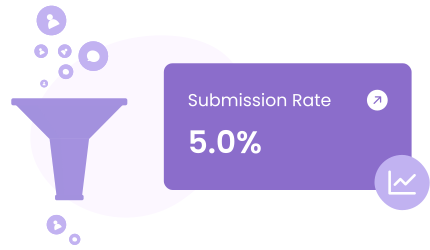
Form analytics helps you understand conversion rates and user behavior. Use real-time insights to optimize your forms, improve engagement, and increase submissions.
View and Manage Submissions
Accessing Form Responses
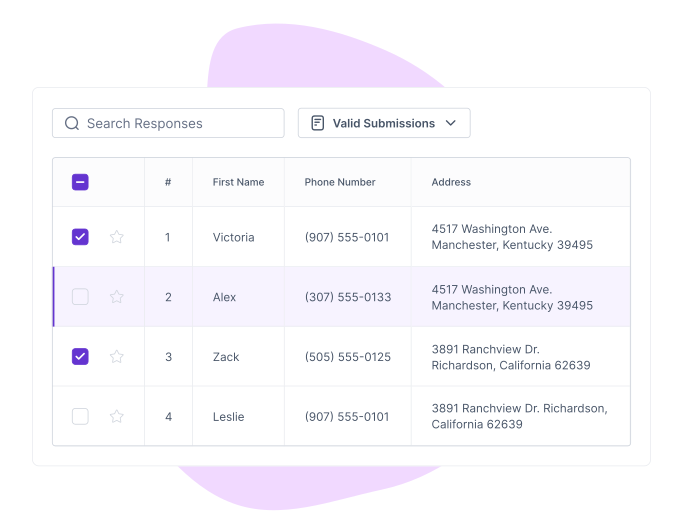
To view responses, navigate to the Results tab. Under the Submissions section, you’ll see all collected responses organized in a clear, table format. This ensures you can quickly review the details of each submission.
Each response includes:
Submission Date & Time: Know when a user completed the form.
Time Taken: Track how long it took the respondent to fill out the form.
IP Address: Get insights into the user's location and activity.
Visible Form Fields: See exactly what the respondent interacted with.
Filtering Submissions
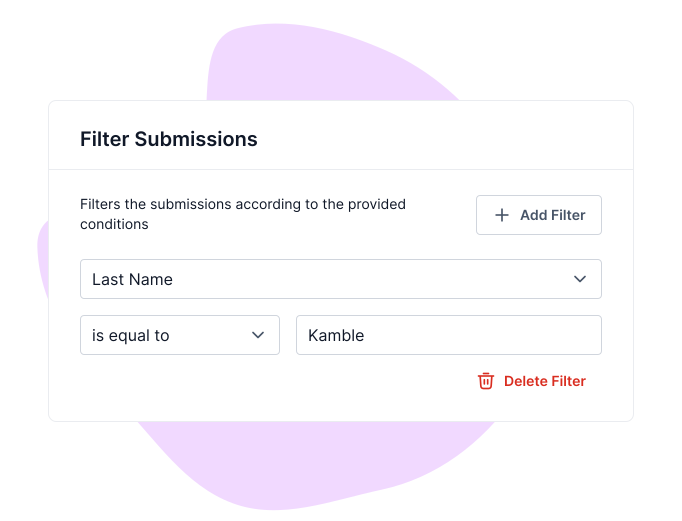
If you receive a large number of responses, use the filter option to sort and refine the data.
You can apply filters based on specific conditions for one or multiple form fields. This helps in quickly finding relevant submissions.
Export and Manage Data
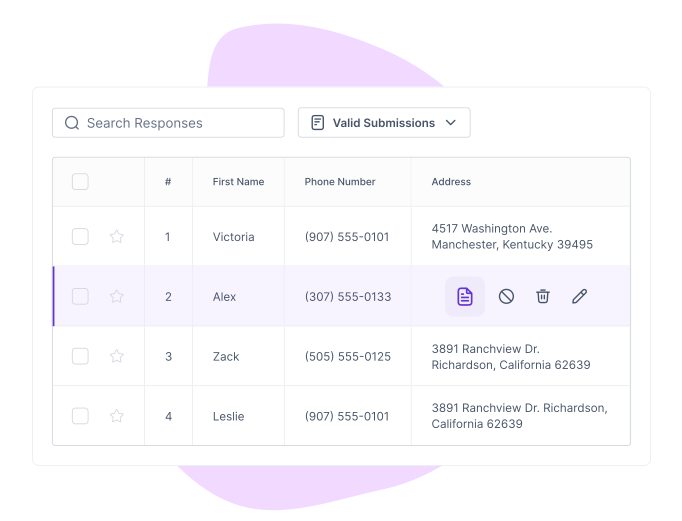
Formester allows you to manage and export submissions easily.
You can:
Export submissions as a CSV file: Useful for further survey analysis or record-keeping.
Edit a submission: Update response data when necessary.
Create an edit link: Share a link with respondents to allow them to update their responses.
Mark as spam: Remove irrelevant or duplicate responses.
Download as PDF: Save a copy of submissions for documentation.
Delete submissions: Remove unwanted responses permanently.
Analyze Performance with Form Analytics
Metrics You Can Track
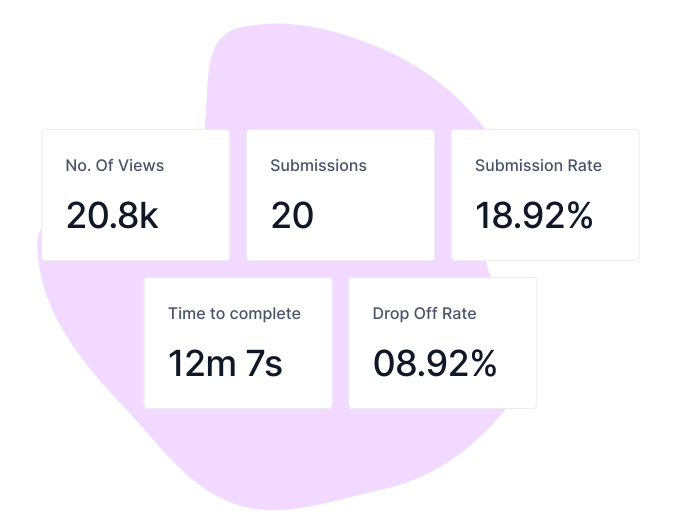
Just like Google Analytics, Formester’s Form Analytics lets you choose a date range. You can track important performance metrics, including:
Number of Views: The total times your form has been viewed.
Total Submissions: The number of users who completed and submitted the form.
Completion Rate: The percentage of users who finished filling out the form.
Drop-Off Rate: The percentage of users who started the form but didn’t complete it.
Visual Reports for Better Insights
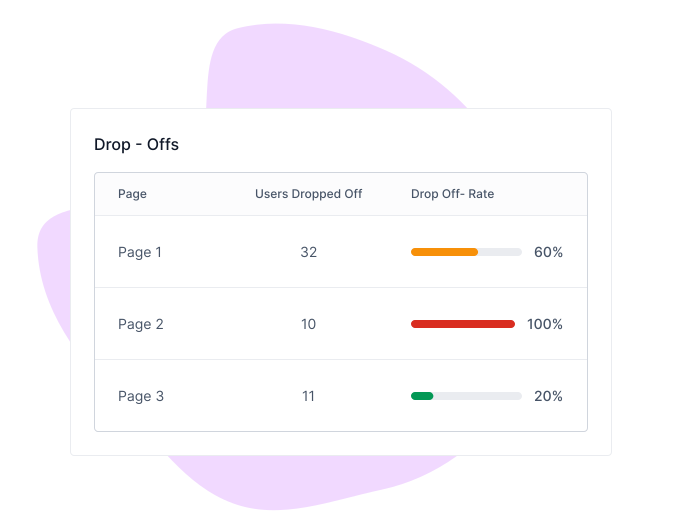
To help you understand your data better, Formester provides visual reports such as:
Graphs: Identify trends in form completion.
Drop-off analysis: See exactly where users abandon the form.
Visitor location breakdown: Track responses based on country.
Device-based analytics: Find out if users are filling out your form on mobile, tablet, or desktop.
Summary Analytics
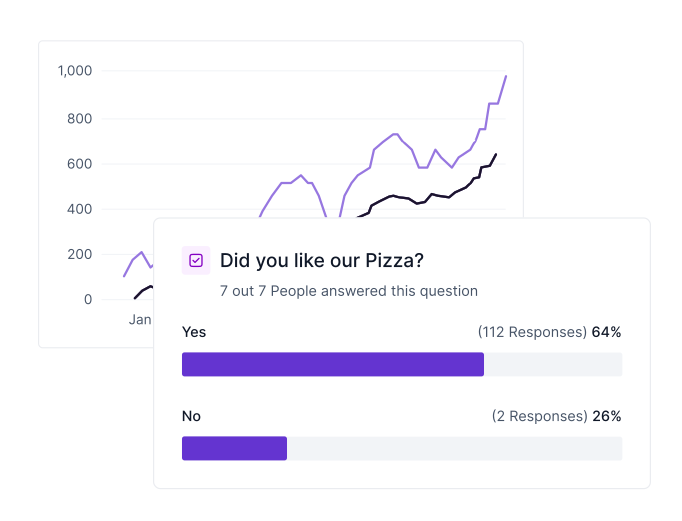
Summary Analytics gives you a breakdown of response distribution for multiple-choice and ranking-based questions. It works like a poll result, showing how many respondents selected each option.
This is useful when analyzing customer preferences, survey responses, or voting-based questions. You can quickly see which answers are most popular without manually reviewing every submission.
Features That Power Your Analytics Form
Powerful features that help you track, manage, and optimize your form analytics while keeping your data secure, organized, and easy to access.

Smooth Integrations
Integrate your forms and surveys with Google Sheets, CRMs, and automation tools to sync form responses and simplify workflows.

Team Collaboration
Collaborate with your team by sharing access, assigning roles, and managing form submissions in one place.

Security & Data Privacy
Keep your data safe with encrypted storage and GDPR-compliant security measures to protect user information.
Real-Life Use Cases

Marketing Teams
Track campaign performance by analyzing form submissions and user engagement for better decision-making.

HR & Recruitment
Monitor job application completion rates to improve hiring processes and streamline candidate management.

Education
Track student registrations and engagement to manage enrollments and improve learning experiences.

E-commerce
Measure customer inquiries and feedback form responses to enhance shopping experiences and boost sales.
Free Online Form Templates
Get Started Quickly with Ready-Made Form Templates


Testimonials





Ready to build your perfect form?
Get access to advanced AI, unlimited forms & more. See pricing for more details.
FAQs
Form analytics is a tool that helps you understand how people interact with your online forms. It shows data like views, submissions, completion rates, and drop-off points so you can improve performance.
By identifying where users leave your form before submitting, form analytics helps you spot confusing or lengthy fields. You can then simplify the form and increase completion rates.
With advanced form analytics, you can monitor views, submissions, completion rate, drop-off rate, traffic source, device type, and user behavior to measure how your form is performing.
Yes. Formester provides real-time analytics for form submissions, so you can instantly see how your forms are performing and make data-driven improvements.
No. Formester’s dashboard is simple and easy to understand. You can track form performance and analyze insights without any technical knowledge.
Yes. Formester tracks form analytics across desktop, tablet, and mobile devices, helping you understand user behavior on every platform.