The 60-second verdict
What Typeform is: A conversational form and survey builder, priced yearly from $28 per month. Ships with one-question-at-a-time UX that consistently beats traditional survey layouts on completion rate, native AI form generation (Typeform AI), and a polished editor.
What it does well: The conversational UX is the reason customers pick it. Completion rates on Typeform surveys and quizzes are meaningfully higher than on stacked-page tools. The editor is one of the cleanest in the category, AI generation is fast, and the template library covers the marketing and CX use cases most buyers care about.
What is annoying: Response caps hit fast. The Basic plan is 100 responses per month. Removing Typeform branding requires the Plus plan at $56 per month yearly. HIPAA is Enterprise-only, not Business, not Growth Flow. The Growth Flow plan at $266 per month yearly is a big jump if you need Ask AI or Smart Insights.
Bottom line: If your workflow depends on high completion rates for surveys, quizzes, or lead capture and you can afford $56 to $91 per month yearly, Typeform earns its price. If you need unlimited responses on a free plan, self-serve HIPAA, or payment collection at scale, Formester or Fillout fits better.
G2 rating: 4.5/5 (1,016 reviews)
What Typeform is (and isn't)
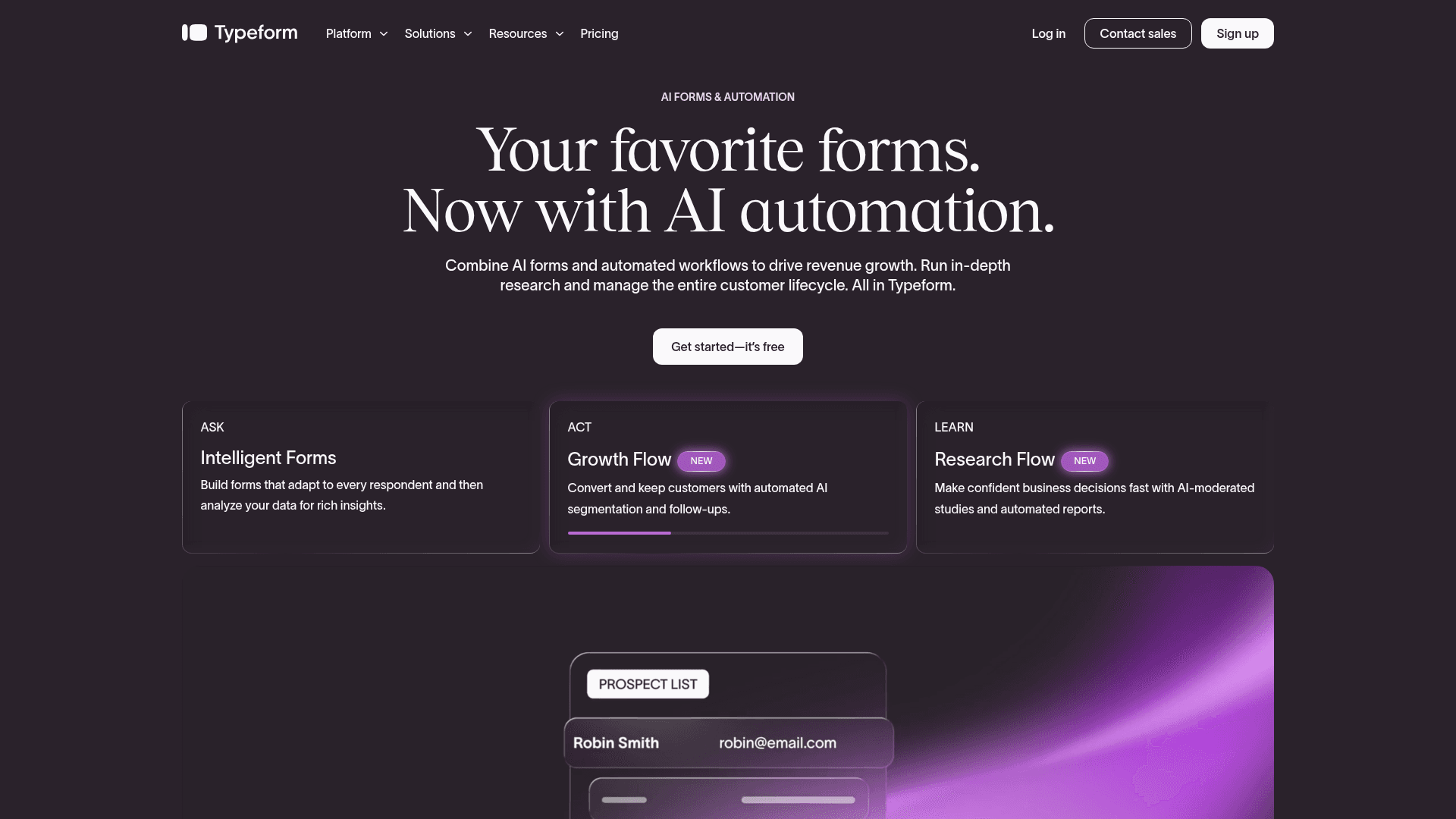
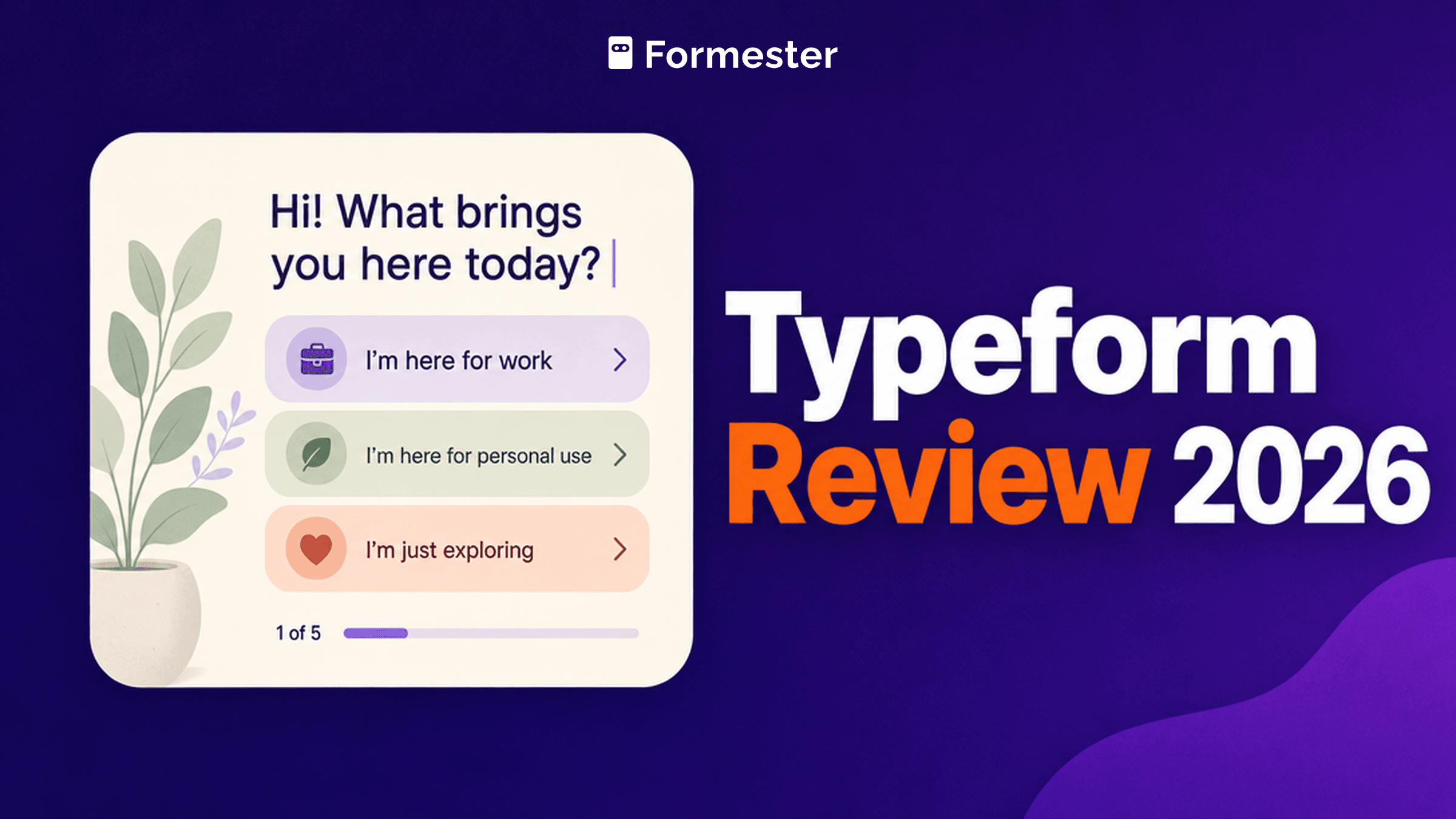
Typeform pioneered the conversational form pattern: one question per screen, big typography, keyboard-first navigation. That pattern isn't a design flourish. It's the reason Typeform forms and surveys convert at higher rates than most competitors.
The tradeoff comes in scope. Typeform is at its best for:
- Marketing surveys and quizzes where drop-off matters
- Lead capture funnels where completion rate directly maps to pipeline
- Product feedback and NPS where a beautiful UX signals brand quality
- Recruitment and HR intake (there's a dedicated Talent plan)
Where it's a weaker fit:
- Long, dense operational forms (a 40-question intake works better on stacked-page tools)
- Order forms and payment collection at scale (Typeform supports Stripe but the model is more suited to a quick payment field than a full checkout)
- Anything HIPAA-adjacent below the Enterprise tier
- Teams that need unlimited responses on a free plan
If your use case sits in the first list, Typeform is worth the price. If it sits in the second, keep reading, but know you'll pay for polish you can't fully use.
Pricing: six tiers, all yearly-billed
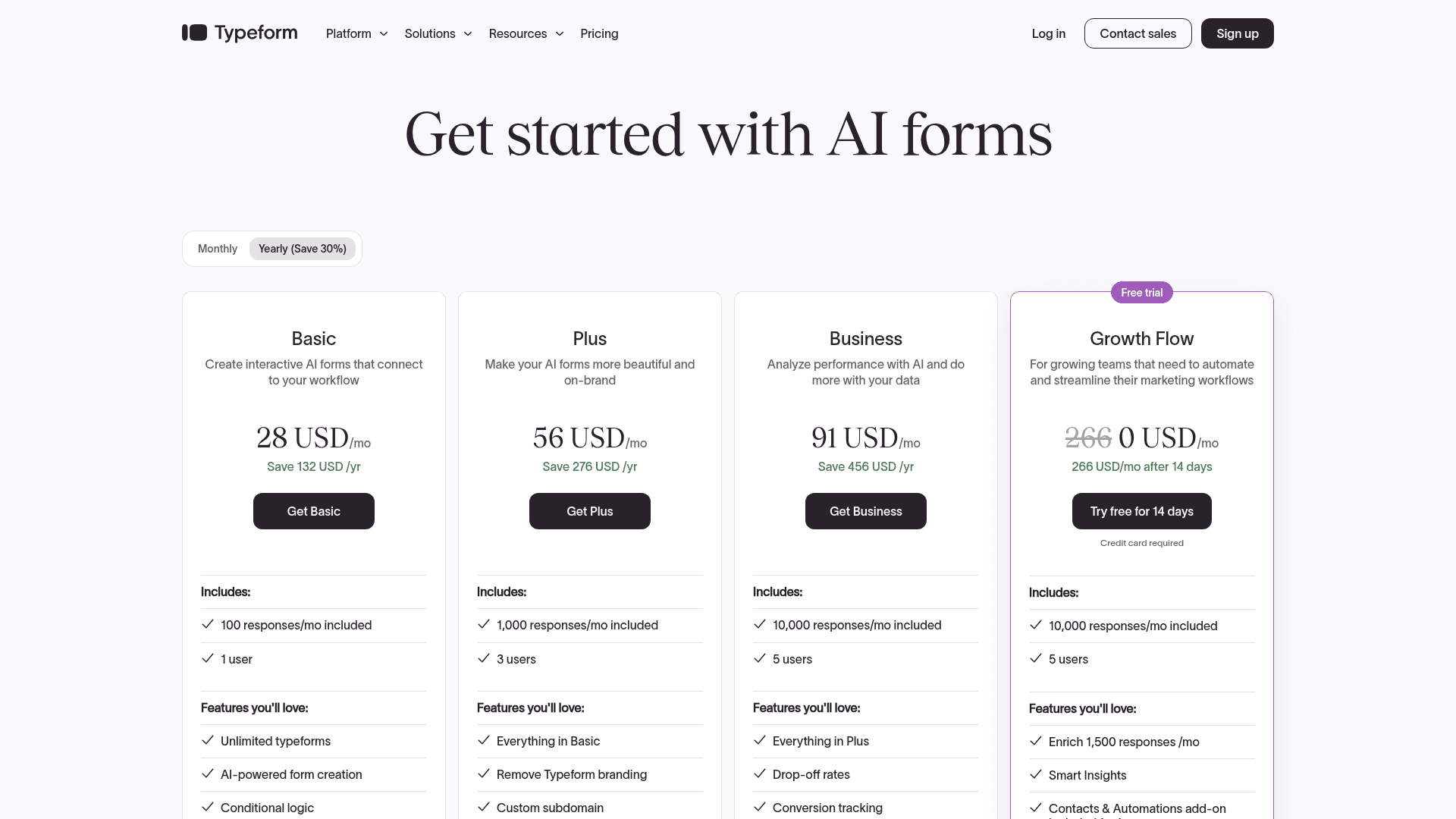
Typeform shows monthly-looking numbers but the paid plans are yearly-only in practice. There's also a per-plan response cap that's smaller than most people expect.
| Plan | Price | Responses/mo | Users | Key limits |
|---|---|---|---|---|
| Free | $0 | 10 | 1 | Basic experience only |
| Basic | $28/mo yearly | 100 | 1 | AI form creation, conditional logic, webhooks. Typeform branding stays. |
| Plus | $56/mo yearly | 1,000 | 3 | Adds remove branding + custom subdomain |
| Business | $91/mo yearly | 10,000 | 5 | Adds drop-off rates, conversion tracking, priority support |
| Growth Flow | $266/mo yearly (14-day trial) | 10,000 | 5 | Adds Ask AI + Smart Insights + Enrich (1,500 responses) + Contacts & Automations add-on |
| Enterprise | Custom | Custom | Custom | SSO, HIPAA, GDPR, US or EU data center |
There's also a Talent plan starting at $119 per month, aimed at HR teams handling job applications and internal HR surveys.
A few honest observations:
Basic is limited by design. 100 responses per month is enough to test the editor, not enough to run a real marketing survey or quiz funnel. Once a Facebook ad campaign fires, you'll blow through the cap in a day.
Remove-branding sits on Plus, not Basic. If you don't want "Powered by Typeform" on every form your prospects see, the honest starting tier is $56 per month yearly, not $28.
Business at $91 per month yearly is the mainstream mid-market pick. 10,000 responses, five seats, drop-off analytics, conversion tracking. This is where most serious buyers land.
Growth Flow at $266 per month yearly is a step change. If you need Ask AI (natural-language questioning across responses) or Smart Insights (auto-themes on open-ended text), the price nearly triples. Whether it's worth it depends on whether AI-driven analysis is central to your workflow or a nice-to-have.
HIPAA is Enterprise-only. Not Plus, not Business, not Growth Flow. If you handle Protected Health Information, you're on a custom contract with a signed BAA.
Editor and builder experience
The editor is Typeform's biggest asset. It's one of the cleanest in the category and the conversational preview updates in real time.
What it does well:
- One question per canvas, so the editor mirrors how the form will render. What you see is what respondents see.
- Question types cover the essentials: multiple choice, dropdown, yes/no, opinion scale, rating, matrix, ranking, date, email, phone, file upload, payment (Stripe), calendar, and NPS.
- Conditional logic ("Logic Jumps") is simple to configure. Right panel, dropdown, done. No formula editor required.
- Question piping (referencing an earlier answer inside a later question) works out of the box.
- Themes and branding customization are strong. Font choice, color, background image, custom logo, custom subdomain (Plus+).
- Mobile preview is a device panel on the right of the canvas, not a modal.
What is worth flagging:
- The one-question-at-a-time model is a strength for surveys and quizzes, but it slows down long operational forms. If you're building a 30-question intake, respondents will feel every click.
- Advanced logic (multi-condition branches, hidden field manipulation) is available but takes more setup than expected.
- Design customization is polished but shallow. If you want full CSS control over layout, Typeform gates that behind Enterprise.
- The editor is fast but occasionally lags on very long forms (50+ questions), especially with heavy media assets.
Templates and AI
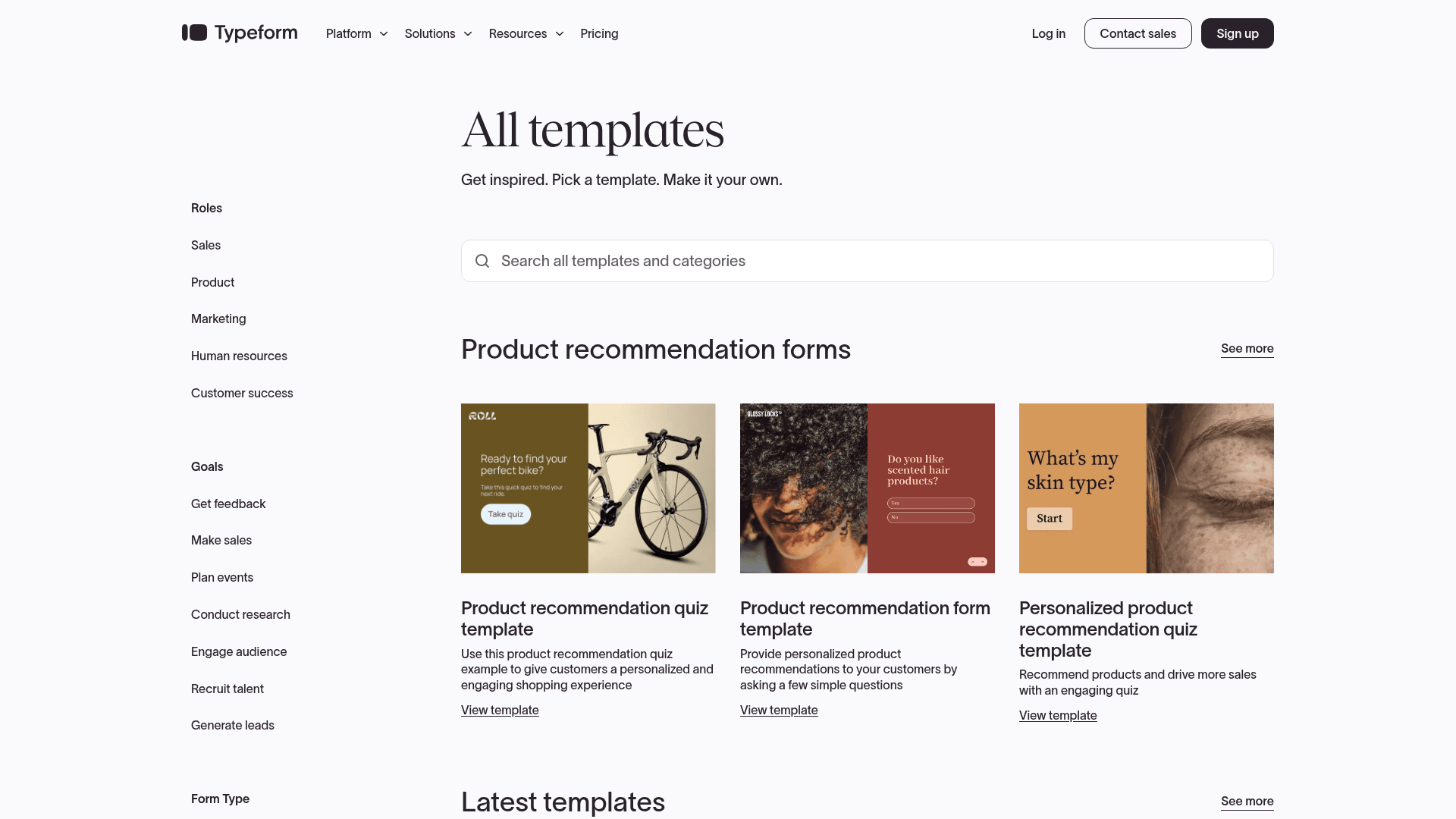
The template library covers most marketing and CX use cases. Lead capture, NPS, product feedback, event registration, quizzes, applications, contact forms, market research. Templates are well-designed by default (not always the case in this category).
Typeform AI (native, not "Formless" which was the legacy branding) does two things:
- AI form creation. Prompt-based generation. Tell it what you want, get a working form back. Available on Basic and above.
- Ask AI + Smart Insights. Natural-language analysis across responses. Auto-themes on open-ended text, sentiment tagging, question-answering across a response set. Gated to Growth Flow and Enterprise.
The AI creation flow is solid. Not the deepest AI in the category (Formester's AI form generator handles prompts, question lists, and PDF uploads; Typeform's is prompt-only). But it works, and it's a real shortcut when you don't want to build from scratch.
Ask AI and Smart Insights are the reason Growth Flow exists as a tier. If you're running frequent open-ended surveys and want to skip the manual coding step, the price is defensible. If your surveys are mostly closed-ended, most of Growth Flow's value is in features you won't use.
Real-world use cases where Typeform wins
1. Marketing surveys and NPS programs.
The conversational UX consistently produces higher completion rates than traditional survey tools. If your team measures the same NPS quarterly, moving from SurveyMonkey to Typeform often produces a real bump in response quality (not just quantity).Lead capture funnels tied to ad campaigns. Multi-step qualification forms with logic jumps, custom endings that redirect to a booking calendar or product page. The completion-rate gain is directly measurable in pipeline value.
Product quizzes and personality quizzes. Buzzfeed-style branching quizzes are a native Typeform strength. Marketing teams use these as top-of-funnel lead magnets and Typeform handles the logic + presentation better than most.
Event registration and applications. Job applications, program applications, event RSVPs. The polish sends the right signal to applicants and the logic branching keeps forms short.
In-product feedback widgets. Embed a short Typeform inline on your product page, get open-ended feedback with sentiment analysis on Growth Flow. Works well for SaaS teams tracking feature reception.
Where Typeform falls short
Response caps kick in fast. Basic at 100 responses per month is a trial cap. Plus at 1,000 responses is fine for a small program but tight for anyone running paid ads. Business at 10,000 is workable but caps out at exactly the point most marketing programs need to scale.
Remove-branding sits on Plus at $56 per month yearly. Any customer-facing form on the Basic plan will show "Powered by Typeform" in a tiny corner. For some teams that's fine. For others it's a dealbreaker and the honest starting price becomes $56, not $28.
HIPAA is Enterprise-only. No BAA on Growth Flow, Business, Plus, or Basic. Healthcare-adjacent teams find out about this after they've built halfway.
Growth Flow is a steep jump. $266 per month yearly (versus $91 for Business) is a big step. If Ask AI and Smart Insights are must-haves, the price is defensible. If they aren't, Business is your real ceiling.
One-question-at-a-time is a mismatch for long operational forms. A 40-question intake takes forever to click through in the conversational format. Traditional stacked-page tools finish faster for the same respondent.
Payment collection is a feature, not a native strength. Typeform supports Stripe payments, but the model is "one payment field inside a form." For actual product order forms with variants, quantities, taxes, and shipping, a form builder like Formester or a full commerce tool is better fit.
Custom domain requires Plus+, custom CSS requires Enterprise. The design system is strong on defaults, weaker on deep customization. Teams that want brand-perfect white-labeled forms pay for it.
Pros and cons summary
Pros:
- Best-in-category conversational UX with measurable completion-rate advantage
- Clean, fast, well-designed editor
- Typeform AI form generation on all paid tiers
- Strong template library covering most marketing and CX use cases
- Robust logic jumps and question piping
- Talent plan for HR use cases (from $119/mo)
- Ask AI + Smart Insights on Growth Flow for open-ended analysis
- Enterprise plan covers HIPAA, SSO, and regional data centers
Cons:
- Free plan capped at 10 responses per month, essentially demo-only
- Remove-branding requires Plus at $56/mo yearly
- Response caps tight relative to competitors (100 on Basic, 1,000 on Plus, 10,000 on Business)
- HIPAA gated to Enterprise
- Growth Flow at $266/mo yearly is a big price jump
- Long operational forms feel slow in one-question-per-page format
- Custom CSS gated to Enterprise
- Payment collection is basic (Stripe field, not full commerce)
Unlimited responses. Remove branding on the $12 tier
Formester ships unlimited forms and unlimited responses on the free plan, AI form generation from prompt / question list / PDF, offline capture, and native Stripe / PayPal. Remove branding on Personal at $12 per month.
Free forever plan • No credit card • Setup in 2 minutes
When Formester is the better pick
You want unlimited responses and no seat minimum on a free plan. Formester's Free plan ships unlimited forms and unlimited responses. Personal is $12 per month, Business is $45 per month, both unlimited. Typeform's Basic caps at 100 responses per month and doesn't remove branding.
You need AI form generation from more than a prompt. Formester's AI form generator builds from a prompt, a question list, or an uploaded PDF. Typeform AI is prompt-only. For teams that already have a PDF spec or intake document, Formester saves a step.
You need offline capture. Field data collection, in-store surveys, event booths without wi-fi. Formester's offline forms queue responses on the device and sync when connectivity returns. Typeform requires an internet connection.
You're running order forms with product variants, quantities, and payment. Formester supports full product catalogs with variants, inventory limits, taxes, and shipping fields. Typeform's payment field is closer to a single-item purchase.
You want to remove branding without paying $56 per month. Formester's Personal plan at $12 per month removes Formester branding. Typeform requires Plus at $56 per month yearly.
You're switching from Typeform because response caps or pricing broke. The Typeform alternative walkthrough covers migration and total-cost comparison for teams of 5, 10, and 25.
When Typeform is the better pick
Completion rate is the metric that matters. Marketing surveys, quizzes, lead capture forms tied to ad campaigns. Typeform's conversational UX pays for itself in higher completion rate. Formester and other stacked-page tools can build the same form but not with the same completion advantage.
You're running quizzes and personality tests as marketing assets. Buzzfeed-style branching quizzes are a Typeform native strength. Design is polished by default and logic jumps are easy.
You need Ask AI and Smart Insights on open-ended responses. If natural-language analysis of open-ended feedback is core to your workflow, Growth Flow's Ask AI is a real capability. Most competitors don't offer this at a comparable price.
Brand perception matters and you can afford the Business tier. The polish signals quality, and $91 per month yearly is defensible for a marketing or product team that lives inside customer-facing forms.
You're running an HR or recruitment operation. The Talent plan is priced and templated for that job. Non-Talent form builders can technically do the same work but Typeform's Talent tier is aimed at it.
The final verdict
Typeform is a premium conversational form and survey builder for teams that care about completion rate and brand perception. The UX is real, the editor is one of the cleanest in the category, and Typeform AI does the AI-generation job well.
The catch is the pricing math. Response caps are tight relative to volume-based competitors. Remove-branding sits behind Plus. HIPAA sits behind Enterprise. Growth Flow triples the price for AI analysis features that aren't right for every workflow.
Our rating: 4.5/5 (aligned with G2's 4.5/5 across 1,016 reviews). Typeform earns its rating on the UX and the quality of the finished product.
Pick Typeform if: completion rate matters, you're running consumer-facing marketing or CX forms, and you can afford $56 to $91 per month yearly at minimum.
Pick Formester if: you need unlimited responses on a free plan, native payment collection for order forms, offline capture, AI generation from a PDF, or you want to remove branding without paying $56 per month.
If you're on Typeform and reconsidering the fit, the Typeform alternative walkthrough covers migration, feature gaps, and total-cost math for different team sizes.
Written after direct use of Typeform's editor, AI form creation, and Ask AI features across marketing surveys, quizzes, and lead capture flows. Pricing verified against Typeform's live pricing page. G2 rating current as of publish date.