Someone sends you a PDF form. You print it, people fill it in by hand, someone scans it back, and then you type every answer into a spreadsheet. Sounds familiar?
There is a faster way. You can create an online form from a PDF you already have. Upload the file to Formester, and AI reads it and rebuilds it as a real web form. You share a link instead of a file. No rebuilding fields one by one, and no design work.
In most cases, you don't need the PDF back. You need the answers people write in it. An online form gives you exactly that. And if you do need the document too, each submission can still generate a filled PDF for your records.
Here's how to do it, and when a fillable PDF is the better choice.
Quick answer
- Upload your PDF to Formester and AI auto-detects the fields: text boxes, checkboxes, dates, signatures.
- You get a mobile-friendly online form, not another PDF. Share it by link, QR code, or embed.
- Submissions show up in one dashboard, and you can still generate a filled PDF per response.
Fillable PDF vs. online form: which one do you need?
These two sound similar but solve different problems. Figure out which one you need before you build anything.
A fillable PDF is still a PDF. People download it, open it in the right app, type into it, and send the file back. That works when the document itself must stay a document. A government form you must submit as-is is a good example. If that is your case, add fields and download a fillable PDF.
A PDF to online form conversion goes further. Your PDF becomes a hosted web form with its own link. That gets you things a PDF can never do:
It works in any browser, on any phone. Nothing to download.
Required fields and input validation, so you stop getting half-filled documents.
Conditional logic and multi-step pages.
Every response is collected in one place, not scattered across email attachments.
Here is the same choice at a glance:
| Feature | Fillable PDF | Online form |
|---|---|---|
| Keeps the original document layout | Yes | No, it becomes a web form |
| Works on any phone, nothing to download | Depends on the PDF viewer | Yes |
| Required fields and validation | Limited | Yes |
| Conditional logic and multi-step pages | No | Yes |
| Responses in one dashboard | No, files come back one by one | Yes |
| Best for | Documents that must be filed as-is | Applications, registrations, intake, surveys |
Simple rule: if you want answers, turn the PDF into an online form. If you must hand back the same document, make the PDF fillable. And with Formester you don't fully give up the document either, because each submission can still generate a filled PDF.
How to create an online form from a PDF
You need a Formester account (free to start) and your PDF. The whole thing takes a few minutes.
-
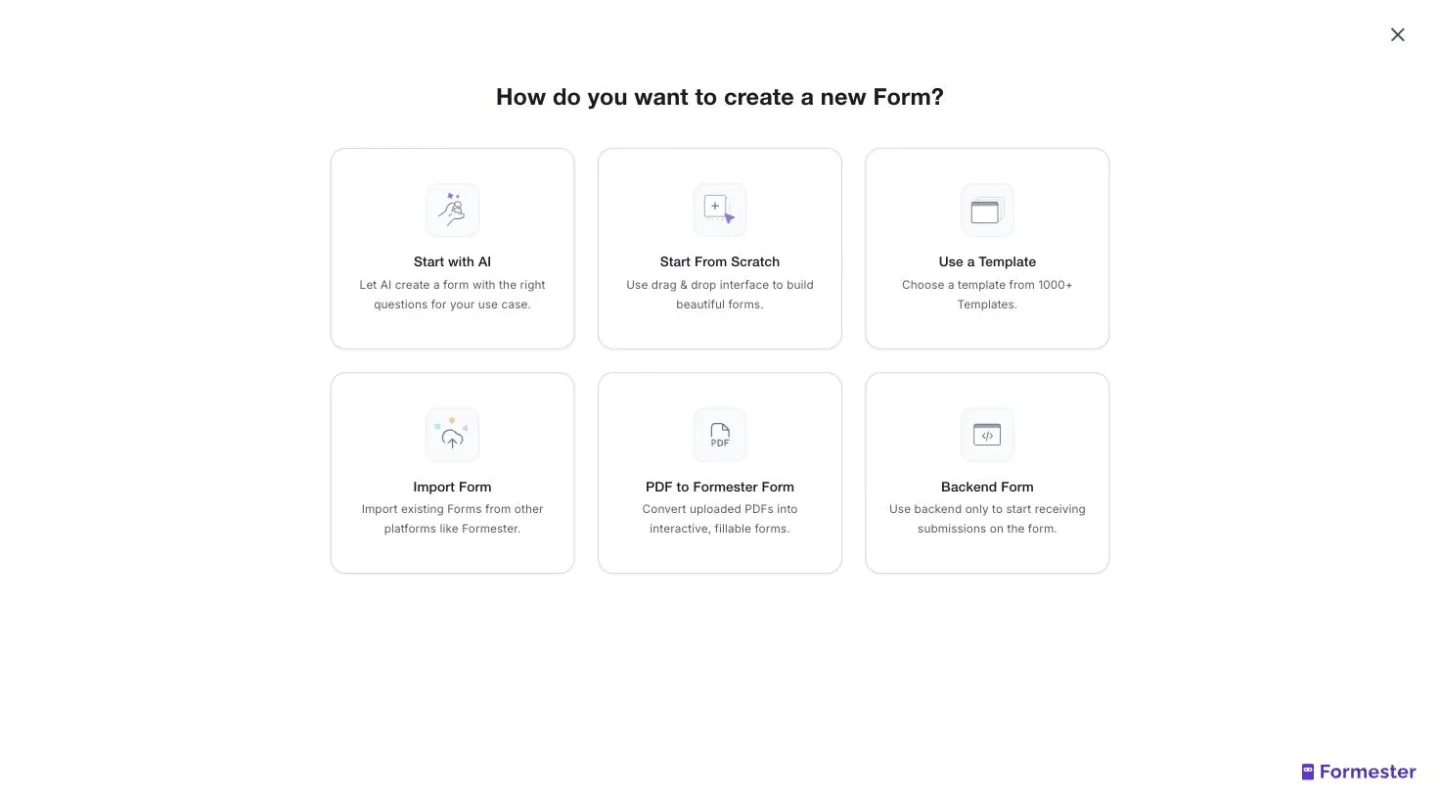
Create a new form and pick "PDF to Formester Form"
Log in to Formester and click New Form. Choose the PDF to Formester Form option.
-
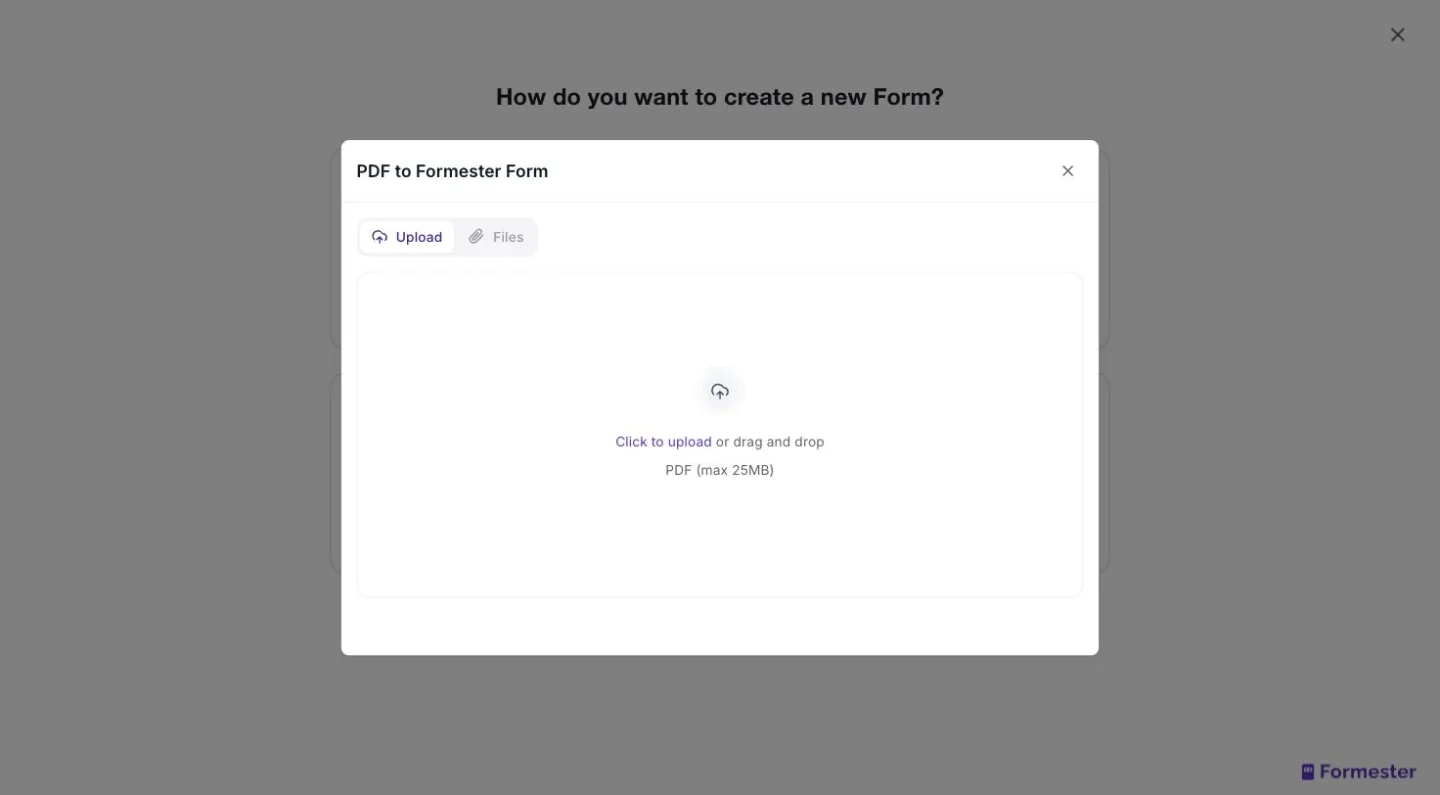
Upload your PDF
Pick the file you want to convert: an application form, an intake sheet, a registration form, a contract. This is the document AI will read.
-
Let AI detect the fields, then review them
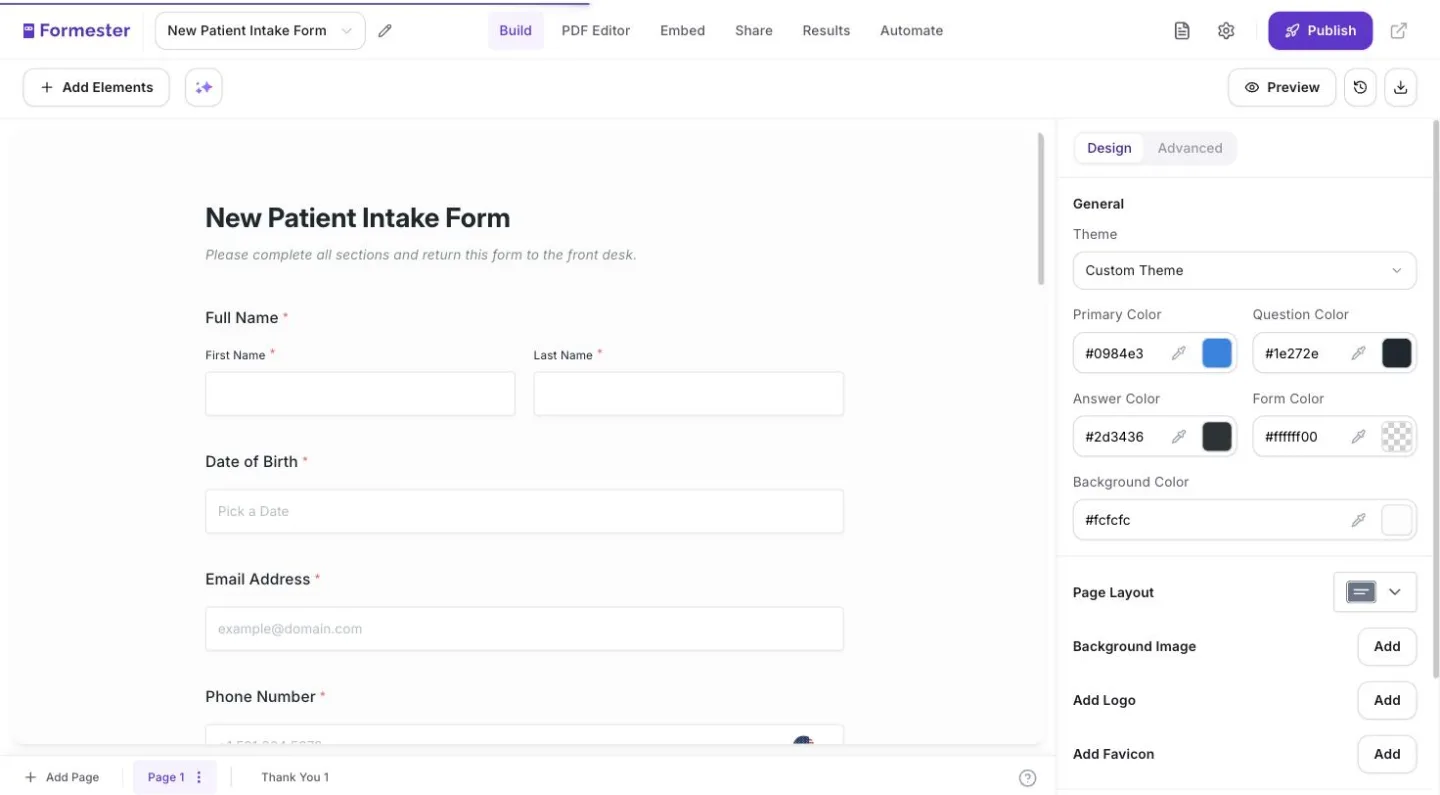
Formester's PDF to fillable form engine reads the document and rebuilds it as form fields automatically: text boxes, checkboxes, date pickers, and e-signature fields. The result opens in the form builder, where you can add anything the AI missed, like dropdowns, file uploads, or whole new sections.
Why review at all? Because a two-minute pass here saves you hours of cleanup later. Check three things:
Check the field types. A "State" field detected as a text box works better as a dropdown. Swapping the type is quick and saves you from cleaning up fifty spellings of "California" later.
Mark the must-haves as required. This is the single biggest win over the original PDF. Nobody can return the form half-filled.
Tidy the labels. PDFs often carry cramped labels like "Name (Last, First, MI)". On a web form you have room to write labels people actually understand.
-
Publish and share
Hit publish. Share the form as a link, a QR code, or embed it on any page of your website. It is mobile-friendly out of the box.
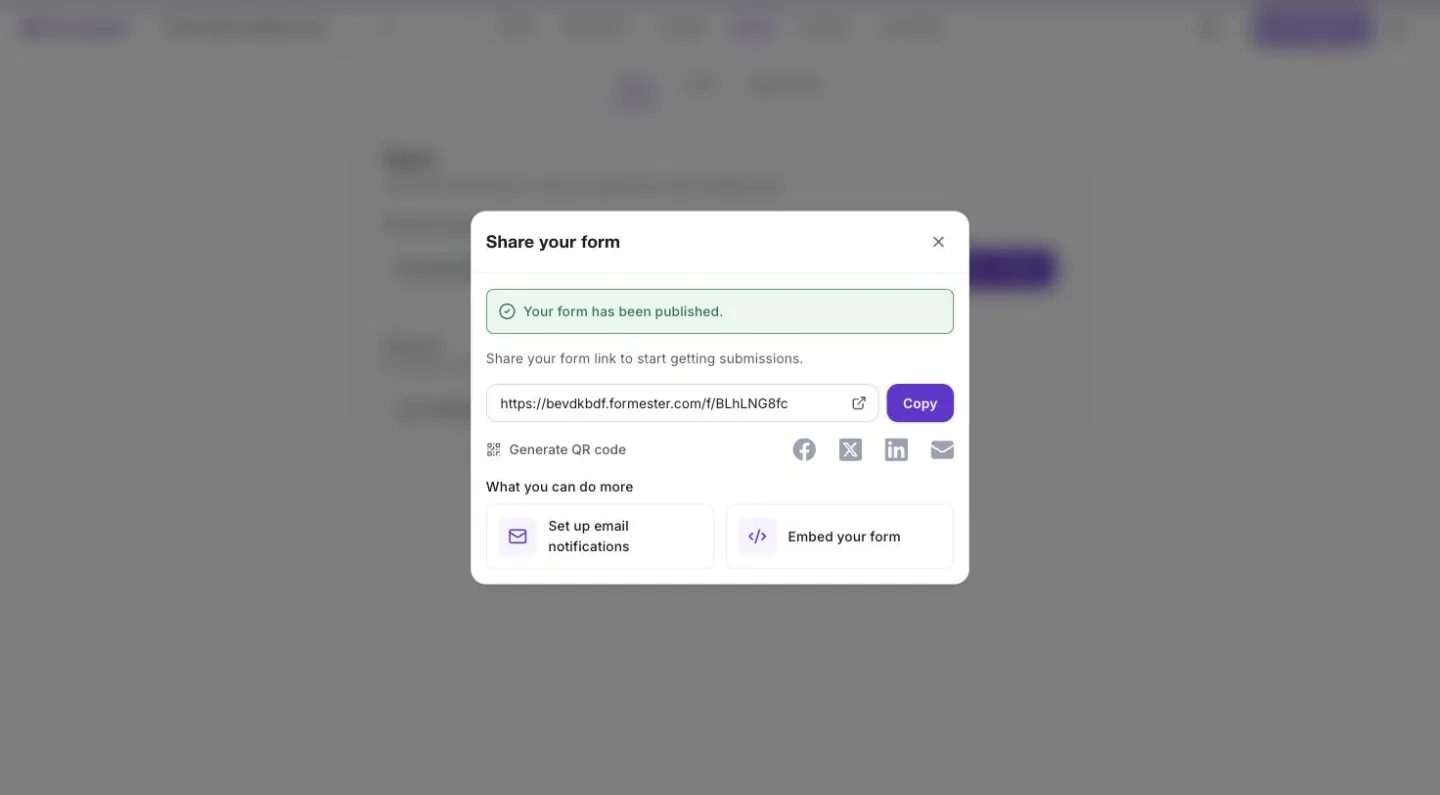
Did the AI misread something? Everything stays editable in the builder afterward. Detection saves you the setup work, and you keep full control.
What happens to your submissions
This is where the online form pays off compared to a stack of returned PDFs:
Every response lands in your Formester dashboard, ready to view or export.
Sync submissions to Google Sheets in real time, or push them anywhere via Zapier.
Get an email notification per submission.
Need the document back? Connect the form to your PDF and auto-fill a signed PDF from each submission. One form gives you both the data and the document.
Compare that with the PDF workflow it replaces. Someone emails you the filled file. You open it, squint at the handwriting or the tiny fields, and retype everything into a spreadsheet. Multiply that by fifty respondents and you have lost a full day. Add whatever the typos cost you after that.
With the online form, the spreadsheet fills itself. The moment someone hits submit, their answers arrive as clean, typed data. You can filter it in the dashboard, sync it to Sheets, or forward it to your CRM. Nobody retypes anything.
When this beats a fillable PDF
Converting to an online form wins whenever the PDF is just a container for questions:
Applications and intake forms. Job applications, client onboarding, patient intake.
Registrations and sign-ups. Events, courses, memberships.
Recurring internal paperwork. Requests, checklists, approvals.
Contracts and agreements. Collect details plus a legally binding signature in one pass.
The common thread: many respondents, repeated use, and you care about the data. If the form runs once a year and must be filed as a document, keep it a PDF.
Here is a concrete example. A clinic hands every new patient a four-page intake PDF. Reception prints it, patients fill it in the waiting room, and staff retype the answers into the system between appointments. Now convert it to an online form. The clinic texts patients a link before the visit. Patients fill it on their phone at home. Required fields catch the gaps. The answers arrive typed, complete, and already in the dashboard, with a filled PDF on record for compliance.
Starting from scratch instead of a PDF? Skip the upload and describe your form in plain words to the AI form generator. Same builder, same sharing options.
Turn your next PDF into an online form
Upload the PDF, let AI detect the fields, and share a mobile-friendly form by link or QR code. Each submission can still generate a filled PDF for your records.
Try Formester freeFree forever · No credit card · 56,000+ teams