10 Best Form Submission Email Templates To Send
When someone fills your form and hits submit, you get a short moment to build trust. Your first email can calm doubts, guide the next step, and show your brand’s personality. This welcome moment matters, and you want to use it well.
A good form submission email confirms the action, delivers value, and keeps the user moving in the right direction. When you keep it simple, clear, and on brand, you make users feel safe and informed. This helps you build stronger relationships and higher conversions.
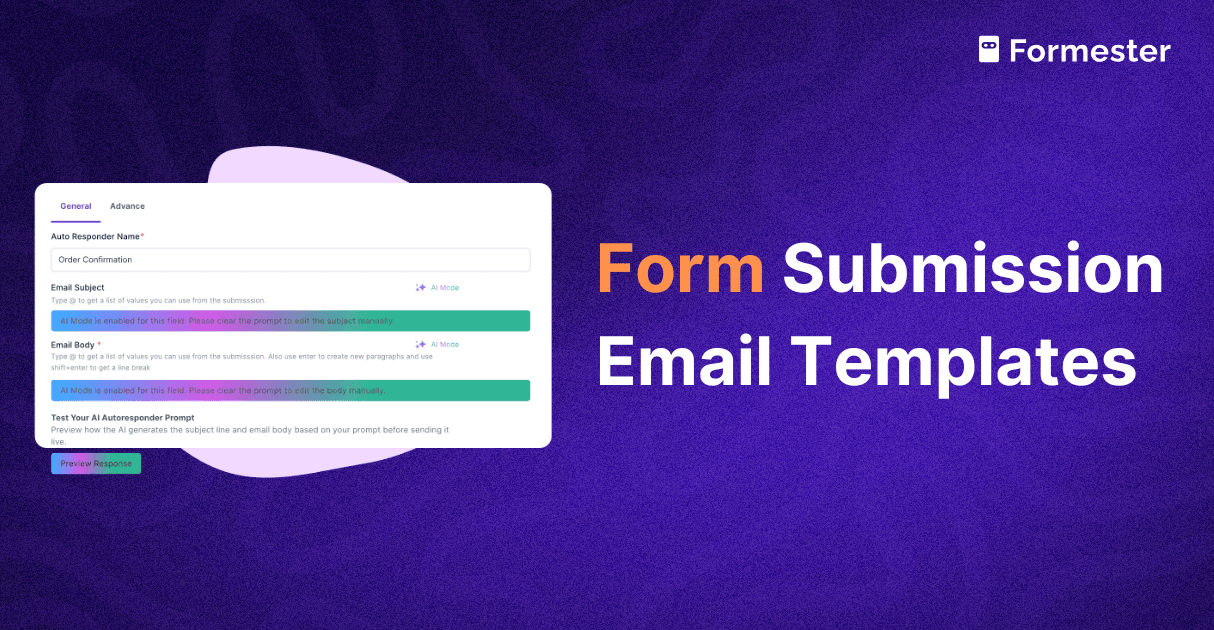
Formester makes this easier. You can use built in AI to write subject lines, personalize the email body, and match the message to your brand voice in seconds. You give a quick prompt and the AI shapes clean, friendly emails that fit your goal.
In this guide, you will learn how to write strong form submission emails, and you also get ten ready to use templates and AI prompt examples for each.
What Makes a Good Form Submission Email?
Confirm the action Your user must know the form worked. A clear line at the top builds trust.
Tell them what comes next When you guide the next step, the user feels supported.
Deliver value If you promised something, give it right away.
Focus on one goal Do not overload the first email. Keep it simple.
Match your brand The email should feel like a natural part of your site.
Use AI to Personalize Your Emails
Formester gives you built in AI that helps you write better emails faster. You can tell the AI your goal and get a clear, friendly, ready to send message. You can also customize tone, shorten long text, or make subject lines more personal.
Examples of what AI can do
Create subject lines that match user intent.
Personalize the greeting and body.
Rewrite long content into short clear lines.
Make the message feel warm and human.
Save time when you send many automated emails.
Now let us move into the templates.
10 Best Form Submission Email Templates To Try
Each template includes a sample AI prompt you can use inside Formester.
Simple Confirmation Email
Subject: We received your submission
Hi [First Name],

Thanks for reaching out. We have received your form.

Your message helps us understand what you need. Our team will go through your submission and get back to you if we need more details.

We appreciate your time.

Best,
[Your Name]
[Your Position]
[Your Company]
AI Prompt Example Write a simple confirmation email. Keep the tone friendly and clear. Tell the user we received their form and will reply soon.
Contact Form Submission Email
Subject: Thanks for contacting us
Hi [First Name],

Thanks for contacting us. We have received your message.

Our team is reviewing your request and will get back to you within [Number] business days. We want to make sure we guide you with the right help.

We look forward to supporting you.

Best,
[Your Name]
[Your Position]
[Your Company]
AI Prompt Example Write a contact form confirmation email. Make it warm and direct. Add our response time of Number business days.
Feedback Form Submission Email
Subject: Thanks for your feedback
Hi [First Name],

Thanks for sharing your feedback with us. We have received your message.

Your thoughts help us improve [Your Product or Service]. Our team will review your feedback and use it to guide updates and new ideas.

We appreciate your support.

Best,
[Your Name]
[Your Position]
[Your Company]
AI Prompt Example Write a feedback form confirmation email. Thank the user and say their input will be used to improve the product.
Registration Confirmation Email
Subject: Welcome to [Product Name]
Hi [First Name],

Thanks for registering with us. Your account is now active.

Use the link below to log in and start exploring your dashboard.
[Login Link]

If you need any help, reply to this email.

Best,
[Your Name]
[Your Position]
[Your Company]
AI Prompt Example Write a registration confirmation email. Keep it excited but clear. Add a login link and a simple help line.
Newsletter Sign Up Email
Subject: You are subscribed
Hi [First Name],

Thanks for signing up for our newsletter. You are now part of our community.

You will get helpful tips, updates, and useful content each week. We are glad to have you with us.

Thanks for joining.

Best,
[Your Name]
[Your Position]
[Your Company]
AI Prompt Example Write a newsletter confirmation email. Keep it friendly and short. Mention weekly updates.
Resource Delivery Email
Subject: Your resource is ready
Hi [First Name],

Thanks for signing up. Your free resource is ready to download.

Use the link below to get your file.
[Download Link]

We will send more helpful tools to your inbox soon.

Best,
[Your Name]
[Your Position]
[Your Company]
AI Prompt Example Write a resource delivery email. Share the download link clearly. Keep it simple and supportive.
Event Registration Email
Subject: Your spot is confirmed
Hi [First Name],

Thanks for signing up for [Event Name]. Your spot is confirmed.

Here is your access link for the event.
[Event Link]

We will send you a reminder before the event starts.

Best,
[Your Name]
[Your Position]
[Your Company]
AI Prompt Example Write an event registration confirmation email. Include the event link and keep the tone steady.
Inquiry Form Submission Email
Subject: We received your inquiry
Hi [First Name],

Thanks for your interest in [Product or Service Name]. We have received your inquiry.

Our team will review your message and respond within [Number] business days. We want to make sure you get the right information.

We look forward to helping you.

Best,
[Your Name]
[Your Position]
[Your Company]
AI Prompt Example Write an inquiry confirmation email. Mention the product and response time. Keep it simple.
Application Submission Email
Subject: We received your application
Hi [First Name],

Thanks for applying for the [Position Title] role at [Company Name]. We have received your application.

Our hiring team will review your profile and reach out with the next steps within [Number] business days.

We appreciate your interest in joining us.

Best,
[Your Name]
[Your Position]
[Your Company]
AI Prompt Example Write an application confirmation email. Keep it respectful. Mention next steps and review time.
Support Request Email
Subject: Your support request is confirmed
Hi [First Name],

Thanks for reaching out to our support team. We have received your request.

A support ticket has been created for you. Our team will look into your issue and get back with a solution as soon as possible.

Thanks for your patience.

Best,
[Your Name]
[Your Position]
[Your Company]
AI Prompt Example Write a support request confirmation email. Keep it clear and calm. Mention that a ticket has been created.
Why Use Formester for These Emails
Formester helps you automate every form submission email with ease. You set the trigger once and the system sends the right email at the right time. With built in AI, you can tailor subject lines, rewrite messages, and personalize the content without any writing struggle.
Formester helps you
Save time with fast automation.
Keep emails on brand.
Deliver promised files instantly.
Guide users at every step.
Write better emails with simple AI prompts.
Summary
Form submission emails shape the first touch users have with your brand. When you keep them simple, clear, and helpful, you build trust from the very first moment.
Use these templates and prompts to create emails that feel warm and professional. With Formester and its built in AI, you can personalize every message and make your workflow smooth and easy.