Design on a blank page
Build the layout with drag and drop. Add your logo, headings, shapes, and any form field, then style each one.
Page
A4A5LetterPortrait
Design a contract, invoice, or certificate once, right on your form. Every response fills it in, and the finished PDF goes out by email, Google Drive, or webhook. No mail merge, no extra tool.
Included in the Business plan, from $45/mo
















Document generation software fills a template with data to produce finished documents, such as contracts, invoices, and certificates, without copying anything by hand. It is also called document automation. In Formester, the data comes from your form submissions, so every response becomes a branded PDF.
Weighing other tools? Compare document generation tools by where your data starts, output format and price.
Pick how you want to begin. Every template lives on the form it belongs to, so the fields are already there.
Build the layout with drag and drop. Add your logo, headings, shapes, and any form field, then style each one.
Upload your letterhead or an existing document as the base, then place answers and images exactly where they belong.
Say what the document is for and AI lays out a first draft, already linked to your form’s fields. Then adjust anything.
These templates come with the form and its PDF already connected. Open one, change the wording and branding, and it is ready for submissions.
Client and project details, payment terms, and signatures flow from the form into the contract PDF.
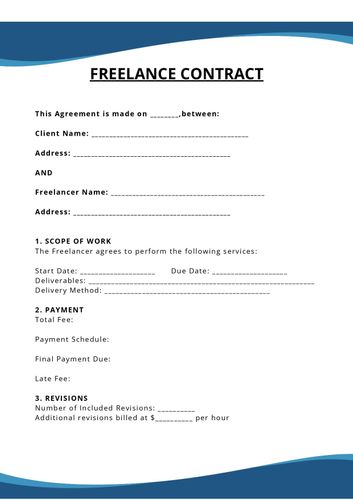
Both parties fill in their details and sign, and each submission produces a finished NDA.
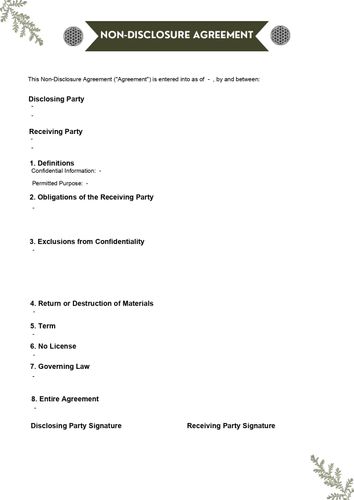
Services, prices, and acceptance details turn into a quote the customer can keep.
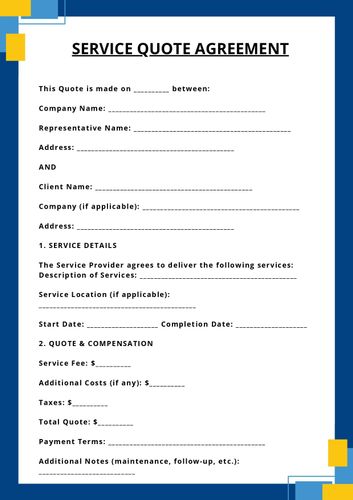
Drag elements onto the page, drop in form fields, and style every one. Long answers and tables flow onto the next page by themselves.
Automated document generation without mail merge or a second tool. The document is built on the same form that collects the data.
Start from scratch, upload a PDF, or describe the document to AI. The form’s fields are ready in the sidebar.
Drag fields onto the page or type @ inside any text. Style labels and answers to match your brand.
Pick an existing response and download the PDF with its data, so you see the real result before it goes out.
Attach it to emails, send it to the respondent, save it to Google Drive, or post a link to your webhook.
Choose “Connected PDF” wherever Formester sends or stores a submission. The document is generated at that moment.
Your team gets the finished document with every new submission, named the way you set.
Attach the PDF to the autoresponder, or let respondents download it from the thank-you page.
Attach the document in a Send email step, after an approval, a condition, or a delay.
Save each PDF to Drive, in its own folder per submission if you like. Past submissions can be synced too.
Webhooks can include a secure link to the PDF, so your CRM or backend can fetch the document.
Select submissions in Results and download their PDFs together. We email you a ZIP when it’s ready.
A few of the documents teams generate first. Each one is a form plus a template.
Client details, scope, and a drawn signature land in a ready-to-file agreement the moment the form is signed.
Contract generatorLine items from a repeater print as a table, and a calculation field adds up the total.
Quote templatesEach person who passes a course or attends an event gets a certificate with their name and date.
How to auto-generate certificatesSend a branded confirmation to every customer through the autoresponder, with their order details.
Autoresponder emailsChecklist answers, uploaded photos, and the inspector’s signature become one report per visit.
Inspection form builderTurn a long application into a clean summary and file it in Google Drive, one folder per applicant.
Google Drive integrationStart from a template: freelance invoice form, certificate templates, or quote templates.
Standalone document tools are built to pull data from many systems. When the data starts in a form, generating the document in the form builder removes a whole layer.
| Formester Documents | Form + document add-on | |
|---|---|---|
| Where the template lives | On the form, in a PDF Editor tab | In a separate app or add-on |
| Getting the data in | Already there, type @ to insert | Map merge fields or connect with Zapier |
| Price to start | Business plan, $45/mo billed yearly | Formstack: Suite plan, $250/mo billed yearly |
| Preview with real data | Any existing submission | Varies by tool |
| Start from | Blank page, your PDF, or AI | Usually a Word or PDF template |
| Delivery | Email, respondent, workflow, Drive, webhook | Set up again in the add-on |
Coming from Formstack Documents? See how Formester compares on price and setup.
Documents often carry personal and financial details. Here is how Formester handles them.
Submissions, notifications, and document downloads travel over TLS-encrypted connections.
Read about securityRespondent downloads use signed links that expire, and PDF links sent by webhook stop working after 7 days.
Add a Formester digital certificate to exported PDFs, so recipients can see where the document came from.

"PDF and emailing options are solid and easy to use. Support is second to none!"
"Their support is top notch. They reply quickly for any query and also help in technical queries and troubleshooting."
"Having one place to create different types of forms and collect responses makes this part of my work easier."
Find answers to common questions below, or reach out to our team for more help.
Open any form, choose PDF Editor, and start from scratch, your own PDF, or a sentence for AI.