The 60-second verdict
What SurveyMonkey is: A survey platform priced per user, with a three-seat minimum on paid team plans. Ships with 500+ expert-reviewed templates, an AI assistant called SurveyMonkey Genius, and enterprise controls locked behind custom contracts.
What it does well: The question library is deep, the analysis dashboard turns raw responses into readable charts without any setup work, and the templates cover most of what a marketing, HR, or CX team would ever field.
What is annoying: The Free plan only shows the first 25 responses per survey. Paid plans list at $30 per user per month yearly, but require three users, so the real starting price is $90 per month. HIPAA sits on Enterprise contracts only. If your actual need is a simple contact or order form, you are buying a survey product you will barely stretch.
Bottom line: If you run frequent employee, customer, or market-research surveys and want the analysis to work out of the box, SurveyMonkey pays for itself on Team Advantage. If you mainly need forms (lead capture, orders, event signups, quizzes), a lighter builder like Formester fits better at a fraction of the price.
G2 rating: 4.4/5 (23,844 reviews)
What SurveyMonkey is (and isn't)
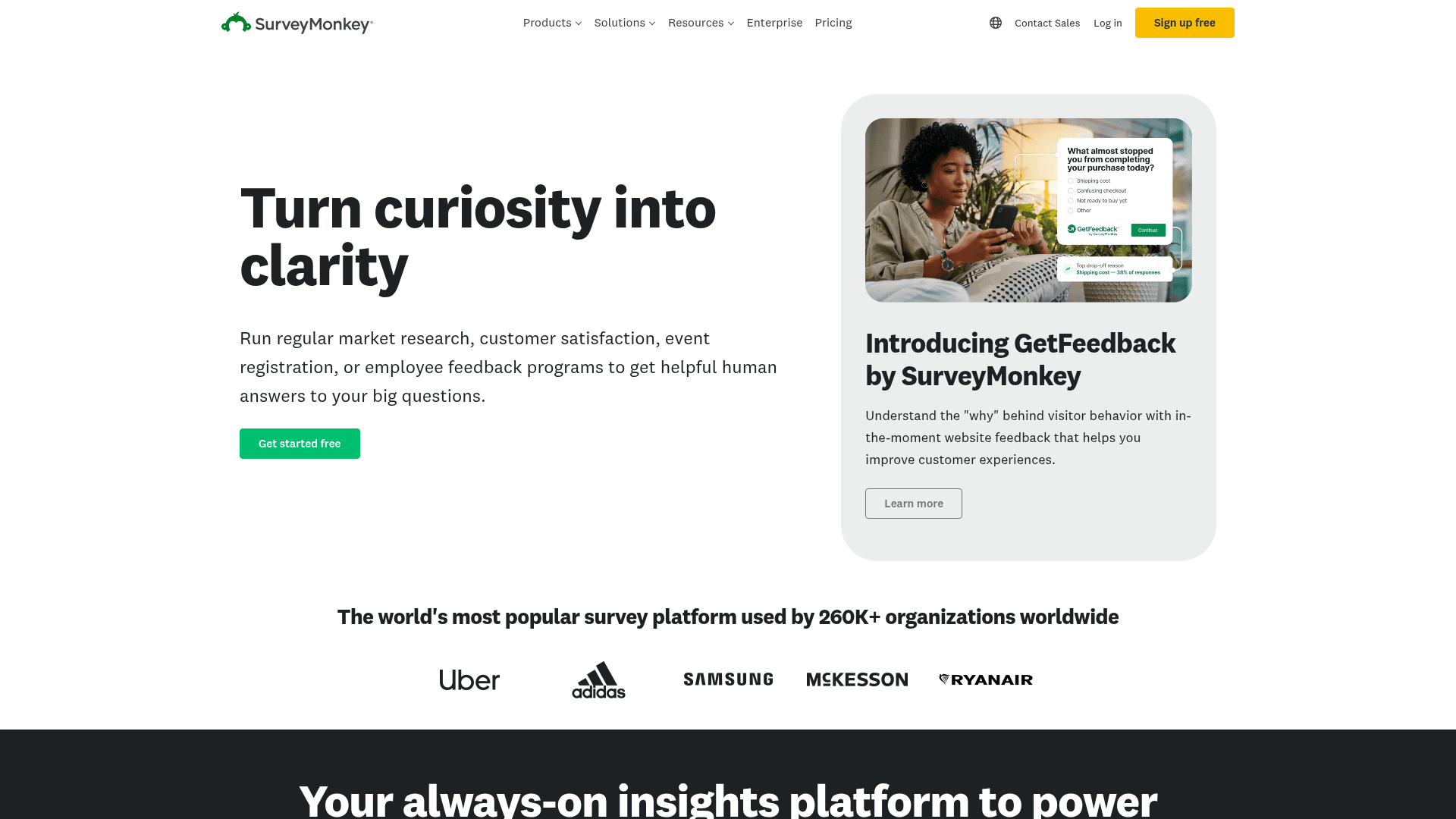
SurveyMonkey is a survey platform, not a general-purpose form builder. The distinction shows up in every design decision.
A survey exists to measure something. NPS, employee engagement, market segmentation, brand tracking. You send it, responses come in, and you slice the data. That is the workflow SurveyMonkey is shaped around, from the analysis dashboard back to the template library.
A form exists to collect something. A signup, a support ticket, a paid order, a booking. You want a payment field, a file upload, a conditional path to the right team. That is the workflow Formester, Jotform, and Fillout are shaped around.
You can technically build a form in SurveyMonkey or a survey in a form builder, but each tool bends toward one job. If your daily work is closer to "measure how customers feel" than "collect a signup," SurveyMonkey belongs on the shortlist. If it is the reverse, you will feel the mismatch by week two.
Pricing: four tiers, all yearly-billed on team plans
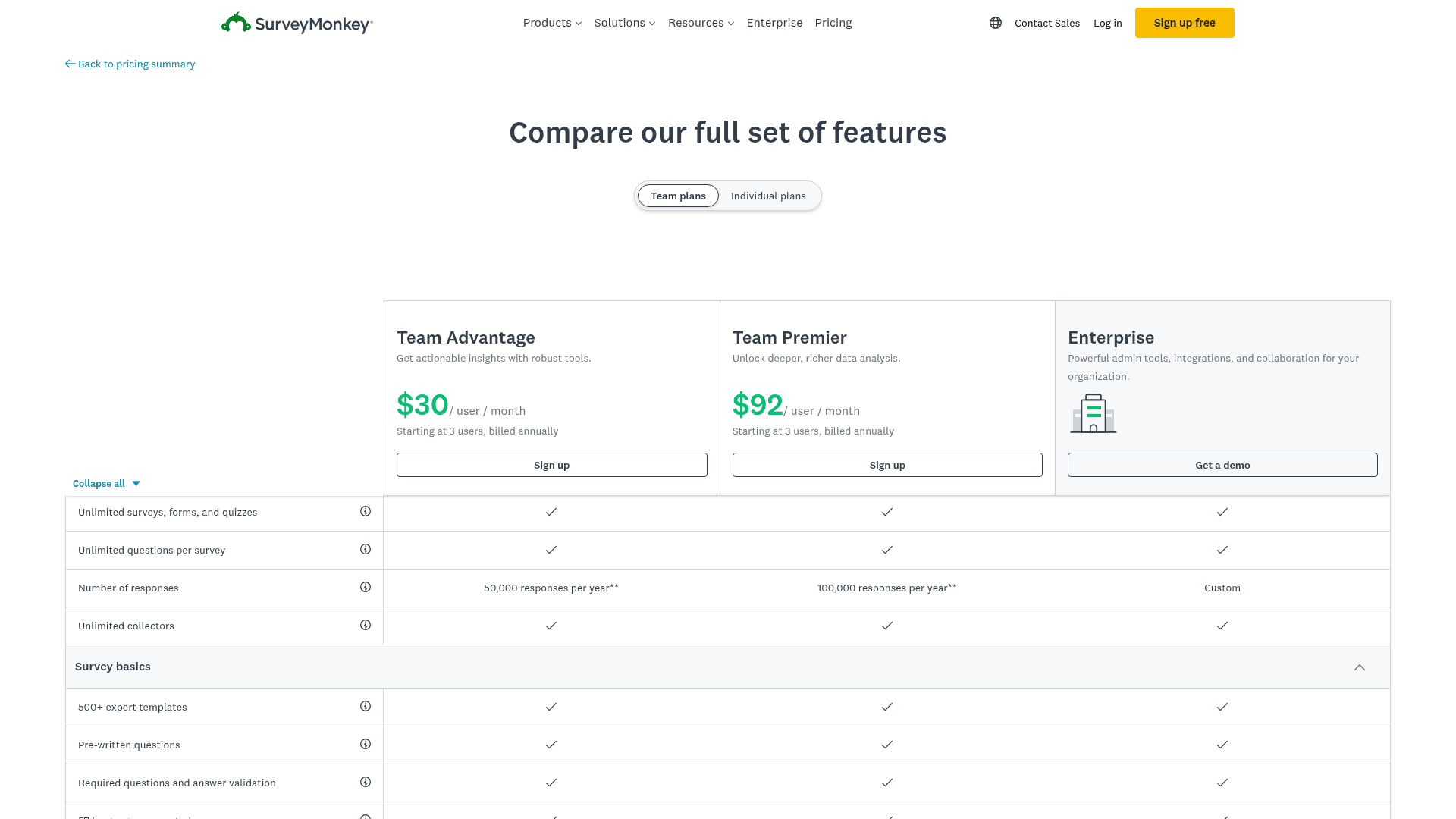
SurveyMonkey shows monthly-looking prices, but the paid team plans are yearly-only in practice. There is also a three-user minimum on Team Advantage and Team Premier, which changes the real entry price.
| Plan | Displayed price | Seat minimum | Real entry cost | Annual responses |
|---|---|---|---|---|
| Basic (Free) | $0 | 1 user | $0 | 25 visible per survey, 10 questions per survey |
| Team Advantage | $30/user/mo yearly | 3 users | $90/mo ($1,080/yr) | 50,000 |
| Team Premier | $92/user/mo yearly | 3 users | $276/mo ($3,312/yr) | 100,000 |
| Enterprise | Custom | Custom | Contract | Custom |
The Basic plan is a demo tier. You can build unlimited surveys, but the 25-response cap per survey and the 10-question ceiling rule it out for anything real. Nobody makes a hiring call off 25 engagement responses or measures NPS on 25 customers. Basic exists so you can test-drive the editor, not run the business on.
Team Advantage at $90 per month is the honest starting price. You get 50,000 responses per year (about 4,000 per month), SurveyMonkey Genius, all standard question types, and three seats. For a small marketing or CX team, this is the tier that actually works.
Team Premier at $276 per month is where the serious features live. Cross-tabulation, custom variables, sentiment analysis, and multilingual surveys are all on Premier and above. Team Advantage does not include them.
HIPAA sits on Enterprise contracts only. If you handle PHI or survey patients, you need the custom contract and a signed BAA. There is no self-serve HIPAA on any team tier.
Editor and builder experience
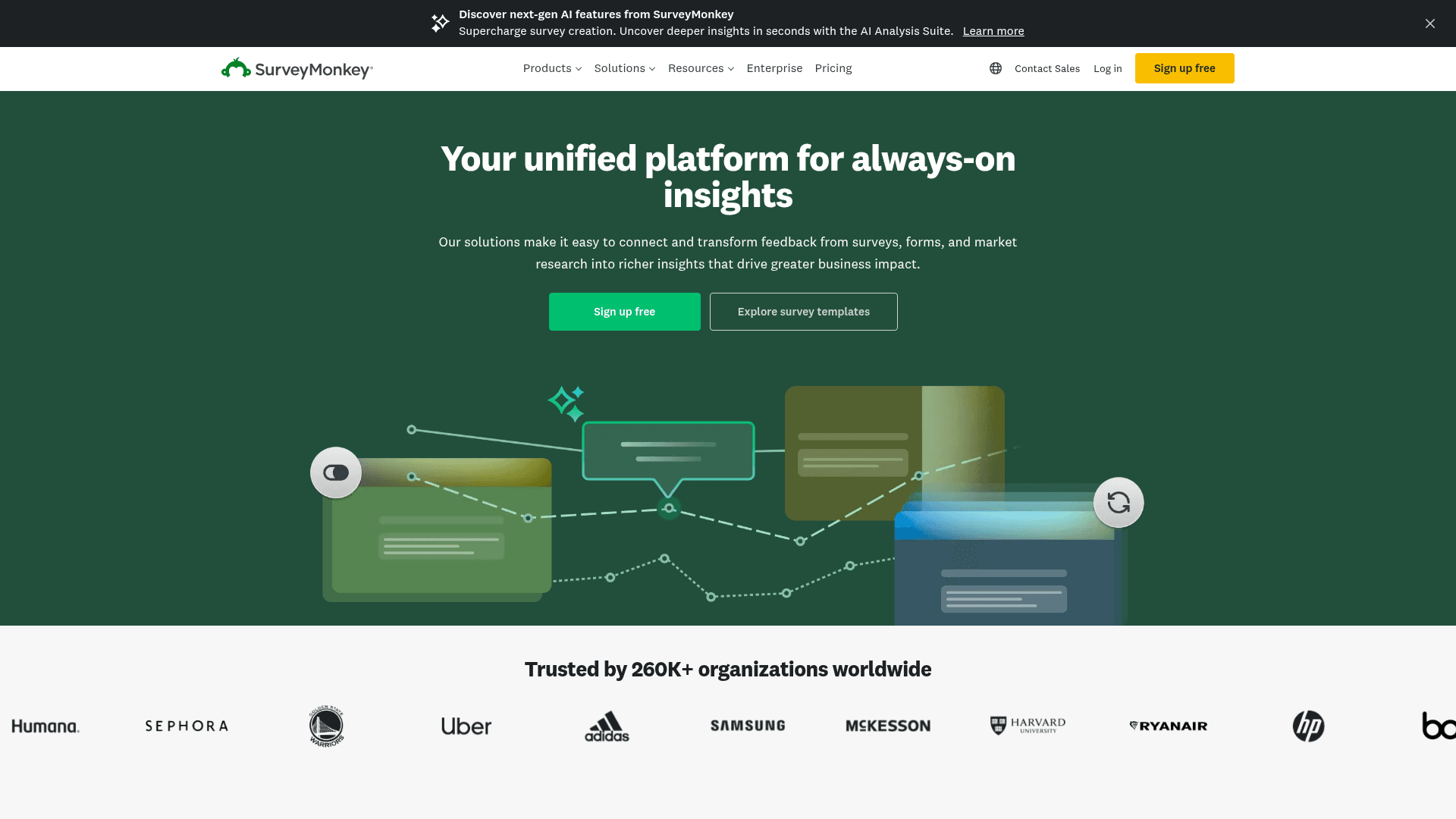
The survey editor is a three-panel layout: question types on the left, survey canvas in the middle, question settings on the right. Drag a question type onto the canvas, click to configure logic and validation on the right panel.
What it does well:
- The question library is 15+ types deep: multiple choice, dropdown, matrix, ranking, star rating, NPS, Likert, slider, file upload, contact info block. NPS and Likert are first-class question types, not add-ons.
- Question logic (branching, skip, piping) is genuinely easy to configure. Right panel, dropdown, done. No condition builder that looks like a coding IDE.
- SurveyMonkey Genius suggests questions and rewrites the ones you drafted for better response rates. It is not a generator that builds a full survey from a prompt (Formester and Typeform ship that), it is a co-editor for questions you already have.
- Auto-generated charts on the results dashboard. Responses come in, the chart type picks itself based on the question type. No pivot table required.
- The 500+ template library is real. HR templates for engagement and exit interviews, marketing templates for brand tracking and product feedback, CX templates for NPS, event templates for post-conference surveys. Use them or don't.
What feels dated:
- The editor UI has more chrome than it needs. Toolbars, sidebars, tabs across the top. Compared to Typeform's one-question-at-a-time editor or Formester's drag-drop canvas, it feels like a 2018 SaaS product.
- Mobile preview is a small phone-shaped panel on the right. Not a live side-by-side, and not an actual device emulator.
- Theme customization is limited on Team Advantage. Custom colors, custom logo, and a few font choices. Deep design control (custom CSS, custom fonts, custom domains) needs Team Premier or Enterprise.
- Multi-question-per-page control is buried in survey settings, not on the canvas. Most survey tools put page breaks inline. SurveyMonkey makes you find a settings menu.
Templates and integrations
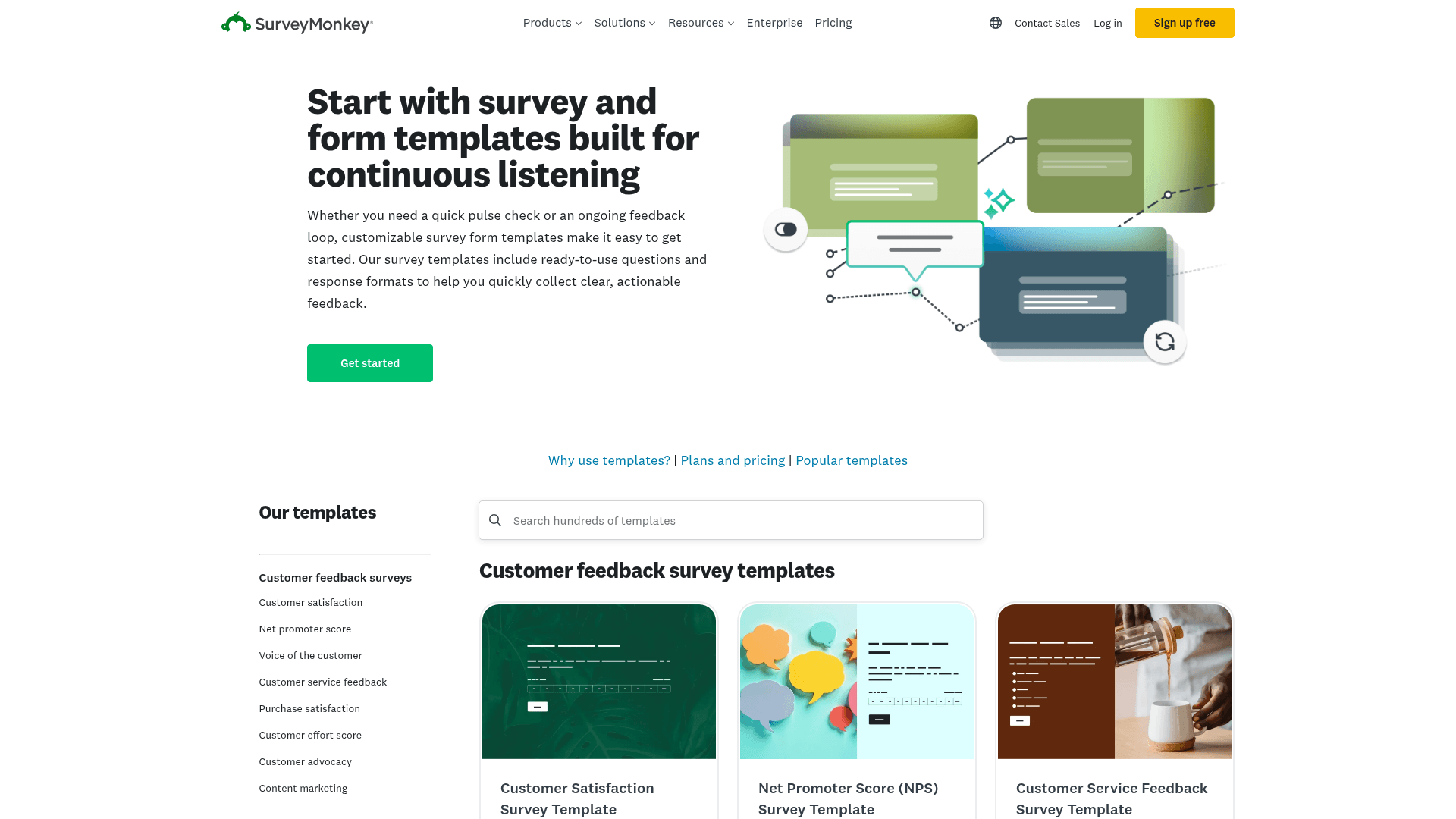
The template library is one of SurveyMonkey's strongest assets. 500+ expert-written templates covering:
- HR and workforce: employee engagement, exit interviews, onboarding surveys, 360 feedback, employee NPS
- Customer experience: NPS, CSAT, CES (Customer Effort Score), post-purchase feedback, customer churn diagnosis
- Marketing: brand tracking, ad testing, message testing, market segmentation, product-market fit
- Events: pre-event registration polls, post-event feedback, session-by-session evaluation
- Product: feature prioritization, usability testing, in-product feedback
- Education: course evaluations, student engagement, faculty reviews
Every template is written or reviewed by SurveyMonkey's methodologists. The question wording is tested against response bias, which is a real advantage over rolling your own from a blank canvas.
Native integrations cover the common enterprise stack:
- Communication: Slack, Microsoft Teams
- CRM and marketing: Salesforce (Team Premier+), HubSpot, Mailchimp, Marketo (Enterprise), Zendesk
- Analytics and BI: Tableau, Power BI (Enterprise), Google Sheets
- Productivity: Google Drive, OneDrive, Zapier
The CRM sync is gated. Salesforce integration for Team Premier and higher; Marketo and Adobe Analytics for Enterprise only. If you want survey data flowing into Salesforce automatically, you are on the $92 per user tier at minimum.
Analysis and reporting
Analysis is where SurveyMonkey clearly beats form builders. Responses land on a dashboard that auto-generates the right chart per question type. Bar charts for multiple choice, sentiment tags on open-ended text, NPS score front and center, cross-tab tables on Team Premier.
Included on Team Advantage:
- Basic charts, response rate, completion rate, average time per question
- Text analysis (word cloud on open-ended answers)
- Filter by response, question, or contact property
- Export to PDF, XLS, CSV
Included on Team Premier:
- Cross-tabulation
- Sentiment analysis on open-ended text (positive, neutral, negative)
- Custom variables (attach hidden metadata to each response)
- Compare and combine results from multiple surveys in an interactive dashboard
- Weighting (adjust response distribution to match target population)
Enterprise-only:
- Automatic tagging of open-ended responses by AI-defined themes
- Response quality flags (gibberish, speed-clicking, straight-lining)
- Real-time monitoring dashboards
- Integration with dedicated BI (Tableau, Power BI)
If your team runs quantitative research or wants to move survey insights into a proper BI stack, Team Premier is the minimum viable tier. Team Advantage is fine for CSAT and simple engagement surveys, but the analysis stops at descriptive stats.
Real-world use cases where SurveyMonkey wins
Company-wide employee engagement surveys. Annual engagement across 500 to 5,000 employees, using the built-in engagement template with benchmark comparisons and cross-tab by department and tenure. Team Premier at $276 per month covers most mid-market HR teams comfortably.
Ongoing NPS and CSAT programs. Trigger a survey off a Zendesk ticket close or a Salesforce opportunity, get the response back inside the same CRM, watch the NPS score move on a monthly dashboard. SurveyMonkey handles this loop natively. A form builder would need Zapier plus custom automation to get halfway there.
Market research with actual methodology. Randomization, quota sampling, cross-tab, weighting to match a target population. This is Team Premier or Enterprise work, and it is the reason SurveyMonkey exists. A form builder can collect the raw responses but will not help you weight them.
Event feedback for conferences and roadshows. Post-event templates, session-by-session evaluation, aggregate reporting per track. A form tool can do this if you build it from scratch; SurveyMonkey has it templated.
Longitudinal brand-tracking studies. Multi-wave surveys over quarters or years, same methodology every wave, comparable data across time. SurveyMonkey holds up here because its data model does not shift under you when the plan changes.
Where SurveyMonkey falls short
The three-user minimum on paid team plans makes it expensive for solo operators and small teams. A one-person marketing team who wants to move off the Free plan is buying three seats they will not use. That is $1,080 per year for one active user. Solo consultants and freelancers get squeezed here.
The Free plan is not really usable for real work. 25 visible responses per survey is a demo cap, not a workable free tier. Compared to Formester's free plan (unlimited responses, unlimited forms) or Google Forms (unlimited, free with a Google account), SurveyMonkey's free tier reads as a marketing lead-magnet rather than a genuine offering.
HIPAA is Enterprise-only. If you need to survey patients or capture PHI, you cannot self-serve. You are on a custom contract with a signed BAA, minimum commitment, sales-led. Most healthcare-adjacent teams find out about this after they have already started building.
Payment collection is not native. Surveys are for opinions, not for orders. If you want to run an event registration with payment, or a paid product order form, SurveyMonkey does not have native Stripe or PayPal fields. You need Zapier or a workaround. This is where a form builder wins by design.
Custom branding and white-labeling is gated hard. Custom domain, remove SurveyMonkey branding, custom fonts, and custom CSS all sit on Team Premier or Enterprise. If you want to send a customer-facing survey that does not have "Powered by SurveyMonkey" on it, you are paying $92 per user per month minimum.
Editor UX has not evolved much in five years. The three-panel editor still works, but it feels heavy next to Typeform's conversational one-question-at-a-time flow or Formester's clean drag-and-drop canvas. Response rates on modern conversational designs beat traditional survey layouts in most head-to-head tests.
Add-ons and advanced features are scattered across tiers with no clear map. Feature X is on Advantage, feature Y needs Premier, feature Z is Enterprise-only. The pricing page requires several passes to figure out what actually ships on the tier you can afford.
Pros and cons summary
Pros:
- 500+ expert-reviewed templates covering HR, CX, marketing, product, and event research
- Deepest analysis stack in the form and survey category (cross-tab, weighting, sentiment)
- Question logic is easy to configure without a scripting mindset
- SurveyMonkey Genius offers real question-writing help, not vaporware
- Auto-generated charts and dashboards work out of the box
- Integrations with Slack, Teams, Salesforce, HubSpot, Zendesk, Mailchimp on standard tiers
- Enterprise-grade security posture with HIPAA and SSO on the custom tier
- Mature product, well-documented, extensive help center
Cons:
- Three-seat minimum on paid team plans makes the real starting cost $90 per month
- Free plan capped at 25 visible responses per survey, not usable for real work
- HIPAA only on Enterprise custom contracts
- No native payment collection (Stripe, PayPal) for order forms or paid registrations
- Custom domain and remove-branding sit on Team Premier or higher
- Editor UI feels heavier and more dated than Typeform or Formester
- Feature gating across four tiers is hard to reason about
Unlimited responses. No per-user pricing. No seat minimum
Formester's free plan ships unlimited forms and responses, AI form generation from a prompt or PDF, offline capture, and native Stripe / PayPal. Everything SurveyMonkey gates behind Team Advantage and above.
Free forever plan • No credit card • Setup in 2 minutes
When Formester is the better pick
You want unlimited responses without paying for surveys you never sent. Formester's Free plan ships unlimited forms and unlimited responses. Personal is $12 per month, Business is $45 per month, both with unlimited responses. No response caps, no seat minimums, no per-user math.
You mostly need forms, not surveys. Signup forms, contact forms, order forms, event registrations, quote requests, quizzes, lead capture. Formester's form editor is built for these workflows with native Stripe and PayPal, conditional logic, file uploads, and offline forms via PWA. SurveyMonkey can technically build a signup form; Formester was designed for it.
You want AI form generation, not just AI question suggestions. Formester's AI form generator builds a full form from a prompt, a question list, or an uploaded PDF. SurveyMonkey Genius helps you refine questions you already wrote. Different jobs, different tools.
You need offline data collection. Field teams, in-store surveys, event booths where wi-fi is unreliable. Formester's offline form apps let responses queue on the device and sync when connectivity returns. SurveyMonkey Anywhere exists but is Enterprise-only.
You want a custom domain and no vendor branding without paying for the top tier. Formester's Personal plan removes Formester branding and lets you point a custom domain. SurveyMonkey holds both features back to Team Premier and above.
You need to switch off SurveyMonkey. The SurveyMonkey alternative page walks through migration steps: what carries over, what needs to be rebuilt, and how the pricing math changes on a team of 5, 10, or 25.
When SurveyMonkey is the better pick
Your primary use case is genuine research surveys. Employee engagement, brand tracking, customer segmentation, market research. SurveyMonkey's analysis stack (cross-tab, weighting, sentiment) is not something a form builder replicates cheaply.
You need methodology-tested templates you can trust out of the box. The template library is peer-reviewed against response bias. If you are running an engagement survey and cannot afford to burn your one shot with the workforce, the template quality is worth the price.
You are already inside a Salesforce, Zendesk, or Marketo stack that expects SurveyMonkey integration. Enterprise CX teams often standardize on SurveyMonkey because it plugs into the customer data stack cleanly. Ripping it out to save on subscription cost is usually a net loss when integration engineering time is priced in.
You need HIPAA compliance on a large healthcare deployment. SurveyMonkey Enterprise supports HIPAA with a BAA. For patient surveys, employee health screenings, or healthcare CX, this is table stakes. Most form builders (including Formester) do not offer HIPAA at all.
The final verdict
SurveyMonkey is a serious survey platform for teams that run frequent, methodologically rigorous studies. Template library, analysis dashboard, and enterprise integrations are all strong on their own; taken together they are hard to replicate on a form builder without a lot of glue code.
The catch is price and fit. The three-seat floor and the response caps on Free push the real starting cost to $90 per month, and the product is shaped around surveys, not the transactional forms most product and marketing teams reach for weekly.
Our rating: 4.3/5 (in line with G2's 4.4/5 across 23,844 reviews).
Pick SurveyMonkey if: you run real research surveys at scale and value analysis depth over form flexibility.
Pick Formester if: you need order forms, payments, offline capture, unlimited responses without seat minimums, or you are on a two-person team that would waste two out of three SurveyMonkey seats.
If you are already on SurveyMonkey and quietly reconsidering, the SurveyMonkey alternative walkthrough covers migration friction, feature gaps, and total-cost math for teams of 5, 10, and 25.
Written after 30+ days of building surveys and forms in SurveyMonkey against comparable workflows in Formester, Typeform, and Google Forms. Pricing verified against SurveyMonkey's live pricing page. G2 rating current as of publish date.


