On a tablet at the front desk
Open the form on a tablet at reception or the check-in table. Each person reads the terms, ticks the box and signs with a finger before their appointment or activity.
Describe the consent you need or upload your paper form. Formester builds an online consent form with a signature field, ready to share as a link.










Start from a prompt, a template, or the paper form you use today. You can change every field before you share it.
Type what the consent covers, upload your current paper or PDF form, or start from a consent form template. The AI turns it into an editable form in seconds.
Write the consent text, then add a Terms and Conditions checkbox and a Signature field. Make both required, so nobody can submit without agreeing and signing.
Send the link or embed the form on your website. People read, tick and sign with a finger, mouse or trackpad, and each response is stored in Results.
Each response keeps the signer's answers and signature together, with the details you need to show who agreed and when.
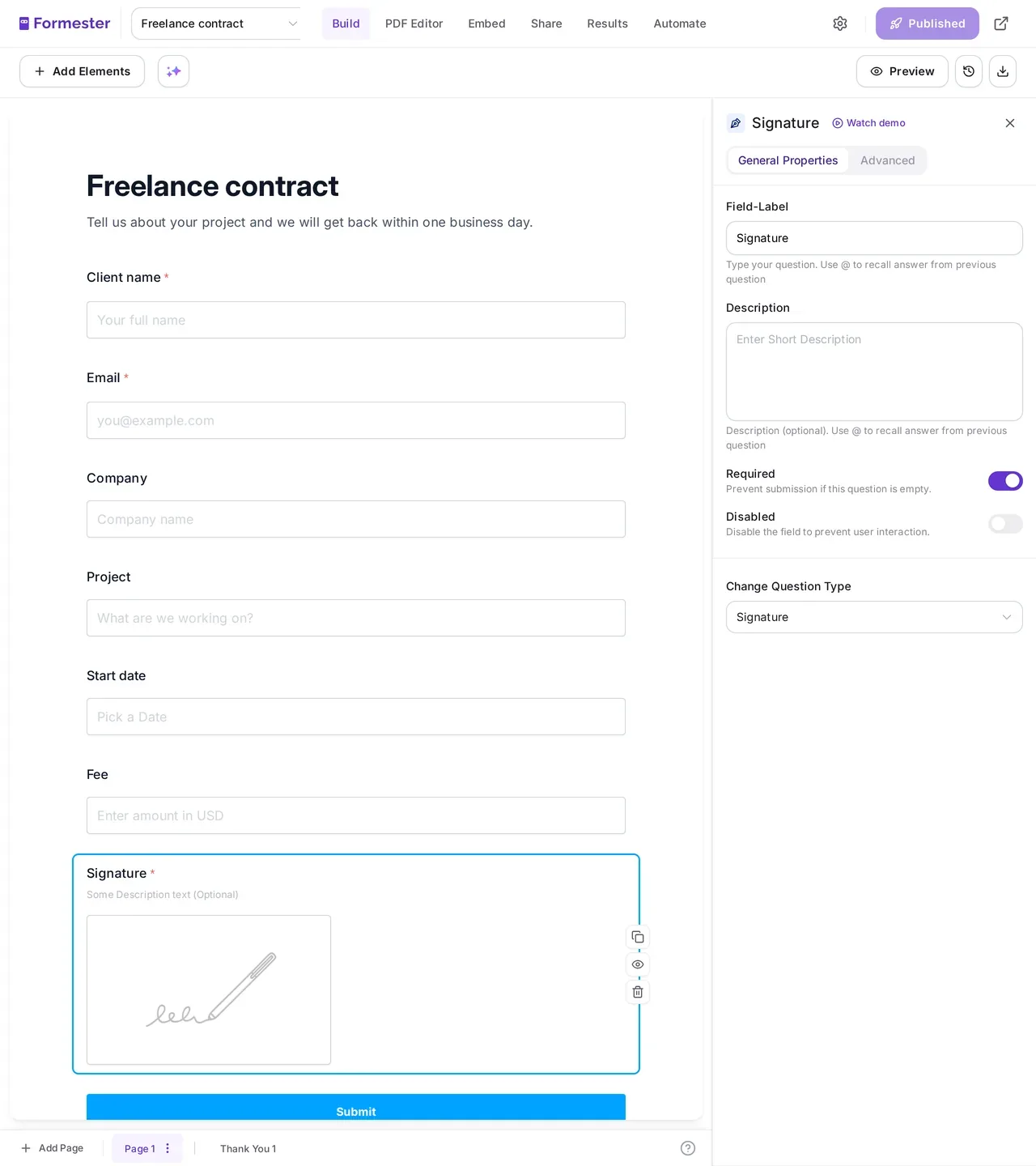
The signature field lets people draw their signature on a phone, tablet or computer. It is saved with the rest of their answers, so the signature and what they agreed to stay together.
People sign where it suits them, in person or before they arrive. The form opens in the browser, so there is nothing to install.
Open the form on a tablet at reception or the check-in table. Each person reads the terms, ticks the box and signs with a finger before their appointment or activity.
Email or text the form link, or print a QR code people scan at the door. They read and sign on their phone, and the response arrives in your Results.
QR codes for formsSome consents need to live as a document. On the Business plan, from $45/mo billed yearly, each response can become a PDF with the drawn signature in place.
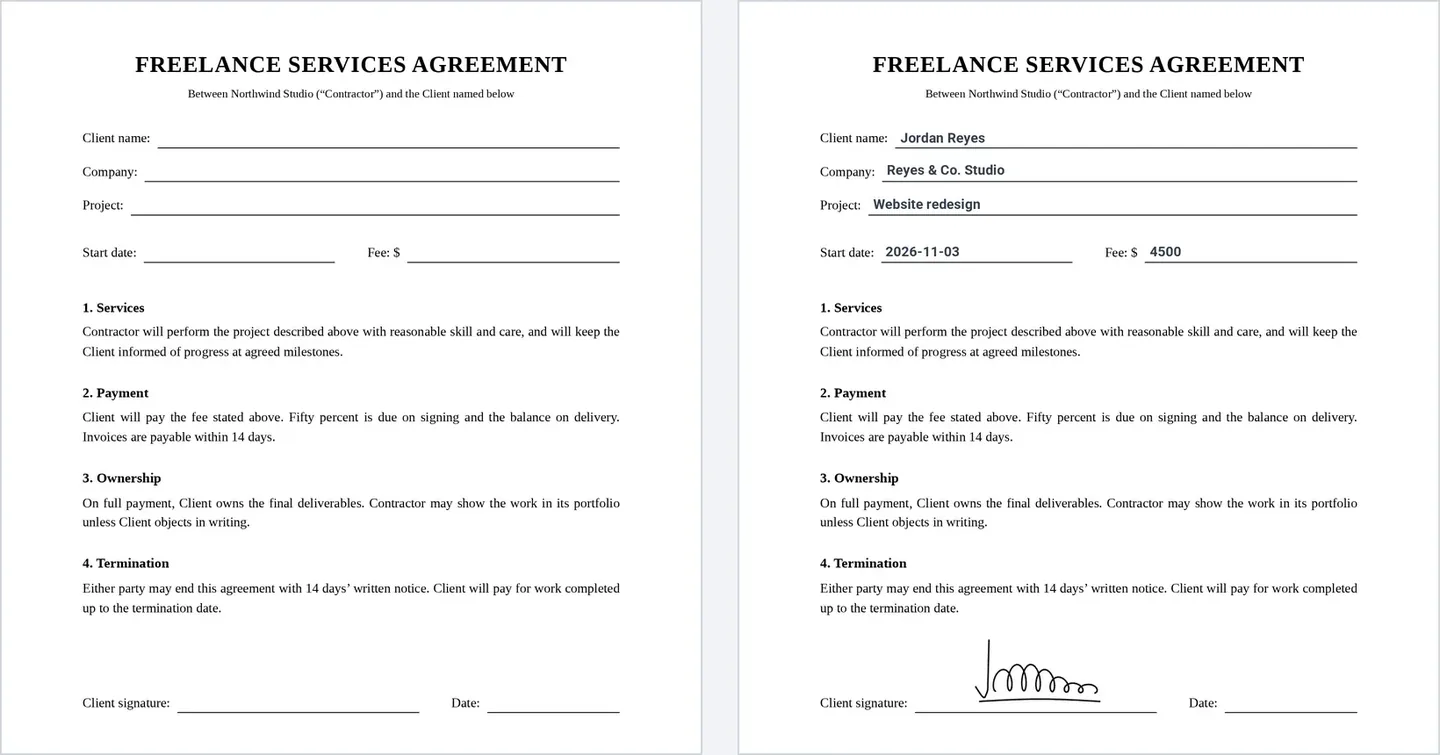
Use a ready-made layout that lists every answer, or design your own document in the PDF Editor and place the signature, the consent text and the submission time where you want them.
Design your own consent PDF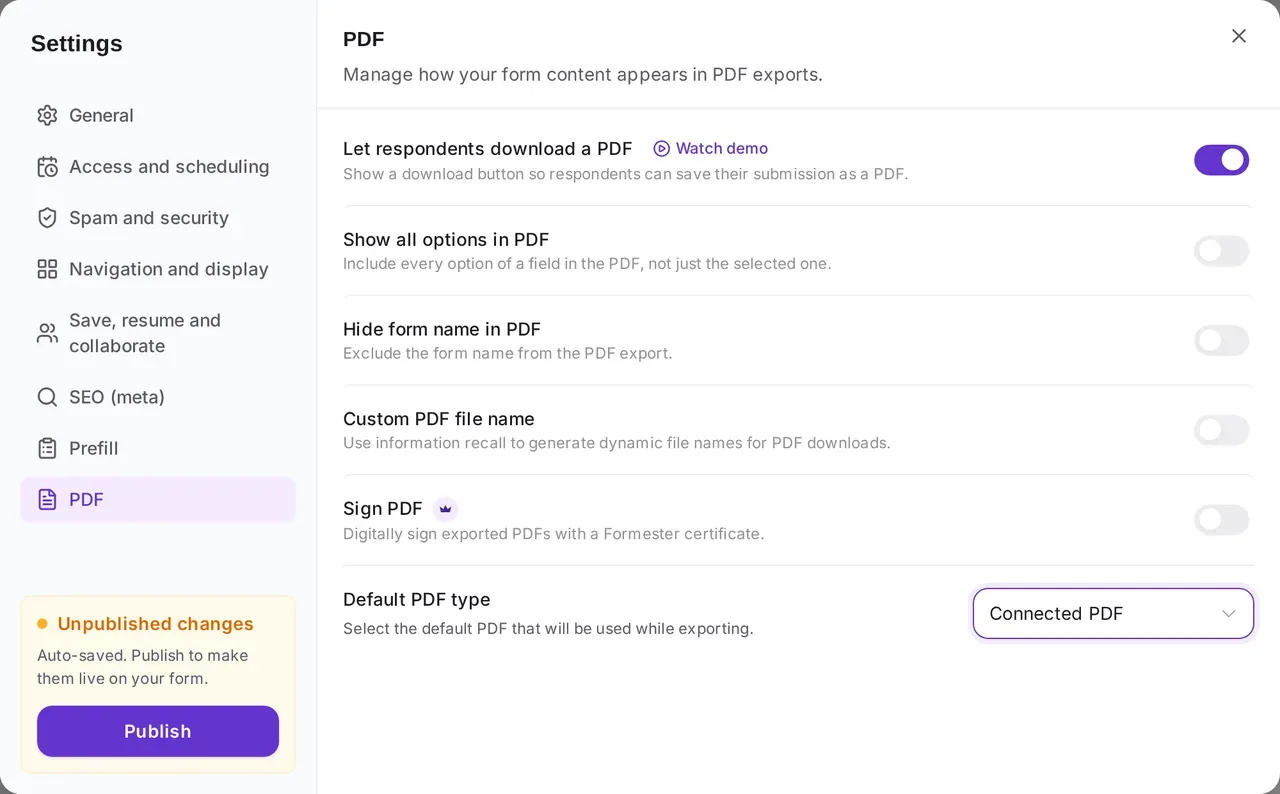
Each signed PDF is created when the response comes in. Choose where it goes:
Formester has more than 20 ready consent form templates. Each one below already has a signature field, so open one, change the wording to fit, and share it.
Get permission to use someone’s photos and video in ads, social posts and print.
Use this templateCollect consent before you film interviews, testimonials or event footage.
Use this templateParents give permission for trips, activities and photos from their phone.
Use this templateAttendees accept the event risks and agree to be photographed in one form.
Use this templateNew members sign the liability waiver as part of joining.
Use this templateCandidates give permission for a background check before you order one.
Use this templateParticipants agree to an interview and to how you will record and use it.
Use this templateA general consent form you can adapt to your own agreement.
Use this templateMarketing, events, schools, HR and research teams use Formester to replace paper consent forms.
Collect a signed release from everyone in a shoot before the photos go into a campaign.
Media release templatesHave every participant sign the waiver online before they arrive, so check-in stays short.
Liability release templatesSend each family a link with the student’s name already filled in, so parents only read, tick and sign.
Pre-fill form fieldsCandidates sign the consent and upload a photo ID in the same form.
File upload formsShow recording questions only to people who agree to be recorded, with conditional logic on the Personal plan.
Conditional logicBrowse every consent form template and adapt the closest one to your own wording.
All consent form templatesConsent forms hold personal details, so your data is encrypted and is never used to train AI.
Responses travel over HTTPS and are encrypted where they are stored. Backups are encrypted too.
Security overviewFormester does not use your form data for analytics, advertising, marketing or product training.
Formester’s data processing agreement covers GDPR, UK GDPR and CCPA, for teams that need one on file.
Read the DPA
"The submission results page is nicely laid out as a table of entries … PDF and emailing options are solid and easy to use."
"Formester is a single, drop-in, full-service form-to-email solution that provides all the functions my website requires."
"Their support is top notch. They reply quickly for any query and also help in technical queries and troubleshooting."
Find answers to common questions below, or reach out to our team for more help.
Build it and collect signatures on the free plan. Add signed PDFs with the Business plan, from $45/mo billed yearly.