bevdkbdf.formester.com/f/ba4731d1-8223-4f54-92a8-3400fbf02e09

Video Consent Form

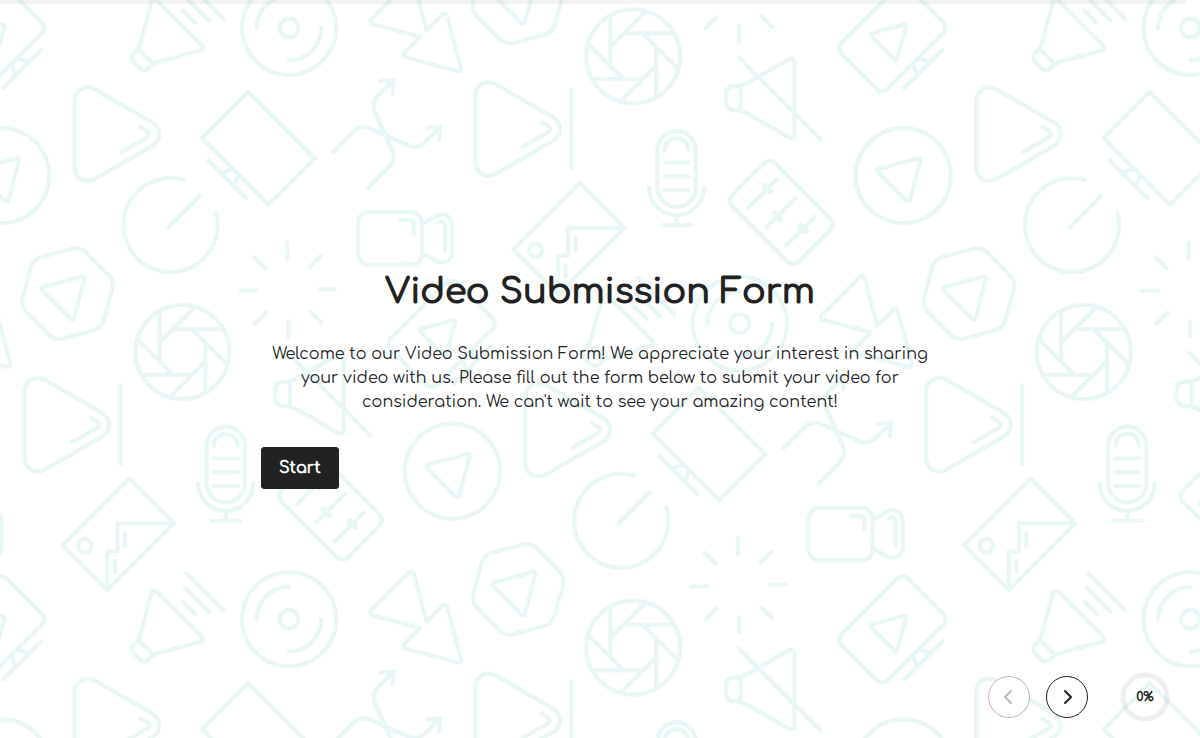
A video consent form is the difference between a clean publish and an angry email from someone in the background of your event recording who now wants their face blurred out, retroactively, on a video that has 47,000 views. This template captures consent the right way: written, specific, signed, and stored. The form covers what you'd expect (subject name, contact, project, recording date) and the parts most templates miss: the scope of consent (specific use vs broader, online vs broadcast, geographic territory, duration of use, revocability), parental consent for minors, and a release clause that distinguishes consent (permission to record) from release (permission to use and publish). The legal distinction matters; conflating them is where most DIY forms go sideways. Send the form to your subjects before the shoot via a shareable Formester link, capture e-signatures on any device, and auto-store the signed PDF in your project file. For minors, add a conditional parental consent flow that triggers when the subject is under 18.

Compliance Forms

About this template

A video consent form is the written, signed agreement where a subject grants permission to be recorded on video and for the recording to be used in a specific way. Two legal concepts live inside it: consent (permission to record the subject) and release (permission to use and publish the recording). Both should be captured explicitly, with scope language naming what the recording will be used for, for how long, in what geographic territory, and whether the subject can revoke consent later.

The Formester template ships with all the standard fields plus the scope language most basic templates leave out. Customize the use-case clause for your project (corporate marketing video, podcast interview, classroom recording, event capture, social media reel), trigger a parental-consent flow when the subject is under 18, and capture the e-signature on a phone or laptop in under a minute.

Make collecting video consent a breeze with Formester’s Form Builder! Our Video Consent Form Template allows you to quickly and efficiently gather consent for using video footage, whether it’s for marketing, training, or any other purpose that requires permission from participants.

With Free Form Templates, you can easily customize the form to include necessary details such as the type of video content, where it will be used, and how long it will be stored. You can also ask for additional consent for sharing the video across different platforms, like social media or websites, to ensure full transparency.

To ensure secure submissions, take advantage of the Electronic Signature feature. This lets participants sign the form electronically, giving you a legally binding consent without needing paper documents.

Need to collect more than just signatures? Use File Upload Forms to allow participants to submit identification or other supporting documents along with their consent form. This keeps everything in one place and reduces the back-and-forth communication.

Once a participant submits their consent, you can instantly send them a confirmation using the Autoresponder Email. This feature ensures that everyone receives an acknowledgment of their submission right away.

With Export Form Submission PDF, you can download and store all completed forms securely, making it easy to keep track of who has given consent and when.

Formester’s Video Consent Form Template streamlines the process of obtaining permission, ensuring you stay compliant and organized. Start using Formester today to manage video consent forms with ease and professionalism!
When to use this video consent form

Eight recording scenarios this template handles. From corporate testimonials to classroom recordings.

Corporate marketing video

Employees, partners, or customers featured in a brand video. Standard scope: corporate channels.

Customer testimonial

Product-page testimonial, ad, or case study. Wider distribution scope; explicit usage rights.

Podcast or interview

Long-form conversation published as video. Capture release for editing, publishing, and republication rights.

Classroom recording

Students in a session, especially minors. Add parental consent and FERPA-aware retention.

Event recording

Conferences, workshops, community gatherings. Signage at entry + close-up subject forms.

Training video

Internal company training with employees as subjects. Scope: internal corporate learning.

Social media reel

Featured individuals on Instagram, TikTok, LinkedIn. Explicit social-channel rights.

Live stream archive

Event live stream that lives on YouTube or corporate site post-event. Capture archival rights.

Scope of consent (what every video release needs)

The legal scope language that distinguishes a defensible release from a generic permission slip.

  • Subject identification Short text + Photo upload (optional)

    Full name, age (or 'over 18' confirmation), contact. Photo for ID-by-face if the project requires.

  • Specific use Long text

    Named, not generic. 'Corporate marketing video for [company]' not 'media use'. Specificity protects both sides.

  • Duration of consent Dropdown

    5 years from signature / 10 years / Perpetual / Until revoked. The default and the limit must be clear.

  • Geographic territory Multi-select

    US-only, North America, EU, worldwide. Drives where the recording can legally be distributed.

  • Channels of distribution Multi-select

    Company website, YouTube, Instagram, TikTok, paid social ads, broadcast TV, theatrical. Each channel is a separate right.

  • Revocability clause Radio

    Revocable / Non-revocable / Revocable with X days notice. Distributed copies typically remain in circulation regardless.

  • Minor consent (if applicable) Conditional signature

    Triggered when the subject is under 18. Requires parent or guardian signature + relationship + contact.

  • Compensation Radio + Number

    Paid / Unpaid. If paid, capture the amount, one-time vs ongoing royalty, payment terms.

  • Identifiable vs background Radio

    Identifiable (close-up, focused) vs background (crowd shot, distant). Identifiable subjects need explicit consent.

  • Subject signature + date Signature + Date

    E-signature with timestamp and IP. The audit trail for the release record.

Video consent form FAQ

Common questions from content creators, marketers, podcasters, and event organizers.

What's the difference between video consent and video release?
Consent is permission to record. Release is permission to use and publish the recording. Most projects need both, and this template captures them in one form with clear delineation.
Do I need consent from people in the background of a video?
Generally no if they are not individually identifiable. Yes if they are clearly identifiable. Event signage at entry indicating recording is happening helps establish implied consent for crowd shots.
How do I handle video consent for minors?
Minors under 18 cannot legally consent in most US states. Add a conditional field that triggers when the subject is under 18, requiring parent or guardian signature on the same form.
Can a subject revoke their consent after the video is published?
Depends on the revocability clause in the form. Perpetual non-revocable consent cannot be legally revoked. State the terms explicitly on the form.
Does the form need to be notarized?
No. Video consent and release forms do not require notarization in any US state. Electronic signatures captured through Formester are sufficient.
Is the consent form valid internationally?
Mostly yes for advocacy and journalism contexts; check local privacy law for commercial use. GDPR adds explicit-consent requirements for processing biometric data (faces). Add a GDPR consent clause for EU subjects.
What if the subject is a public figure or celebrity?
Public figures still need to consent to commercial use of their likeness. Newsworthy/editorial use has broader fair-use protections in the US, but celebrities can sue over commercial use of their image without consent.
Can I use the form for both video and photo consent?
Yes. Add a checkbox for media types covered (video, photo, audio). The same form covers all three; some productions use a single media consent for all formats.
How long should I keep signed consent forms?
As long as the recording is in distribution, plus the statute of limitations in your jurisdiction (typically 3-6 years after the recording leaves distribution). For perpetual-use recordings, keep indefinitely.
Is Formester suitable for high-stakes legal video consent (depositions, court use)?
For administrative consent (corporate marketing, podcasts, classroom recording, events), yes. For legal proceedings (depositions, courtroom video, sworn testimony), use a notarized legal form provided by your legal counsel.