bevdkbdf.formester.com/f/Nw90PV7Zx

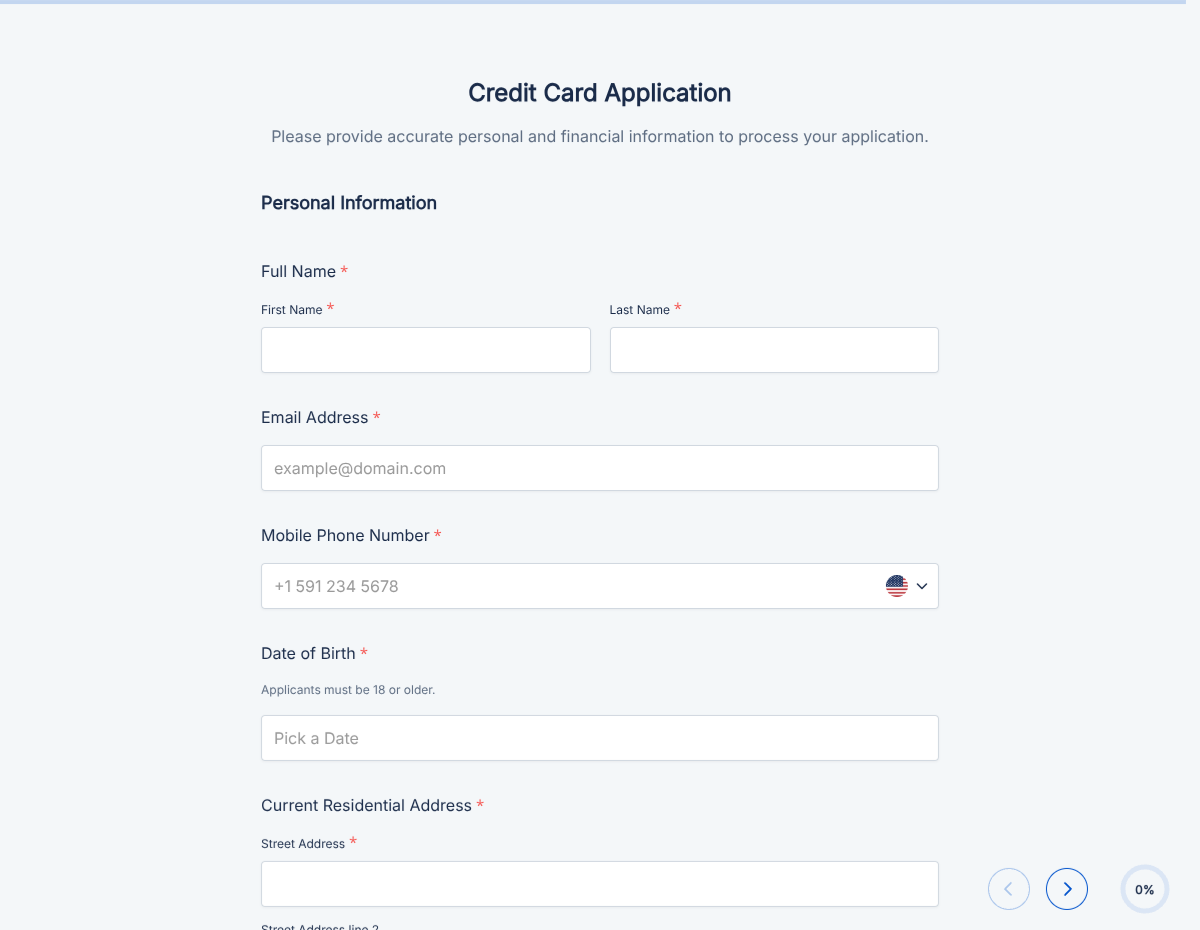
Bank Account Application Form

A bank account application form that captures applicant identity, KYC documentation, employment, and signed consent, exported as a PDF.

Applications

About this template

This bank application form runs on Formester's drag-and-drop form builder, so you can adapt the KYC requirements, product type, and disclosures to your bank, credit union, or fintech without writing code. Captures every detail your compliance team needs to open a new account: identity, KYC documentation, employment, address verification, and signed consent.

Applicants fill the form on any device, upload identity documents via file upload, and sign with e-signature. Each submission produces a clean PDF for the account file, and structured data routes to your core banking platform so account provisioning starts immediately.

Use conditional logic to reveal joint-account fields when joint is selected, surface business-entity documentation for business accounts, skip employment fields for student accounts, or add international banking blocks for non-US applicants. Send each applicant a confirmation with Autoresponder Email so they know application is in review.

Running a specialized banking product (savings, student, business, IRA)? Generate a tailored variant with the AI form generator in minutes.
How to launch this bank application

Seven steps from Use Template click to a live application. Most issuers finish in under 25 minutes.

Open the template

Click Use Template. KYC fields, conditional rules, and signature flow load into the Formester builder ready to edit.

Brand the form

Drop in your bank or credit union logo, name, address, and welcome copy. Applicants see your institution from the first screen.

Configure account types

Edit the account-type dropdown: checking, savings, money market, CD, IRA, business. Each reveals its own fields per selection.

Add KYC document upload

File-upload fields capture government ID, proof of address, and any required KYC documentation per regulatory framework.

Update disclosures

Swap placeholder Truth in Savings, Regulation E, and Patriot Act disclosures for your institution's required language. Have compliance review.

Apply conditional logic

Use conditional logic to reveal joint-account fields, business-entity documentation, student-account fields, or international banking blocks per applicant type.

Route to core banking

Push submissions to your core banking platform via webhook so account provisioning starts the moment the application is approved.

When to use this bank application

Six banking product scenarios this template handles out of the box.

Personal checking account

Standard new-customer checking account opening. Form captures identity, address, employment, and KYC docs; account provisions the same day.

Savings and money market

Higher-yield savings or money market account. Form captures source of funds for KYC and AML compliance alongside standard identity fields.

Student account

Student-specific account with no minimum balance and reduced fees. Conditional logic skips employment fields, captures school and graduation date instead.

Business banking

LLC, corporation, or partnership account opening. Conditional logic reveals business legal name, EIN, authorized signers, articles of incorporation upload, and beneficial-ownership disclosure.

Joint account

Two account holders. Conditional logic reveals the second applicant block with identity, employment, and signature for both parties.

Fintech and digital banking onboarding

Digital-first onboarding embedded in a mobile app or website. Form runs the KYC step inline; approval routes to the customer the same hour.

Fields included in this template

Every detail your compliance team needs to open an account. Drop the ones not applicable; the rest work on the free tier.

  • Applicant full legal name Short text

    Must match government ID.

  • Date of birth Date picker

    For age verification and KYC.

  • Social Security Number Short text + masking

    Tax ID for the account. Masked entry; encrypted at rest.

  • Email and phone Email + phone

    For account notifications and KYC verification calls.

  • Current address Full address

    For Patriot Act address verification.

  • Proof of address File upload

    Utility bill, lease, mortgage statement, or government letter.

  • Government ID File upload

    Driver's license, passport, or other approved ID. Front and back upload.

  • Employment status Dropdown + conditional

    Employed, self-employed, retired, student, unemployed. Conditional fields per status.

  • Employer details Conditional section

    Employer name, position, length of employment, annual income. Hidden for non-employed status.

  • Source of funds Dropdown

    Salary, business income, savings, gift, inheritance, investment. For KYC and AML compliance.

  • Account type Dropdown

    Checking, savings, money market, CD, IRA, business. Triggers conditional fields per product.

  • Joint applicant Conditional section

    Shown for joint accounts. Full identity, employment, and signature for the second applicant.

  • Business entity documentation Conditional section

    Shown for business accounts. Articles of incorporation, EIN, beneficial ownership.

  • Disclosures and Patriot Act consent Checkbox + e-signature

    Truth in Savings, Regulation E, Patriot Act, and any institution-specific disclosures.

Questions we get a lot

Compliance officer and applicant questions about KYC, security, and core banking integration.

Is the application data secure for KYC and AML?
Yes. Submissions are encrypted in transit and at rest. Use a custom subdomain on paid plans so applicants see your bank URL throughout the flow.
Can applicants upload government ID and proof of address?
Yes. File-upload fields capture front and back of government ID, proof of address, and any institution-required documentation.
Can I customize the form for different account types?
Yes. Use conditional logic to switch between checking, savings, student, business, joint, and IRA flows. Each reveals its own required fields and disclosures.
Can I route applications to my core banking platform?
Yes. Push submissions via webhook into your core banking system for real-time provisioning, or use Zapier to fan out to KYC, AML, and CRM platforms.
Can I capture beneficial-ownership disclosure for business accounts?
Yes. Conditional logic reveals the beneficial-ownership block when business is selected as account type, capturing every owner with 25% or more equity.
Where are application records stored?
Every submission saves to your dashboard with a PDF copy. Filter by applicant, account type, or status, and export the archive for compliance audit.