bevdkbdf.formester.com/f/86fMdo7Qc

Media and Photo Release Consent

A media release form for granting permission to use a person's image, voice, video, or likeness in marketing, media, or publication. Exported as a signed PDF.

Releases & Waivers

About this template

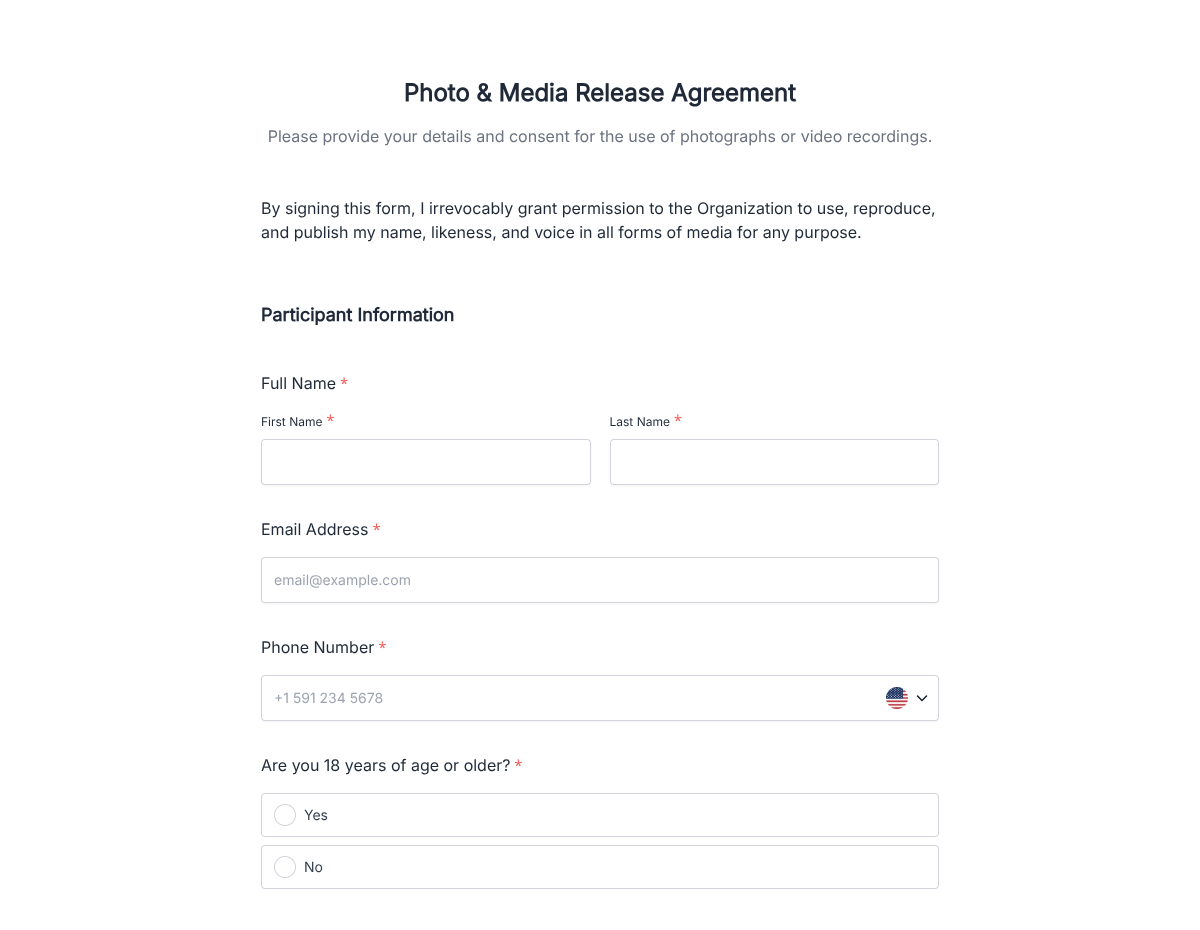
This media release form template runs on Formester's drag-and-drop form builder, sized for production studios, marketing teams, and creators who need to use a participant's image, voice, or likeness in published media. Capture the participant's details, project scope, and signed permission in one clean flow.

Skip the paper clipboard on set. Participants fill the form on a tablet or phone, sign with e-signature, and a clean PDF lands in your production folder. Encrypted in transit and at rest.

Use conditional logic to surface paid-talent compensation fields, reveal a parental-consent block when the participant is a minor, or scope the release to a single project versus perpetual usage based on the dropdown choice.

Need release variants for documentary, b-roll, or commercial work? Generate them in minutes with the AI form generator: describe the production type, and Formester drafts the form.
How to customize this media release form

Six steps to a production-ready release form. Most studios finish in under 15 minutes.

Brand the header

Replace the placeholder organization name, logo, address, and contact details with your brand. Set primary colors so the form matches the page it lives on.

Edit the production scope

Set the project name, production company, intended channels (broadcast, streaming, social, print), and territories. The PDF carries this through to the signed copy.

Update legal language

Swap the placeholder release wording for your production company's preferred clauses (perpetual vs scoped, indemnification, moral rights). Have legal review before launch.

Branch on talent type

Use conditional logic to reveal compensation fields for paid talent, parental-consent fields for minors, and a union-status disclosure when the production is SAG-AFTRA covered.

Wire delivery

Push every submission to your CRM or e-vault through a webhook, or use Zapier for fan-out to email, Slack, and notifications. Turn on Autoresponder Email if the signer should receive a copy.

Publish and share

Embed the form on your site, share the direct link by email, or generate a QR code for in-person signing. Every submission lands in the dashboard with a clean PDF for the file.

When to use this media release form

Six production scenarios this template handles.

Documentary interview

Subject signs the release on set before the camera rolls. PDF lands in the production folder with the project name baked in.

Commercial b-roll shoot

Bystanders or featured talent sign a quick release at check-in. The producer gets one signed PDF per person, indexed by shoot date.

Brand testimonial video

Customer agrees to appear in a testimonial. The form captures usage scope (one campaign, perpetual, etc.) and the signed permission.

Live event capture

Attendees walking into a filmed event sign the release at registration. QR-code at the door makes it fast.

Podcast or radio appearance

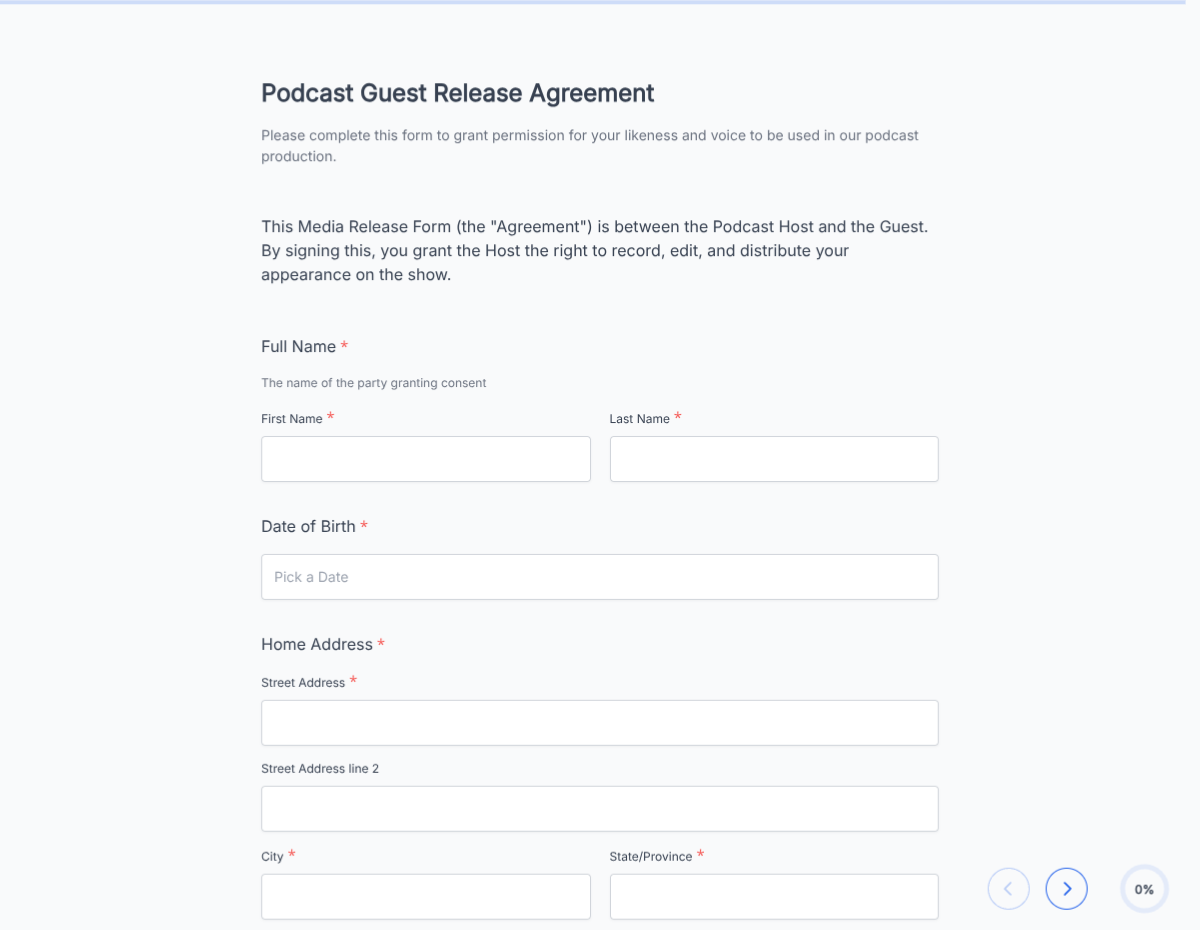
Guest signs ahead of the recording session. The release covers the audio, transcript, and clip distribution.

School or youth program filming

Parental-consent block surfaces when the participant is under 18. Both the minor's assent and the parent's signature are captured.

Fields included in this template

Every field production teams typically collect. Drop the ones your production does not need.

  • Participant name Short text

    Full legal name for the signed PDF.

  • Contact details Email + Phone

    For final-cut review notification if your workflow includes it.

  • Date of birth Date picker

    Drives the parental-consent block when under 18.

  • Project name Short text

    Production name printed on the release.

  • Production company Short text

    Legal entity that holds the rights.

  • Usage scope Dropdown

    Single project, related campaigns, perpetual use, or a custom scope.

  • Channels and territories Multi-select

    Broadcast, streaming, social, print; worldwide or specific countries.

  • Paid / unpaid Radio + conditional fields

    When paid is selected, surfaces rate, payment method, and W-9 collection.

  • Union status Dropdown, optional

    SAG-AFTRA, AFM, non-union. Required when the production is under a union agreement.

  • Parental consent E-signature, conditional

    Surfaces when the participant is under 18.

  • Participant signature E-signature

    Captures the release in legally-defensible form.

  • Date Auto-stamp

    Captured automatically when the form is submitted.

Questions we get a lot

Operator and signer questions about security, integrations, jurisdiction, and configuration.

Is the submission data secure?
Yes. Every submission is encrypted in transit and at rest. Add a custom subdomain on paid plans so the form lives on your own URL through the entire flow.
Can I capture a signature on the release?
Yes. The template includes an e-signature field, and the signed PDF is generated automatically on submission. Both parties can countersign if your workflow needs it.
Can I auto-send a copy to the signer?
Yes. Turn on Autoresponder Email to send the completed PDF to the signer the moment they submit. No manual follow-up required.
Can I route every submission to my system of record?
Yes. Push each submission via a webhook for real-time delivery, or use Zapier to fan out to your CRM, e-vault, and ops stack. Google Sheets sync works if you just need a log.
Can the same form cover paid and unpaid participants?
Yes. Use conditional logic to surface compensation fields (rate, payment method) only when "paid talent" is selected. Unpaid contributors skip that block entirely.
Can I scope the release to a single project versus perpetual use?
Yes. The template has a usage-scope dropdown (single project, related campaigns, perpetual use). The PDF reflects whichever scope the participant signed for.