bevdkbdf.formester.com/f/1k5n1iZmb

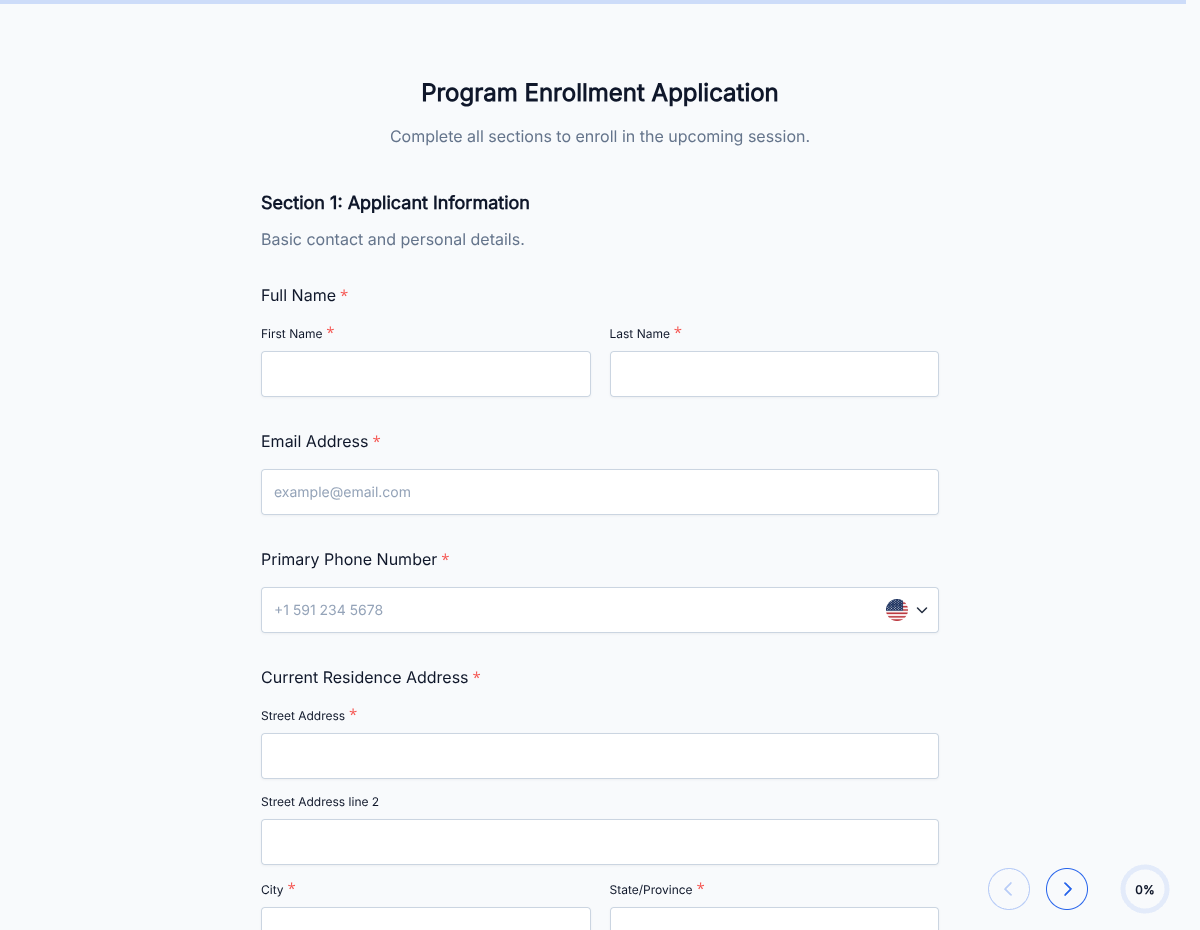
Official Student Enrollment Form

A school enrollment form that captures student info, parent or guardian details, emergency contacts, and signed consent, exported as a PDF.

Education

About this template

This school enrollment form runs on Formester's drag-and-drop form builder, so you can adapt the fields to your grade level, district policy, or program structure without writing code. Captures every detail you need before day one: student profile, parent or guardian contacts, emergency contacts, medical notes, transportation needs, and signed consent.

Parents fill the form on any device, upload required documents (birth certificate, immunization records, proof of address) via file upload, and sign with e-signature. Each submission produces a PDF for the student file, and the structured data routes to your student information system so the front office is not retyping anything.

Use conditional logic to reveal additional fields based on grade level (kindergarten readiness, high school course preferences), surface special-needs accommodations when requested, or hide bus routing fields when transportation is private. Send each parent a confirmation with Autoresponder Email so the family knows enrollment is in process.

Running a unique program (gifted program, charter, magnet, online academy)? Generate a tailored variant with the AI form generator in minutes.
How to use this school enrollment form

Seven steps to a working enrollment workflow. Most school offices finish in under 20 minutes.

Open the template

Click Use Template. Conditional rules, file-upload fields, and signature flow load into the Formester builder.

Brand the form

Drop in your school logo, address, and welcome copy. Parents see your brand the moment they start enrollment.

Adapt to grade level

Add or remove fields based on grade. Kindergarten enrollment is different from high school; conditional logic switches the form per grade.

Add document upload

File-upload fields capture birth certificate, immunization records, proof of address, and prior school records.

Configure signatures

Parent or guardian signs with e-signature. Add a second guardian signature if your district requires both.

Pre-fill returning families

Pre-fill household details from Google Sheets so returning families only confirm what changed at the new grade level.

Sync to your SIS

Push submissions to PowerSchool, Infinite Campus, or Skyward via Zapier so the office is not retyping student data.

When to use this school enrollment form

Six education scenarios this template handles out of the box.

K-12 new student enrollment

Public, private, charter, or magnet schools enrolling new students for the academic year. Form captures the full profile from grade to medical to emergency contacts.

Summer camp registration

Day camps and overnight camps enrolling campers. Conditional logic surfaces allergy and dietary fields, swim ability, and signed waivers for high-risk activities.

After-school programs

Tutoring, sports, music, and enrichment programs. Form captures parent pickup permissions, allergies, and emergency contacts on top of program selection.

College and university admissions

Higher-education enrollment for new students. Conditional logic adds transcript upload, test scores, and program selection per degree level.

Online academies and virtual schools

Fully online enrollment with no paper trip to campus. Document upload captures every required record; signed PDF goes to the student file.

Specialty and gifted programs

Magnet, IB, gifted, or talented program enrollment. Conditional logic reveals additional documentation and recommendation fields per program type.

Fields included in this template

Every detail needed to enroll a student. Drop the ones not applicable; the rest work on the free tier.

  • Student full legal name Short text

    Must match birth certificate for records.

  • Student date of birth Date picker

    For age verification and grade placement.

  • Grade level Dropdown

    Triggers conditional logic for grade-specific fields.

  • Prior school Short text + file upload

    Last school attended and transcript upload.

  • Home address Full address

    For district eligibility and bus routing.

  • Proof of address File upload

    Utility bill, lease, or mortgage statement.

  • Parent or guardian 1 Full contact block

    Name, relationship, phone, email, employer.

  • Parent or guardian 2 Full contact block

    Second guardian if applicable. Conditional reveal.

  • Emergency contacts Repeatable line

    Name, relationship, phone for two or more emergency contacts.

  • Medical and allergies Long text + checkboxes

    Allergies, medications, conditions, doctor contact.

  • Special needs accommodations Conditional section

    IEP, 504, ESL, gifted designation.

  • Transportation Dropdown + conditional

    Bus, private, walking. Bus route field reveals conditionally.

  • Photo and media release Checkbox + e-signature

    Consent for yearbook, school site, and marketing materials.

  • Parent signature E-signature + date

    Authorization for enrollment.

Questions we get a lot

School admin and parent questions about uploads, signatures, and SIS integration.

Can parents upload required documents directly?
Yes. The form includes file-upload fields for birth certificate, immunization records, proof of address, and prior school records.
Can both parents sign the form?
Yes. Use conditional logic to reveal a second guardian signature block when shared custody requires both signatures.
Can I sync enrollment data to my SIS?
Yes. Push submissions to PowerSchool, Infinite Campus, Skyward, or any SIS via Zapier or webhooks.
Can I pre-fill returning families?
Yes. Pre-fill household details from Google Sheets or your SIS, so returning families only confirm what changed.
Can families fill the form before they arrive at the office?
Yes. Share the form link via email, on your school site, or via SMS. Parents complete enrollment from home and the office has the file ready when the family arrives.
Where are enrollment records stored?
Every submission saves to your dashboard with a PDF copy. Filter by student name, grade, or enrollment date, and export the archive as CSV for SIS sync or audit.