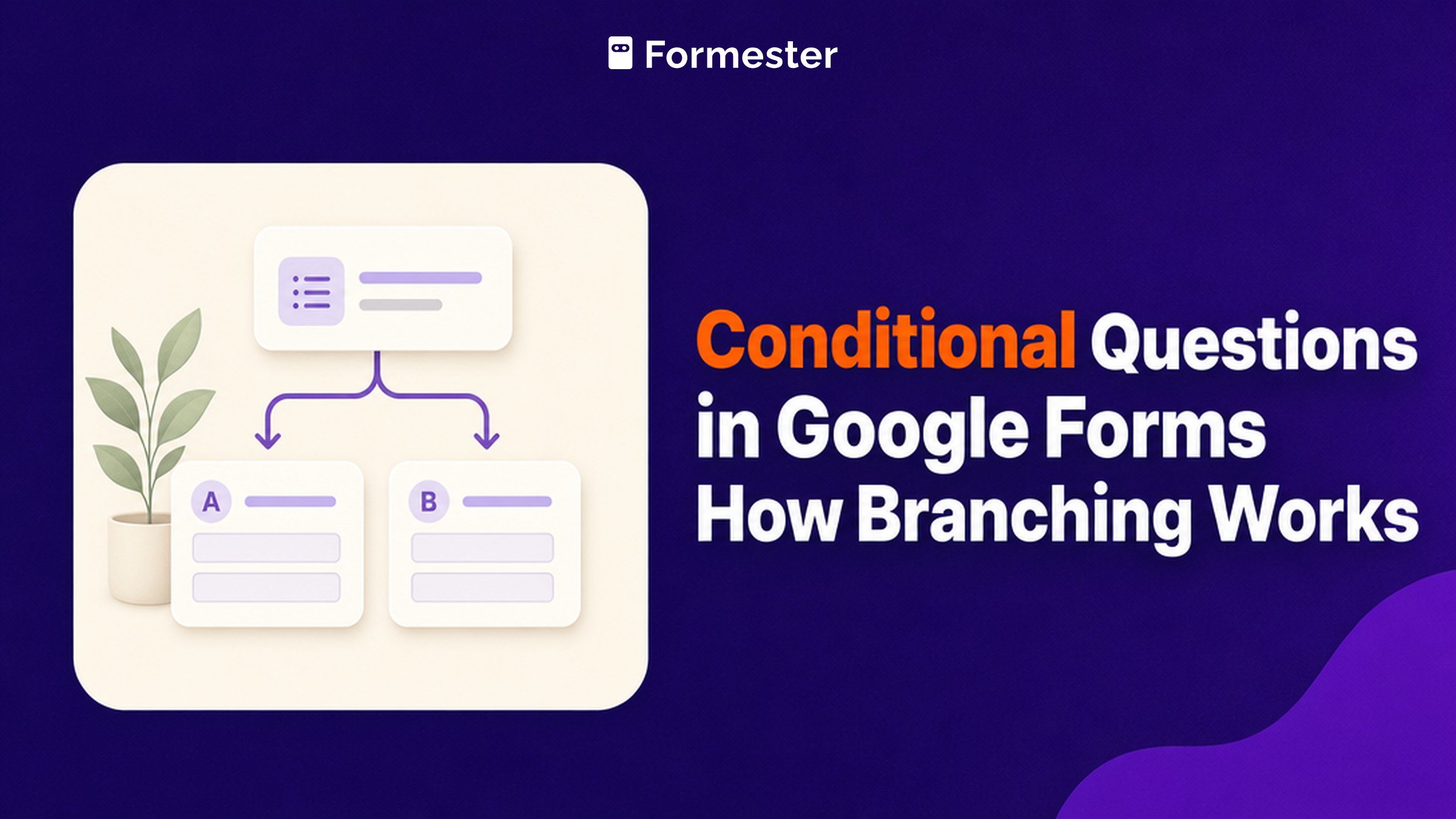
A conditional question is one that only appears when an earlier answer makes it relevant, which is how a single form can serve a new customer and a returning one without showing either of them the other's questions. Google Forms supports a version of this, though not the version most people picture when they go looking for it. The routing happens between sections rather than between individual questions, and only two of the twelve question types can trigger it.
Key facts
Split the form into sections, then open the three-dot menu on a Multiple choice or Dropdown question and pick Go to section based on answer. Each answer option gets its own destination, so choosing an option sends that respondent to the section you point it at, or straight to submission.
- Question types that can branch: 2. Multiple choice and Dropdown, and Google says so explicitly (Google Docs Editors Help)
- The unit of logic is the section, not the question, so nothing hides or appears inside a section
- 4 destinations per answer: continue to the next section, jump to any section, go back to an earlier one, or Submit form
- Question types that cannot branch: 10, including Checkboxes, Short answer, Linear scale and every grid (Google Docs Editors Help)
- Respondents can go back and change an earlier answer, which re-routes them down a different path
What are conditional questions in Google Forms?
They are questions a respondent only reaches because of how they answered something earlier. In a support form, choosing "Billing" takes someone to billing questions while choosing "Bug report" takes them somewhere else entirely, and neither person sees the other path.
Google Forms builds this out of two pieces that work together. Sections divide the form into pages, and an answer on a Multiple choice or Dropdown question decides which page comes next. That distinction matters more than it sounds, because it sets the limit you will hit later: you can route people around whole sections, but you cannot show or hide one field inside a section based on the answer above it.
| What you want | Google Forms | Where it lands |
|---|---|---|
| Send people down different paths | Yes, by section | Works well. This guide covers it |
| Show one extra field when someone answers Yes | No | The field needs its own section, or it stays visible to everyone |
| Branch from a Checkbox answer | No | Rework the question as Multiple choice |
| End the form early for some answers | Yes | Set the option's destination to Submit form |
How do you add conditional questions in Google Forms?
Seven steps, and the order matters because the branching option does not appear until there is somewhere to branch to.
1. Plan the branches before you build them
Write down which answer should lead where. This sounds like advice you can skip, and then you reorder sections halfway through and discover that every destination you already set has quietly followed the section it pointed at.
2. Add a section for each path
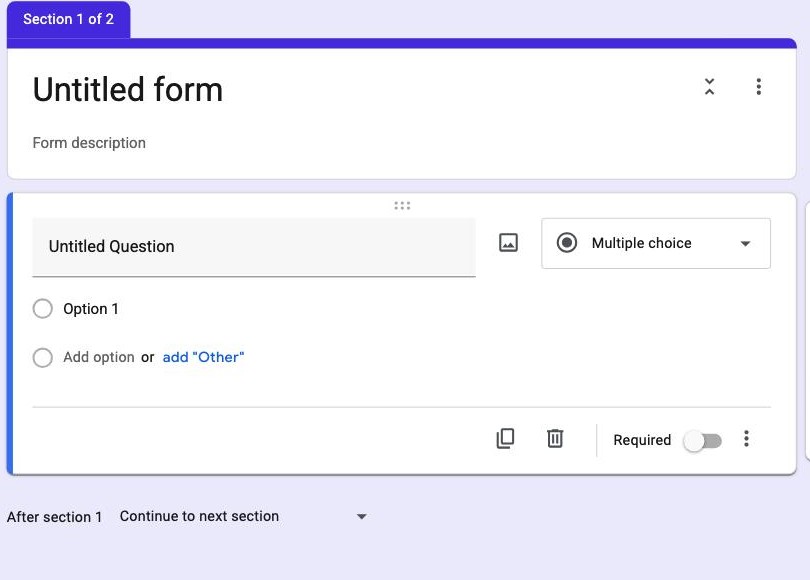
Use the bottom icon in the right-hand toolbar to add a section. Each branch needs its own landing place, and Google numbers them as you go, so a form with a fork in it starts life as Section 1 of 2.
3. Make the deciding question Multiple choice or Dropdown
This is the constraint that catches people, and it is documented rather than accidental: Go to section based on answer is only available for those two types. If your deciding question is a Checkbox list, nothing you do will make it branch, because several boxes could be ticked at once and there would be no single destination to resolve.
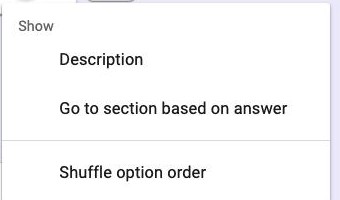
4. Open Go to section based on answer
Click the three-dot menu at the bottom right of the question card. The option sits between Description and Shuffle option order.
5. Point each answer at a section
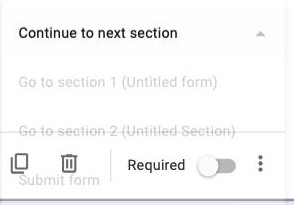
Every option now has its own dropdown on the right. You can continue to the next section, jump to any section in the form, send someone back to an earlier one, or end things immediately with Submit form.
6. Set what happens after each section
Underneath every section is an After section dropdown, and leaving it on the default is the single most common way branched forms break. A respondent who finishes the billing section will fall straight through into the bug-report section unless you tell that section to submit or to skip ahead.
7. Preview every path end to end
Open the preview and walk each branch as a respondent would. A destination pointed at the wrong section looks completely normal in the editor, and the only way to catch it is to answer the question and see where you land.
Need logic on the question rather than the section? Formester shows and hides individual fields as people answer, with no sections to maintain.
Where does Google Forms conditional logic run out?
Three limits account for almost every "why can't I do this" thread about branching, and none of them has a workaround inside Google Forms.
- No per-question visibility. A field cannot appear when someone answers Yes above it. Every field in a section shows at once, so a single conditional field needs a section of its own, and a form with eight of them needs eight sections.
- No logic on the answer's content. Routing reads which option was chosen, so you cannot branch on a number being over a threshold, on a date, or on text someone typed.
- No combining conditions. There is no way to express "if they chose Enterprise and picked more than 50 seats", because each option carries exactly one destination and nothing compares two answers.
For a support triage form or a two-audience survey, none of this gets in the way. For a quote form where the questions depend on numbers people type, the section model stops fitting quite quickly.
Section branching or per-question logic: which do you need?
The honest test is how many conditional fields you have. One or two forks, each leading to a group of questions, is exactly what sections are for and Google Forms handles it without complaint. A dozen individually conditional fields turns into a dozen sections, and maintaining the After section dropdown on each one becomes its own job.
Why Formester's conditional logic is the better choice
Logic that lives on the field instead of the page.
- Show or hide individual questions as someone answers, with no sections to create or maintain
- Branch from any field type, including checkboxes, text and numbers, rather than only two of them
- Conditions can read what was actually entered, so a number over a threshold or a specific date can drive the form
- One page can hold the whole flow, which keeps the completion rate up on mobile
Related reading
- Create sections in Google Forms - the building block every branch depends on.
- View responses in Google Forms - how branched answers arrive once people start submitting.
- Multi-page Google Forms - splitting a long form up without adding logic.
- Evaluation forms in Google Forms - where skipping criteria per role runs into the same limit.