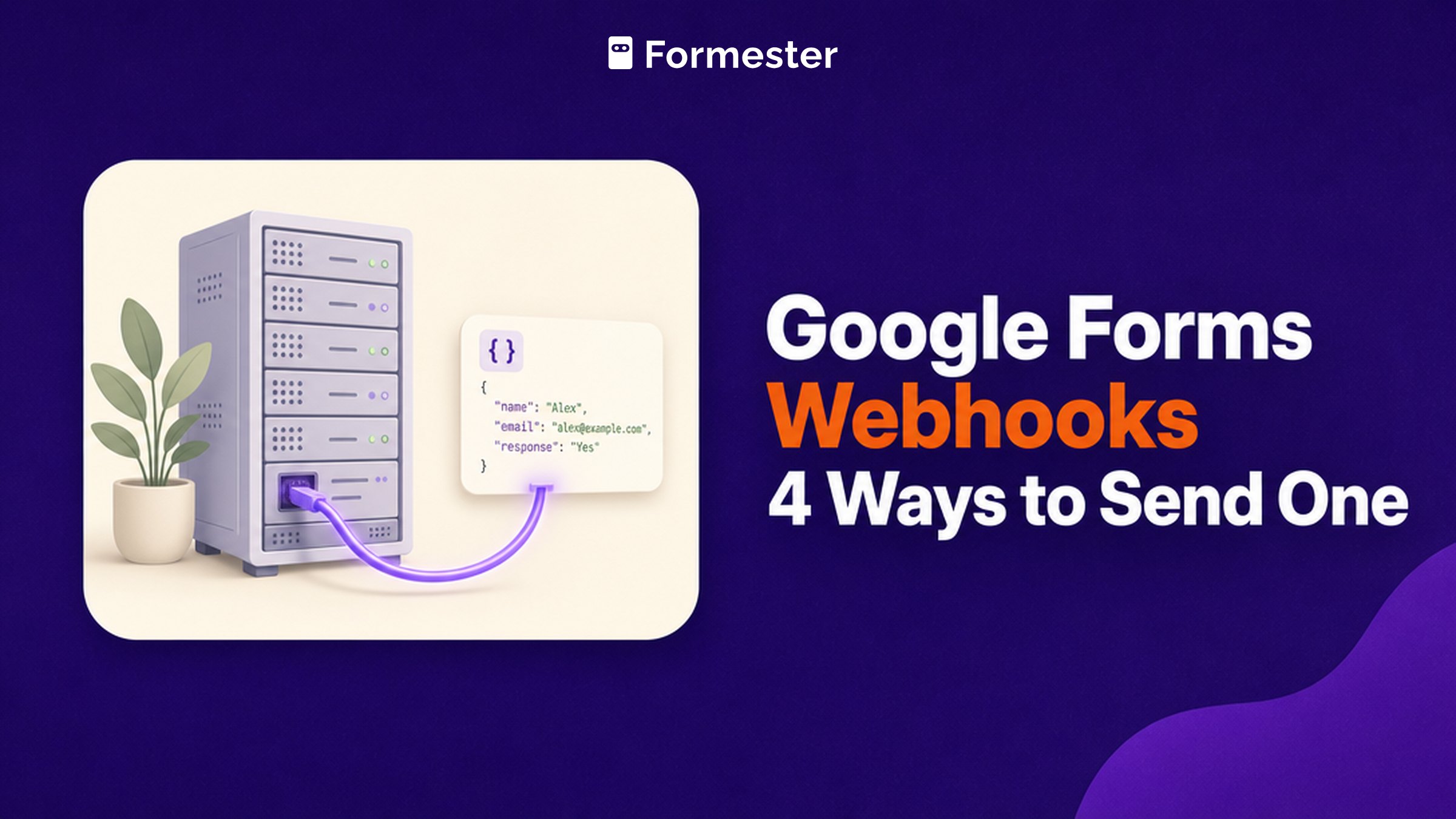
A webhook is an HTTP request your form fires the moment someone submits, so another system can react without anyone polling for changes. Developers want one for Google Forms so responses can land in Slack, a Discord channel, an internal API or a database without anyone refreshing a spreadsheet to check. Google Forms does not have one, and the official mechanism Google does offer turns out to be quite different from what most people arrive looking for.
Key facts
There is no setting in Google Forms that posts a submission to a URL you pick. Four routes get you there: Apps Script, the Forms API with Cloud Pub/Sub, a Marketplace add-on, or a connector like Make, n8n or Zapier. Apps Script is the only free one that needs nothing outside your Google account.
- Native webhook in the form editor: none. The closest official mechanism is an API watch
- Where the API delivers: a Cloud Pub/Sub topic, not your endpoint (Google for Developers)
- Watch lifespan: 7 days. It expires unless you renew it with
watches.renew(Google for Developers) - 2 event types:
RESPONSESfor new answers,SCHEMAfor question changes (Google for Developers) - Delivery is not guaranteed instant. Google says notifications arrive usually within minutes and may sometimes be delayed
Which route should you use?
All four end with your endpoint receiving the response. They differ in what you have to run and maintain.
| Route | What it needs | The catch |
|---|---|---|
| Apps Script | A few lines of JavaScript in the form itself | You own the code, the retries and the error handling |
| Forms API + Pub/Sub | A Google Cloud project and a Pub/Sub topic | The watch expires after seven days unless renewed |
| Marketplace add-on | Install and authorise, no code | A third party sits in the path of your form data |
| Make, n8n or Zapier | An account with the connector | Per-task pricing, and many trigger on a poll rather than instantly |
How do you send a webhook from a Google Form with Apps Script?
Write an onFormSubmit trigger that posts the response to your URL. This is the route most tutorials land on. It costs nothing and it runs inside your own Google account rather than someone else's service.
- Open the form, click the three-dot menu in the top right, and choose Apps Script.
- Paste a handler that reads the submitted response and posts it.
- In the Triggers panel, add a trigger that runs your function on form submit.
- Run the function once to grant permissions, then submit a test response.
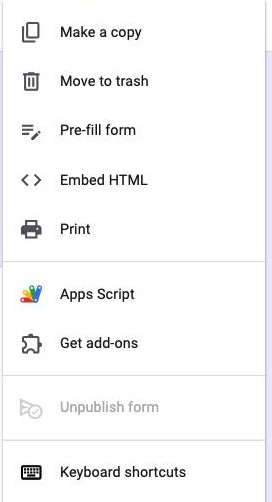
The handler is about ten lines:
| Apps Script handler |
|---|
function onFormSubmit(e) { const out = {}; e.response.getItemResponses().forEach(r => { out[r.getItem().getTitle()] = r.getResponse(); }); UrlFetchApp.fetch('https://api.yourapp.com/hooks', { method: 'post', contentType: 'application/json', payload: JSON.stringify(out) }); } |
The part that rarely survives into the tutorials is what happens when the call fails. If your endpoint is down at the moment the trigger fires, that submission is gone as far as the webhook is concerned, because Apps Script will not retry it on your behalf, which means anything you genuinely depend on needs its own queue or at minimum a catch block that writes the failure somewhere you will look later.
Does the Google Forms API have webhooks?
It has watches, which are not the same thing. You register a watch on a form, Google publishes change notifications to a Cloud Pub/Sub topic you own, and your own code subscribes to that topic to pick them up. Google never calls your URL directly, which means there is always a piece of your own infrastructure sitting in the middle of it.
Three details from Google's documentation shape whether this is worth it:
- It expires. A watch lasts seven days from creation, so you have to renew it with
watches.renewbefore that deadline or the integration quietly stops delivering, which is an unpleasant thing to discover a fortnight after you shipped it. - Two events only.
RESPONSEScovers new answers andSCHEMAcovers changes to the questions, and nothing in either of them distinguishes an edited response from a brand new one. - Permissions take a pass or two. Your Pub/Sub topic has to grant publish rights to Google's own service account before any of this works, and the failure mode when it has not is silence rather than an error you can chase.
This route makes sense if you are already running on Google Cloud and want form responses arriving in the same event pipeline as the rest of your services, and it makes very little sense if you came here hoping to paste a URL into a box and move on.
Want a webhook without the plumbing? Formester posts form events straight to any endpoint you name, with the events you choose.
Is there a Google Forms webhook add-on?
Several of them exist, and Send to API / Webhooks on Google Workspace Marketplace is the one that surfaces most often, with Digital Inspiration's Form Notifications add-on handling webhooks as well. You install it, authorise it and paste in an endpoint, after which there is no code left for you to maintain.
What you are trading away is access, because an add-on that reads every submission holds a live authorisation against both your form and your Google account for as long as it stays installed. On an internal team form that is rarely worth a second thought. On applicant data, or on anything that has a compliance owner attached to it, read what the add-on is asking for before you click allow.
Can Make, n8n or Zapier trigger on a Google Form?
All three connect, and how they trigger matters more than whether they connect. Many Google Forms integrations watch the linked Google Sheet on a schedule rather than reacting to the submission itself, which turns your real-time webhook into a poll that runs every few minutes.
The common workaround in the Make and n8n communities is to skip the native trigger, put an Apps Script onFormSubmit on the form, and have it POST to the connector's own webhook URL. At that point you are back to writing Apps Script, and you are paying for the connector as well.
What does a native form webhook look like?
For comparison, this is the same job on a builder that ships webhooks as a first-class feature rather than an extension point.
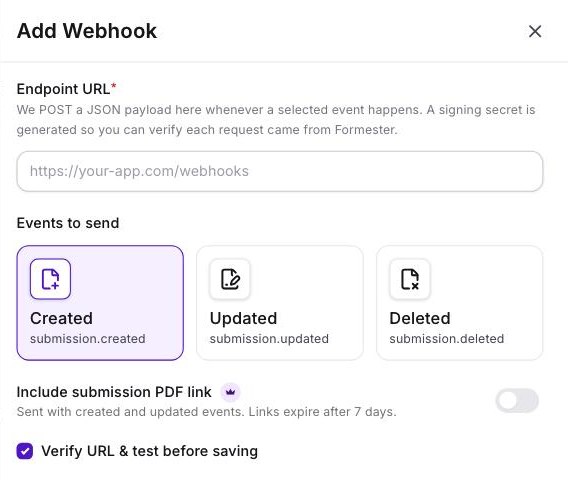
You open the form, go to Automate and then Webhooks, and click Add Webhook. The panel asks for an endpoint URL and a tick against the events you care about, which are submission.created, submission.updated and submission.deleted. From there the payload posts as JSON the moment the event happens, signed with a secret so your endpoint can confirm the request genuinely came from Formester rather than from anyone who guessed the URL.
What you never touch is the rest of it. There is no Pub/Sub topic to create and no Cloud project to bill, and nothing expires after seven days while a calendar reminder you forgot to set waits to break the integration.
Why Formester's webhooks are the better choice
The endpoint field Google Forms never gave you.
- Webhooks post in real time to any HTTP endpoint, with no polling and no connector in the middle
- Three events to pick from, so one form can feed several systems without every hook firing on everything
- Each request is signed, and the endpoint is tested before the webhook saves
- Clean JSON payloads your endpoint can parse directly, rather than a spreadsheet row you have to reshape
- Pair them with spam protection so the payloads reaching your API are real submissions
Related reading
- How to use webhooks in Formester - the same setup on our side, with the events list.
- Link Google Forms to Google Sheets - the polling route most connectors actually use.
- View responses in Google Forms - where the data sits before you move it.
- Send a copy of Google Form responses - the no-code way to get a submission out by email.