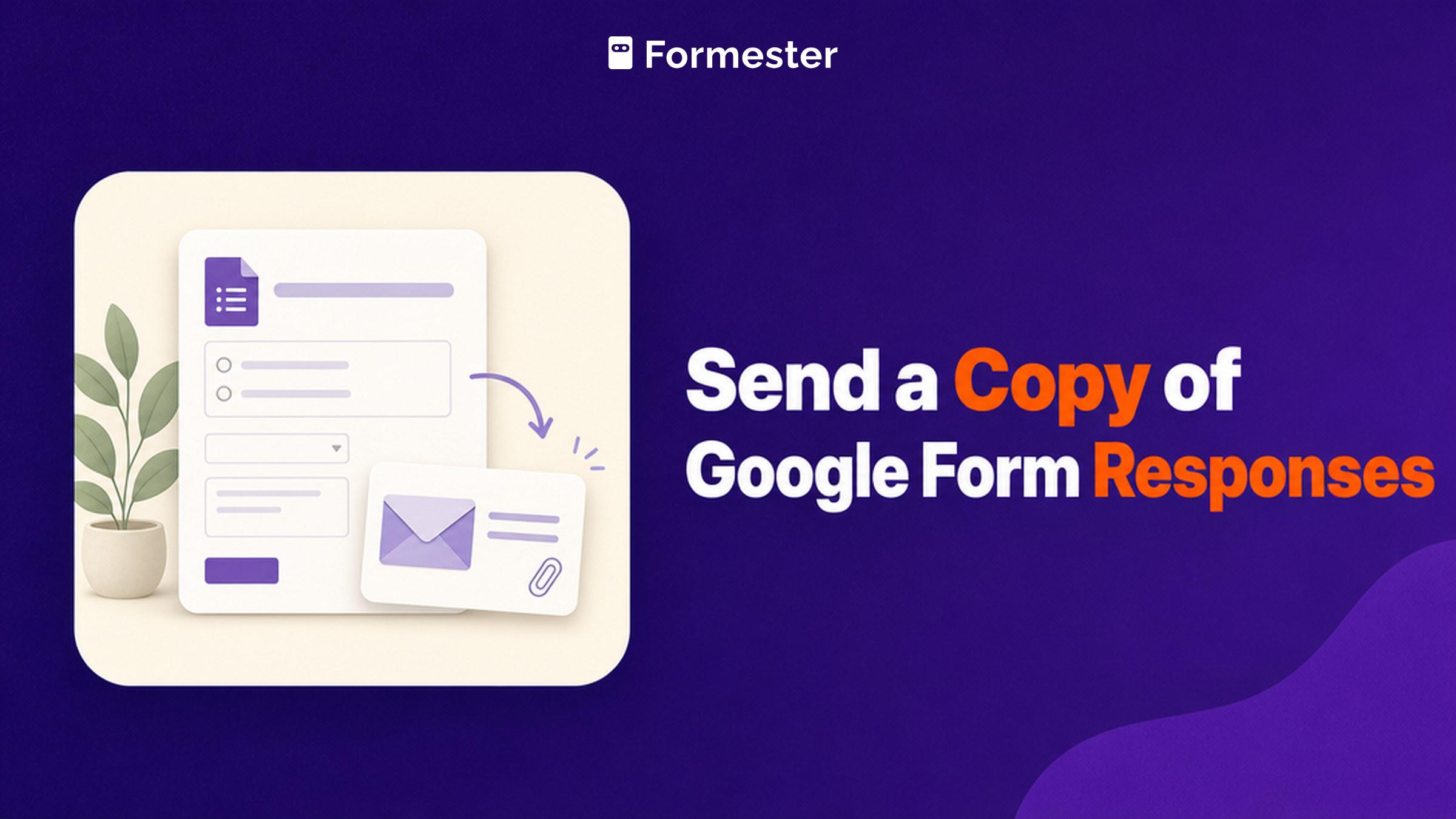
A response copy in Google Forms is an automatic email of a person's own answers, sent at the moment they submit. It exists for anyone who needs a record of what they filled in, from a job applicant to someone placing an order. Three unrelated jobs share this one search, which is why half the results for it are forum threads rather than answers.
Key facts
The setting lives at Settings then Responses then Send responders a copy of their response, and it is greyed out until Collect email addresses is on. It applies going forward only, so it cannot send copies for submissions you already have.
- 2 settings, in order: turn on Collect email addresses first, then pick a receipt mode (Google Docs Editors Help)
- 2 receipt modes: Always sends without asking, When requested gives each person a tickbox (Google Docs Editors Help)
- Retroactive copies: none. Everyone who submitted before you switched it on gets nothing
- Google's own caveat: responders may not receive expected receipts because of spam filters or other counter-abuse measures (Google Docs Editors Help)
- Responses carried by Make a copy: none. A duplicated form starts empty with its own sheet
Which of the three jobs are you trying to do?
Find the row that matches what you actually want, because the answers have nothing in common.
| What you want | Your situation | Short answer |
|---|---|---|
| I want my own answers back | You filled the form in and want a record | Only if the owner switched receipts on before you submitted |
| I want respondents to get a copy | You own the form and want automatic confirmations | Works, but only if the form collects email addresses |
| I want to duplicate the form | You want a second copy of the form itself | The form copies. The responses do not |
How do you get a copy of your own Google Form answers after submitting?
Check your email for a receipt. If none arrived, you cannot retrieve your answers yourself. This is the most common version of the search and the one with the least satisfying answer, because whether you can get your answers back was decided by the form owner before you ever hit submit.

- Search your inbox by the form's title. If the owner enabled receipts, Google emailed your answers at submission time. Searching for the form's name works better than searching for the word Google.
- Check spam before you give up. Google warns that receipts can be caught by spam filters and counter-abuse measures, so the email may exist and never have reached your inbox.
- Look for an edit link. If the owner also allowed response editing, that same email carries an Edit your response link, which reopens your submission with your answers still filled in.
- If there is no email, ask the owner. Google Forms keeps no list of the forms you have submitted, so there is no history page to open and no support route to recover it.
Taking a screenshot before you submit is the unglamorous fix, and the only one that does not depend on someone else's settings.
How do you make Google Forms send respondents a copy automatically?
Switch on email collection, then set the receipt mode. Google's documentation puts both controls in the same place, and the order matters because the second one is locked until the first is done.
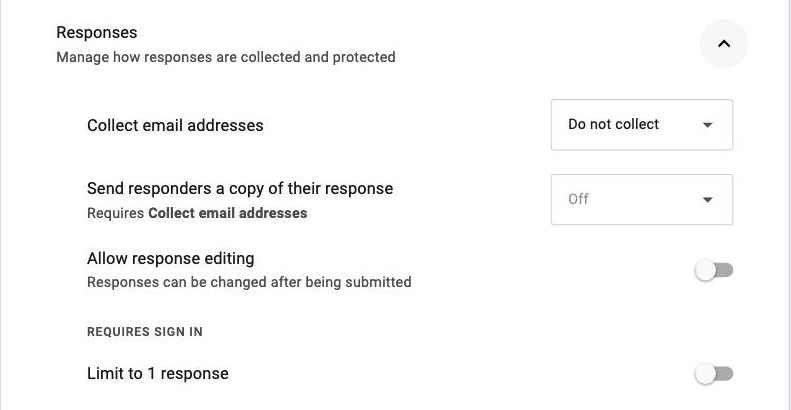
- Open the form and click Settings.
- Expand Responses.
- Set Collect email addresses to a collecting option. Until you do, the next control stays greyed out.
- Set Send responders a copy of their response to Always or When requested, depending on whether you want every person to get one or each person to opt in with a tickbox.
Where it stops. The copy is a plain-text email of the answers, not a document. There is no template, no branding and no attachment. Google also notes in the same documentation that responders may not receive an expected receipt because of spam filters or other counter-abuse measures, which is worth knowing before you rely on it as a confirmation. Owners hit this often enough that "Send responders a copy of their response not working" is its own thread in the Docs Editors Community.
Why is "Send responders a copy" greyed out?
Because Collect email addresses is off. That is the whole answer. Google has no address to send anything to until you enable it, so the control sits there greyed out without telling you why, and you can switch email collection on and watch the receipt dropdown become selectable straight away, no reload needed.
This trips people up because the two settings sit in the same panel with no visible link between them, so the greyed-out control reads like a paid feature or a bug. It is neither. It is a dependency with no error message attached.
Can you send copies for responses already submitted?
No. The setting applies only to submissions made after you switch it on, and Google Forms offers no way to resend or backfill. If you turn receipts on halfway through a hiring round, the first forty applicants get nothing and the last ten get a confirmation.
The only route for the earlier responses is manual: open the linked Sheet, filter to the rows that predate the change, and email those people their answers yourself. On a small list that is twenty minutes. On a large one it is the reason people move the form.
How do you duplicate a Google Form without losing the responses?
You cannot, in one step. Open the form, use the three-dot menu and choose Make a copy, and you get a fresh form with the same questions and settings and an empty response set.
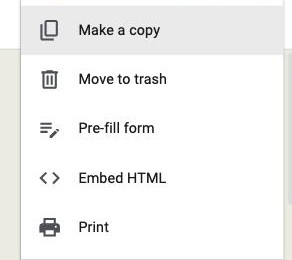
What does not come with it. The responses. A copied form gets its own response sheet and starts from zero. That is usually what you want for a new term or a new cycle, and a nasty surprise if you assumed the data travelled. To keep the history, move it separately: download the CSV from the Responses tab, or make a copy of the linked Google Sheet before you touch the form.
Why does the Google Forms confirmation email look so plain?
Because it is a rendering of the answers rather than a document you control. Google generates it from the submission, and nothing about it is configurable.
- No branding. No logo, no colours, no sender name of your choosing.
- No attachment. Nothing the recipient can file, forward as a record, or sign.
- No custom wording. You cannot add a thank-you note, next steps or a link.
For a class exit ticket that is fine. For an order or a signed consent form, a plain list of answers in an email body is not a receipt anyone would keep, and it is usually the point at which people go looking for a builder that generates a document instead.
Why Formester's response copies are the better choice
A document the respondent can keep, sent automatically.
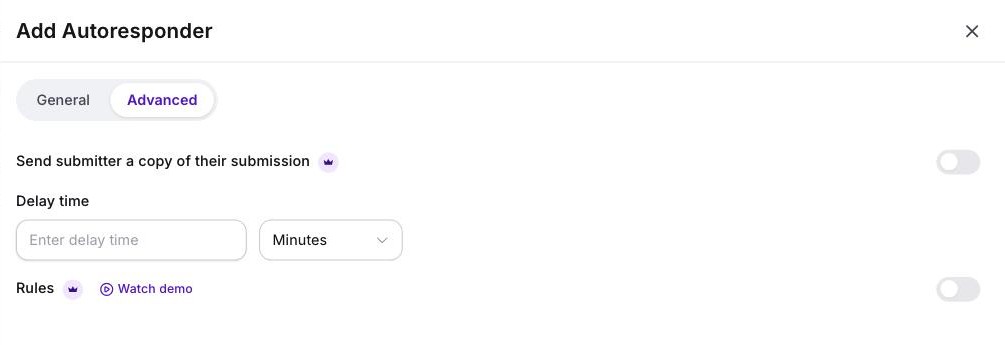
- Turn on the Autoresponder and Formester sends the submitter a copy of their submission, with the wording and sender you set (Business plan)
- Attach a formatted PDF of the response so what lands is a document rather than an email body
- No email-collection prerequisite, and no dependence on the respondent noticing a tickbox
- Partial submissions are captured too, so an abandoned form is still recoverable on your side
Related reading
- View responses in Google Forms - where responses live once they arrive, from the owner side.
- Save a Google Form as PDF - the five print routes, and why none of them makes a per-response document.
- All 17 Google Forms templates - what the native gallery ships and where each stops.
- Evaluation forms in Google Forms - why a scored evaluation cannot be shown back to the person who filled it in.