
Google Forms has a built-in template gallery. Most articles about it either undercount what is in there or quietly list templates from a different product, so here is the actual contents, section by section, with what each one is good for and where it falls down.
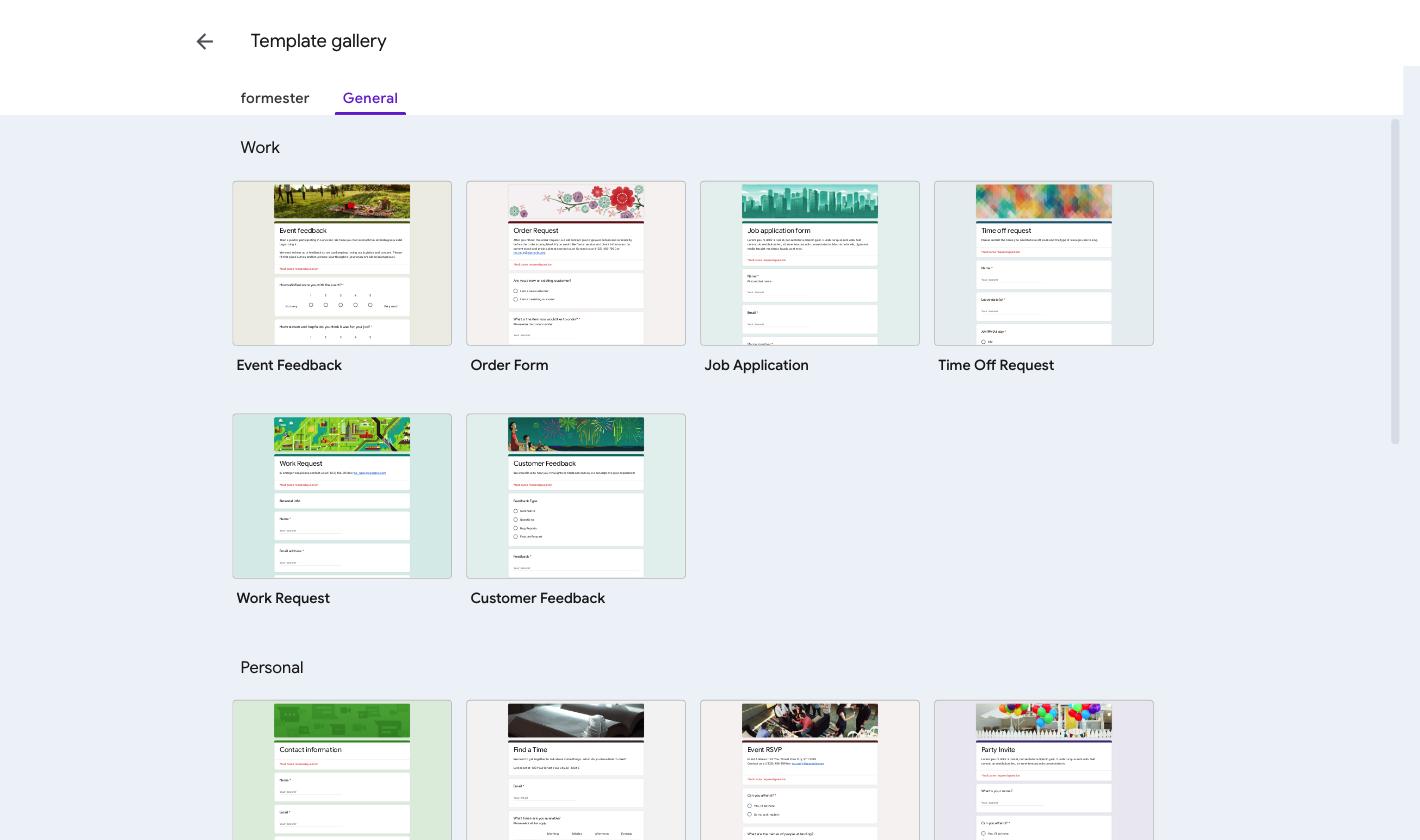
Google Forms ships 17 templates in its native gallery, split across Work (6), Personal (6) and Education (5). Open them at forms.google.com and click one. It opens as a new form in your Drive straight away. There is no separate "copy" step and no cost.
All 17 at a glance
Jump to any template for the screenshot and the detail. The last column is the thing that sends people looking for another tool.
| Template | Section | Use it for | Where it stops |
|---|---|---|---|
| Event Feedback | Work | Post-event ratings | Cannot average the score |
| Order Form | Work | Simple orders | No payment field, no totals |
| Job Application | Work | Hiring intake | Same questions for every role |
| Time Off Request | Work | Leave requests | No approval step |
| Work Request | Work | Internal tickets | Priority does not route |
| Customer Feedback | Work | Feedback and bug reports | Records ratings, does not score them |
| Contact Information | Personal | Basic contact details | Email is never verified |
| Find a Time | Personal | Group availability | Slots never close |
| Event RSVP | Personal | Headcount for an event | No capacity cap |
| Party Invite | Personal | Social invites | No capacity cap, header image only |
| T-Shirt Sign Up | Personal | Collecting sizes | No stock control |
| Event Registration | Personal | Ticketed events | No payment, no cap |
| Blank Quiz | Education | Graded tests | No timer, no partial credit |
| Exit Ticket | Education | End-of-lesson checks | Responses not grouped by class |
| Assessment | Education | Longer graded sets | Answer keys on six question types |
| Worksheet | Education | Practice with images | No reuse across classes |
| Course Evaluation | Education | End-of-course ratings | Anonymous or de-duplicated, not both |
The 17 templates Google Forms actually ships
The gallery lives on the Google Forms home screen. Click Template gallery at the top and you get three sections. Clicking any tile creates a working copy in your own Drive straight away.
Work (6 templates)
Event Feedback
Linear scales for the ratings and one paragraph field for the comments people actually remember. Five questions, no title page.
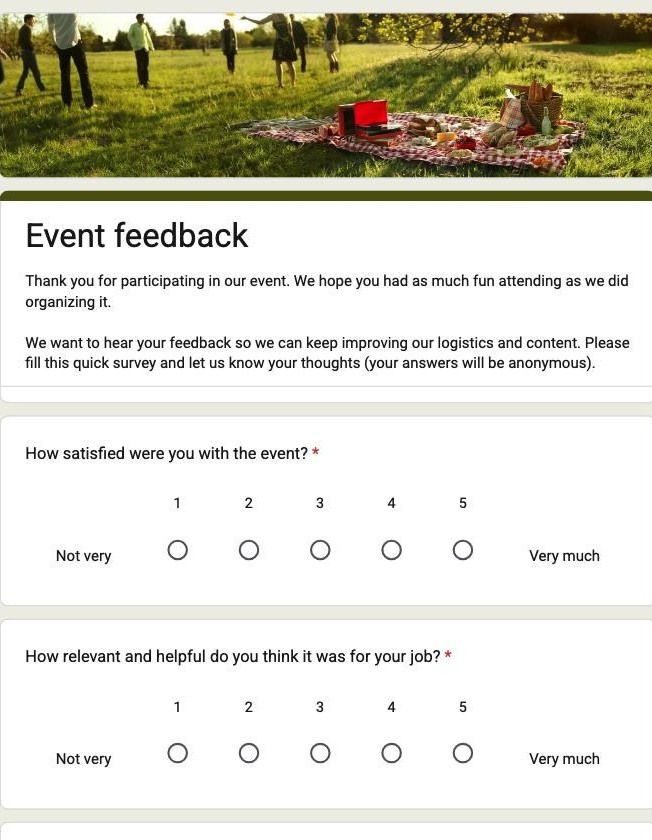
Where it stops. It cannot calculate an average, so the score you report is worked out in the response sheet afterwards.
Why Formester's Event Feedback Survey is the better choice
The same five questions, with the scoring already done.
- Rating fields roll up into a per-question summary, so the average is there without a spreadsheet formula
- Drop-off analytics show which question people quit on
- One-click CSV export when you do want the raw numbers
Order Form
Item picker, quantity, delivery address. The closest the gallery gets to commerce.
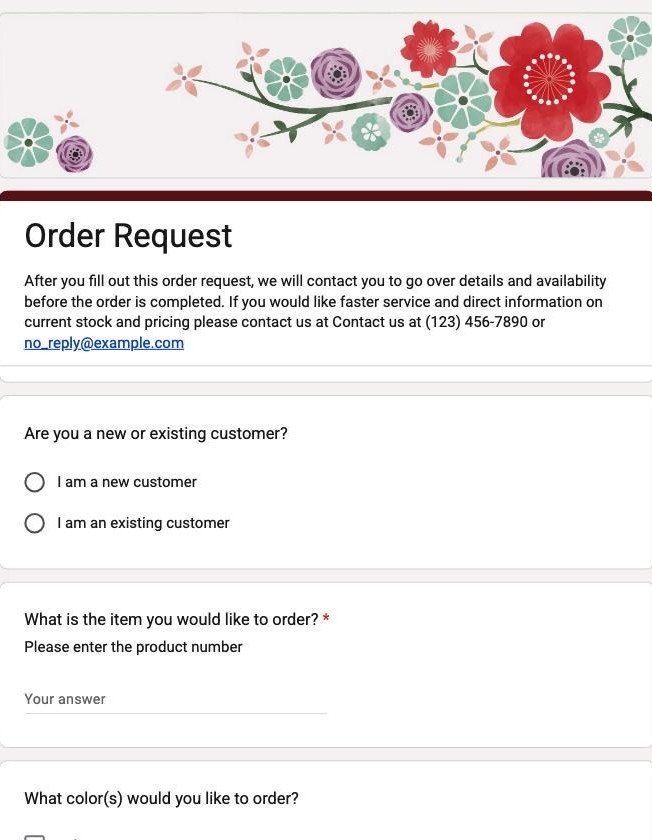
Where it stops. There is no payment field and no field that multiplies quantity by price, so the total is typed by hand and never validated.
Why Formester's Product Order Form is the better choice
The gallery version collects an order. This one completes it.
- Quantity times price calculates on the form, so the total is never typed by hand
- Payment taken inline with Stripe, PayPal or Authorize.Net, on the free plan
- A Product Catalogue element with per-item stock, so you stop selling what has run out
Job Application
Name, contact and position applied for, plus a file upload for the CV.
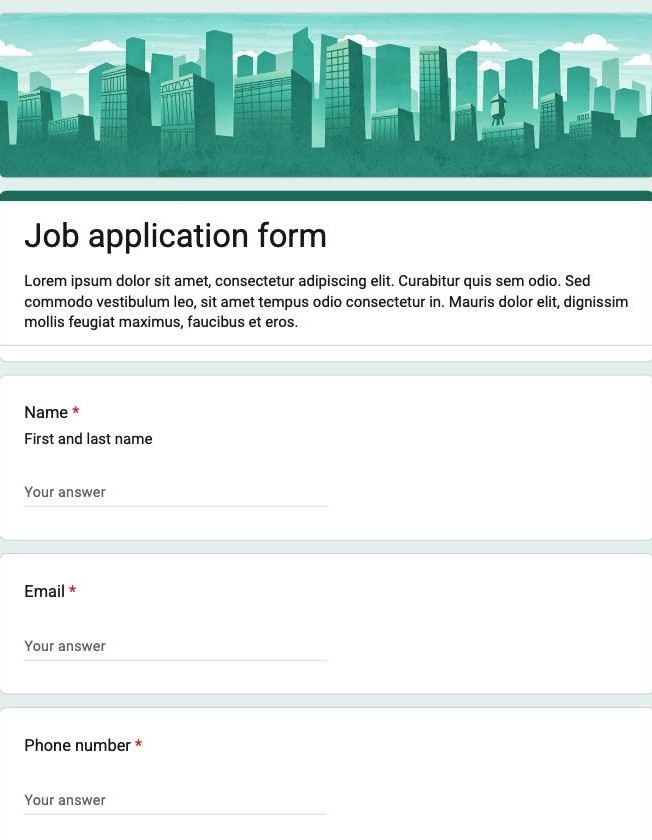
Where it stops. Uploads consume your Drive quota, and every applicant answers the same questions regardless of the role.
Why Formester's Job Application Form is the better choice
Built for hiring more than one kind of role.
- CV uploads sit outside your Drive quota, with a 100MB allowance on the free plan
- Conditional logic branches questions by role, so a developer is never asked about a driving licence (Personal plan)
- Partial submissions capture candidates who abandon halfway
Time Off Request
Start and end dates, leave type, cover arrangements.
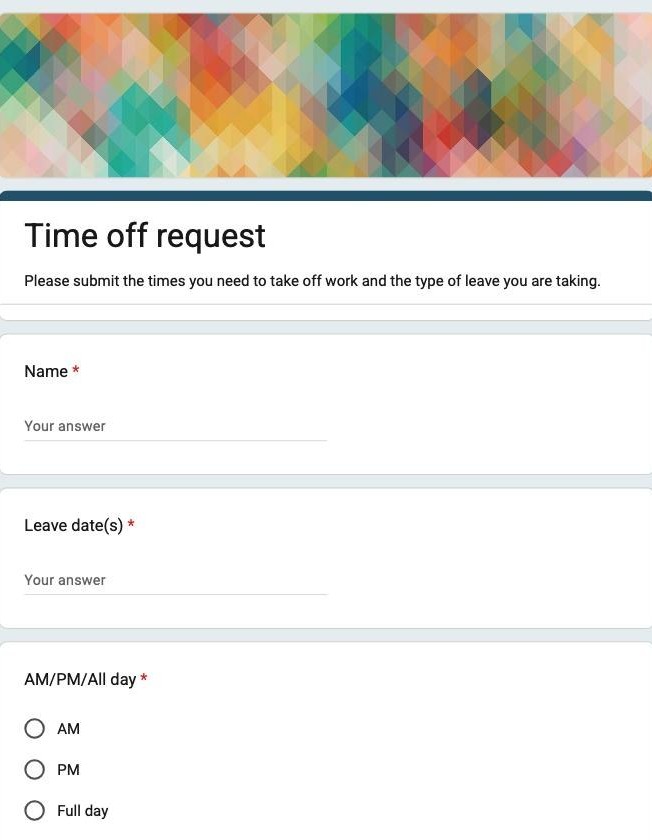
Where it stops. No approval step exists. The manager finds out by watching the response sheet, and the requester never gets a decision back.
Why Formester's Time Off Request Form is the better choice
The request reaches a person instead of sitting in a sheet.
- Email notifications send each request straight to the approver
- The requester gets an automatic confirmation, so nobody has to ask whether it arrived
- Submissions can be starred and filtered, so open requests stay visible
Work Request
Internal ticket intake: requester, category, priority, description.
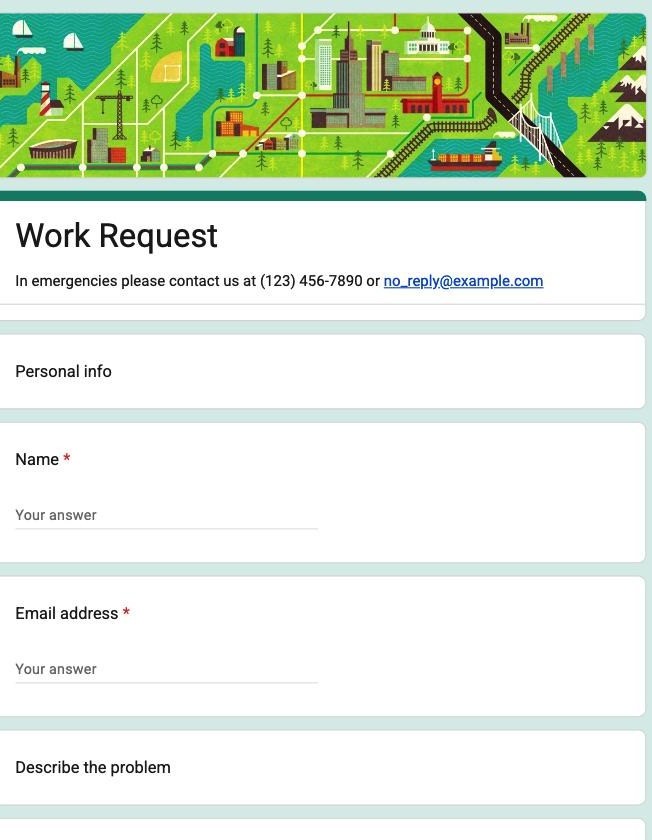
Where it stops. Priority is a dropdown with no routing behind it, so an urgent request looks identical to a trivial one until someone reads it.
Why Formester's Change Request Form is the better choice
Priority actually does something.
- Conditional logic routes urgent tickets down a different notification path (Personal plan)
- Native Slack and HubSpot integrations push new tickets where the team already works
- Webhooks fire on submission created, updated and deleted
Customer Feedback
Feedback type and a rating, plus free text. The nearest thing to an NPS survey in the gallery.
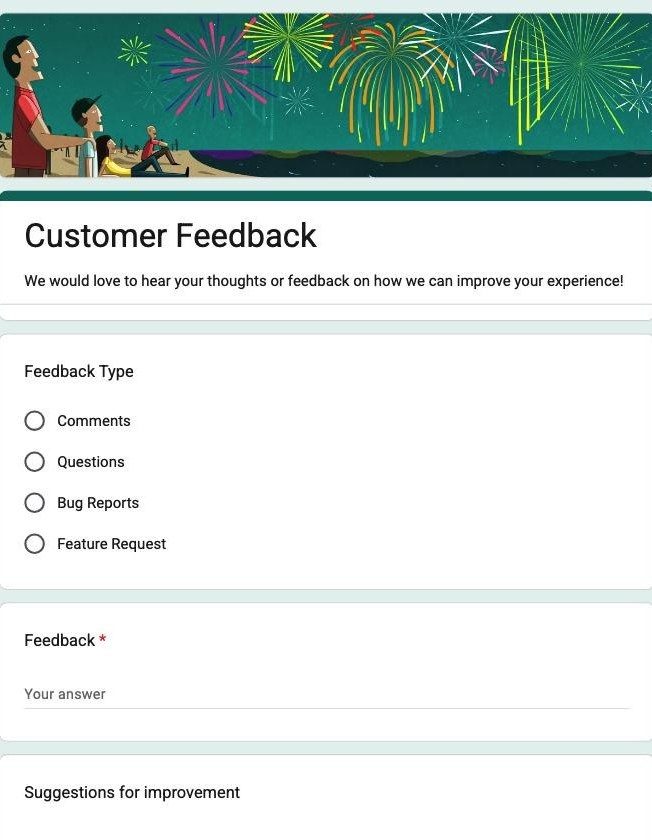
Where it stops. It records the rating but does not score it, so there is no NPS number without building the formula yourself.
Why Formester's Customer Feedback Form is the better choice
The rating becomes a number you can report.
- Summary analytics for scale, star and ranking fields, with per-question breakdowns
- Completion rate and time spent, so you can tell whether the survey is too long
- Anonymous submissions stay anonymous and still get counted
Personal (6 templates)
Contact Information
Name, email, address, phone. The plainest template in the gallery and the most copied.
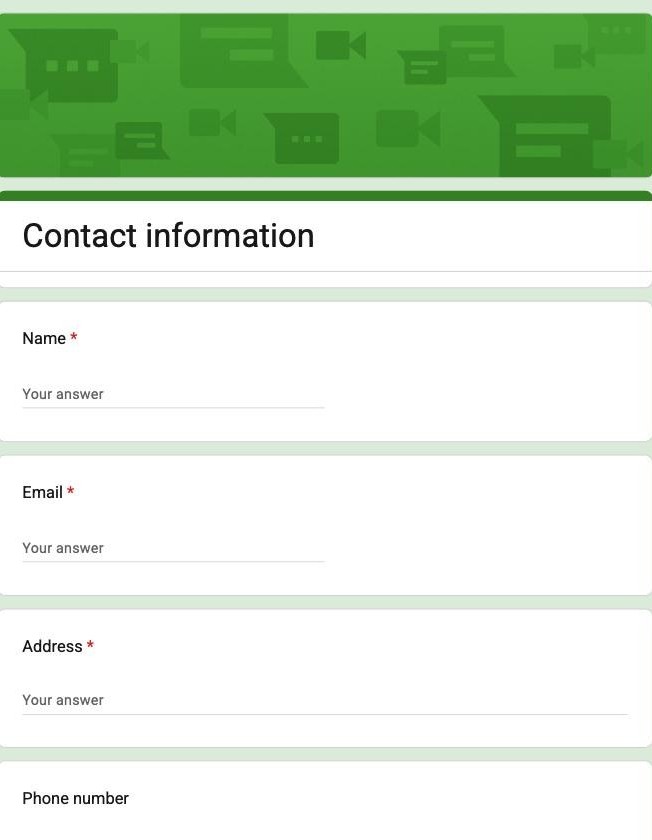
Where it stops. Nothing checks the email is real, so a typo enters your list looking perfectly valid.
Why Formester's Contact Form Template is the better choice
A typo does not quietly enter your list.
- Email verification sends a one-time code, so only a working inbox gets through
- Native Google Sheets and HubSpot integrations write the contact straight into your list
- reCAPTCHA and spam marking keep junk out of the sheet
Find a Time
A checkbox grid of days against time slots, so a group can mark when they are free.
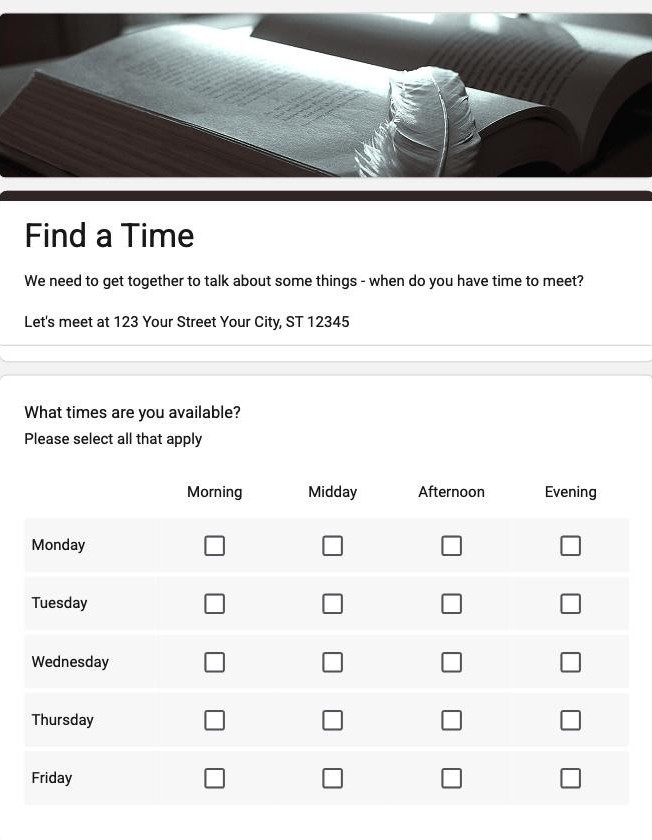
Where it stops. It does not read anyone's calendar and it does not close a slot once it fills, so two people can pick the same time.
Why Formester's Appointment Request Form is the better choice
People book a real slot instead of listing when they are free.
- A slot picker with Calendly sync, so a taken slot stops being offered
- Conditional logic can hide the picker until someone qualifies (Personal plan)
- An optional deposit through Stripe or PayPal to cut no-shows
Event RSVP
Attending yes or no, guest count, dietary notes.
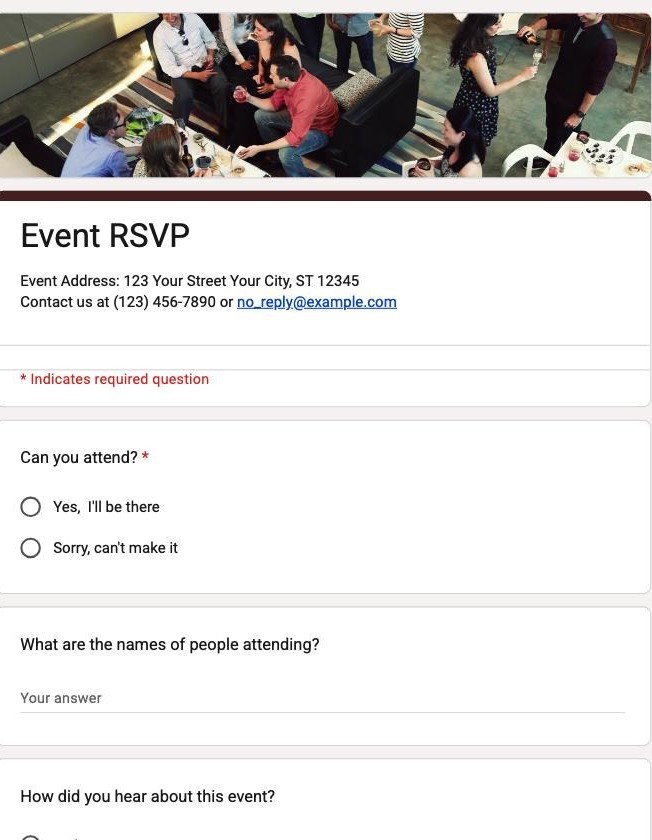
Where it stops. There is no capacity limit on a question, so RSVPs keep arriving after the room is full.
Why Formester's RSVP Form is the better choice
The invite closes itself once the room is full.
- Form Limiter caps total responses and shuts the form the moment the cap is hit
- Open and close dates, so the RSVP window manages itself
- Guests get an automatic confirmation back
Party Invite
The RSVP shape with a friendlier header image and a what-are-you-bringing question.
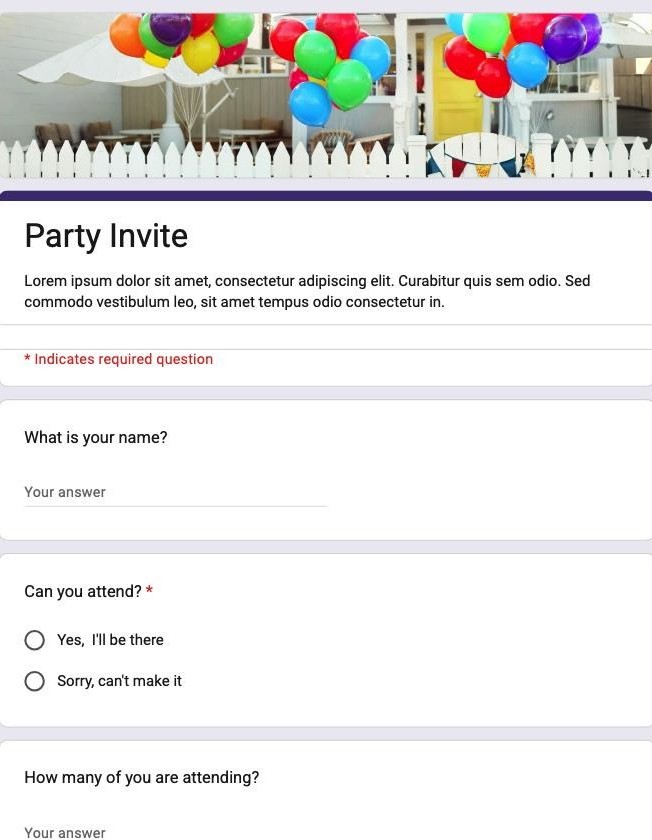
Where it stops. Same capacity problem as RSVP, and the header image is the only thing you can really style.
Why Formester's Party RSVP Form is the better choice
It looks like your invite, not like a Google Form.
- Branding kit for logo, colours and fonts, plus custom CSS (Personal plan)
- A closing date, so the invite stops accepting replies on its own
- A custom domain and URL slug on the link you send out (Personal plan)
T-Shirt Sign Up
A size picker plus a name field, for ordering team or event shirts.
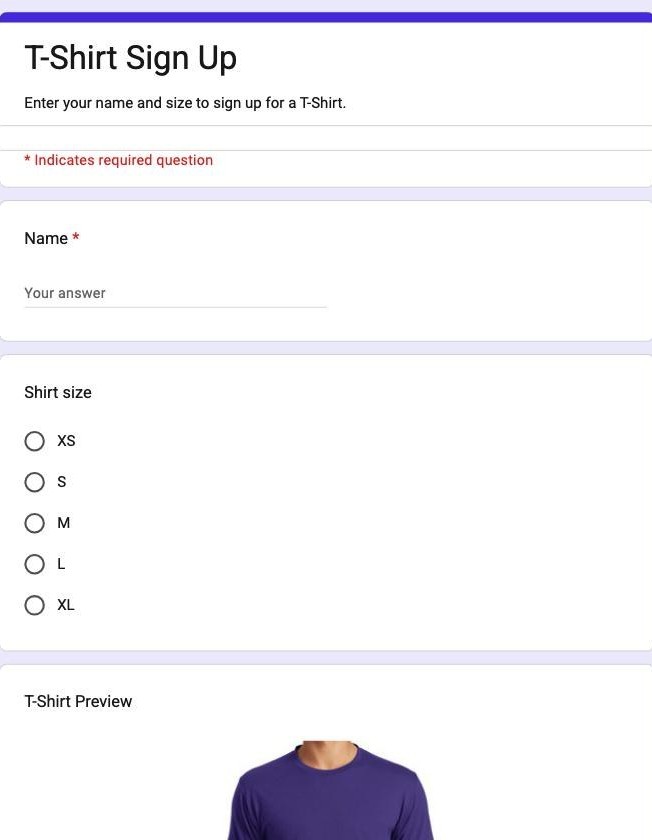
Where it stops. No stock control at all, so two people can both claim the last large and you find out later.
Why Formester's Apparel Order Form is the better choice
Two people cannot both claim the last large.
- Per-size stock caps, so a sold-out size stops being orderable
- Size and colour variants on one product instead of three separate questions
- Payment taken on the form with Stripe, PayPal or Authorize.Net
Event Registration
Attendee details, session choice, contact information. The one to start from for anything ticketed.
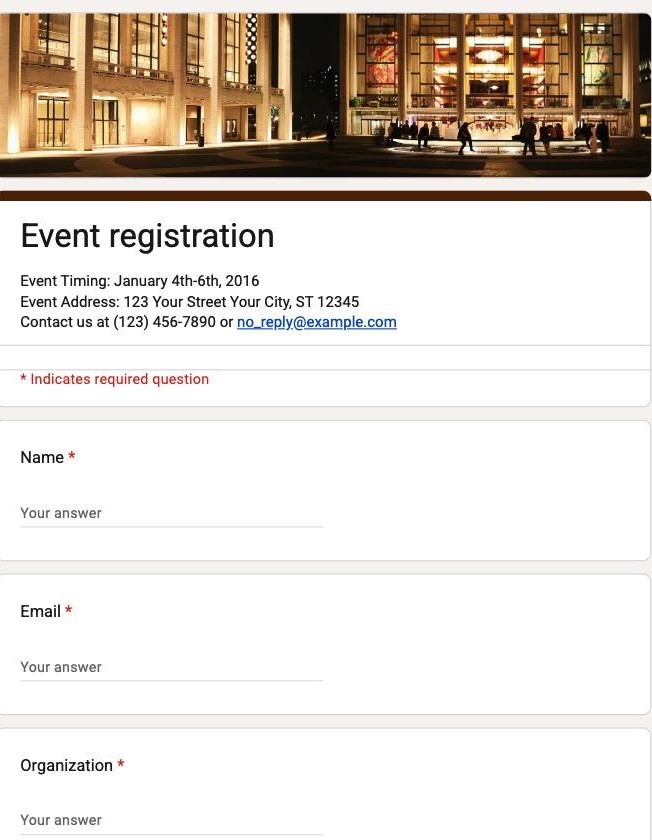
Where it stops. No payment field and no capacity cap, which are the two things a ticketed event needs most.
Why Formester's Event Registration Form is the better choice
The two things a ticketed event needs, both on the form.
- Ticket payment collected inline with Stripe, PayPal or Authorize.Net
- Form Limiter closes registration once you reach your seat count
- Attendees get a confirmation copy emailed on submit
Education (5 templates)
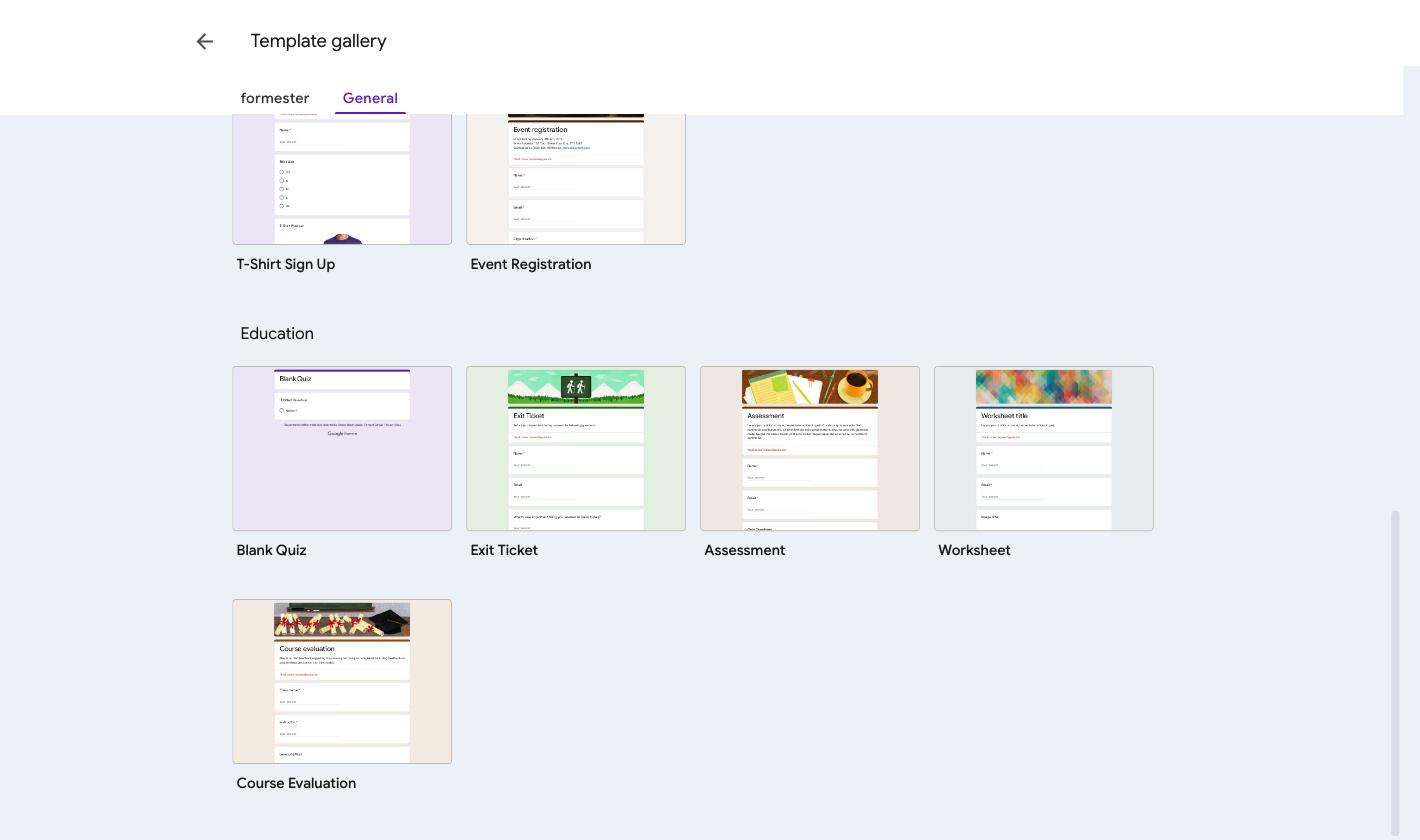
Blank Quiz
The only template with Make this a quiz already switched on, so answer keys and point values are live from the first question.
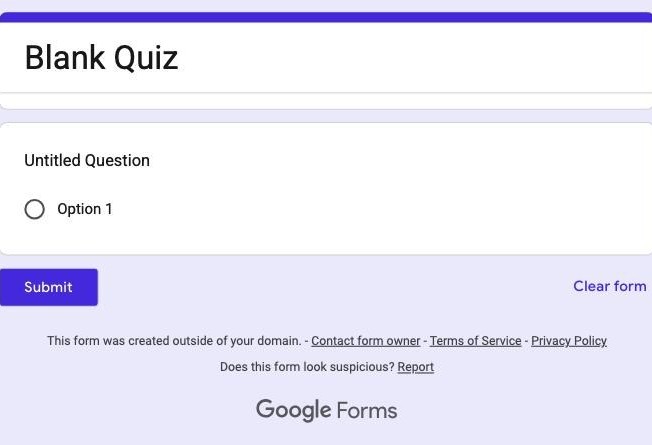
Where it stops. No timer and no partial credit. A short answer near miss is left ungraded rather than marked wrong.
Why Formester's General Knowledge MCQ Quiz is the better choice
A graded quiz that finishes grading itself.
- A quiz timer, weighted points per question and negative marking
- Instant feedback with hints and explanations on wrong answers
- Retakes restricted to one per person by email or IP
Exit Ticket
Three short questions for the end of a lesson. Short enough that it actually gets answered on the way out.
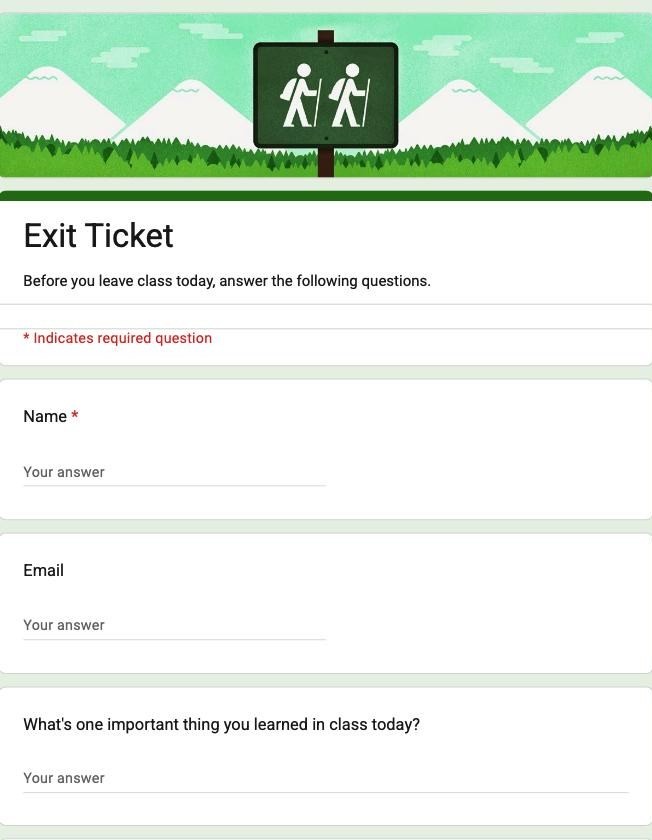
Where it stops. Responses are not grouped by class or date, so a weekly exit ticket becomes one long undifferentiated sheet.
Assessment
A longer graded question set with name and email capture at the top.
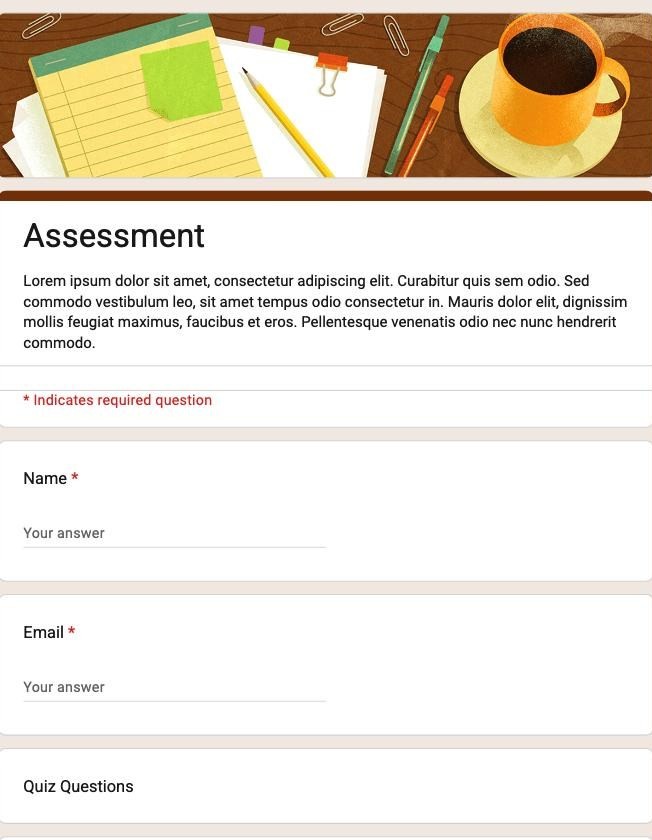
Where it stops. Answer keys only work on six question types, so anything free-form still needs marking by hand.
Why Formester's Spelling Bee Practice Test is the better choice
The test teaches instead of only scoring.
- Answer validation with instant feedback and explanations on wrong answers
- Pass or fail thresholds with weighted points per question
- The score can show on the thank-you page using the @score variable
Worksheet
Structured practice questions with an image field per question, for homework and in-class work.
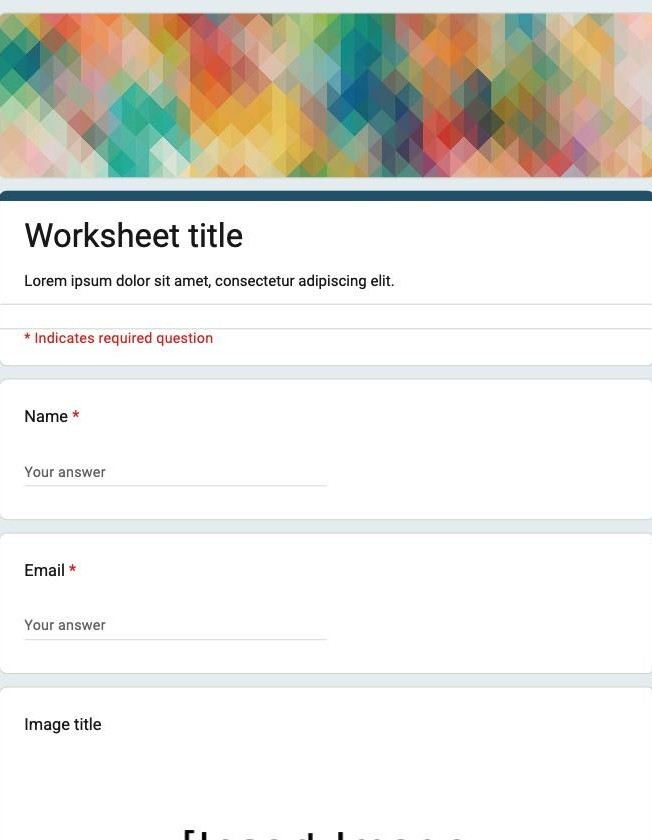
Where it stops. There is no way to reuse one worksheet across classes without duplicating the whole form each time.
Course Evaluation
End-of-course ratings across teaching, materials and workload.
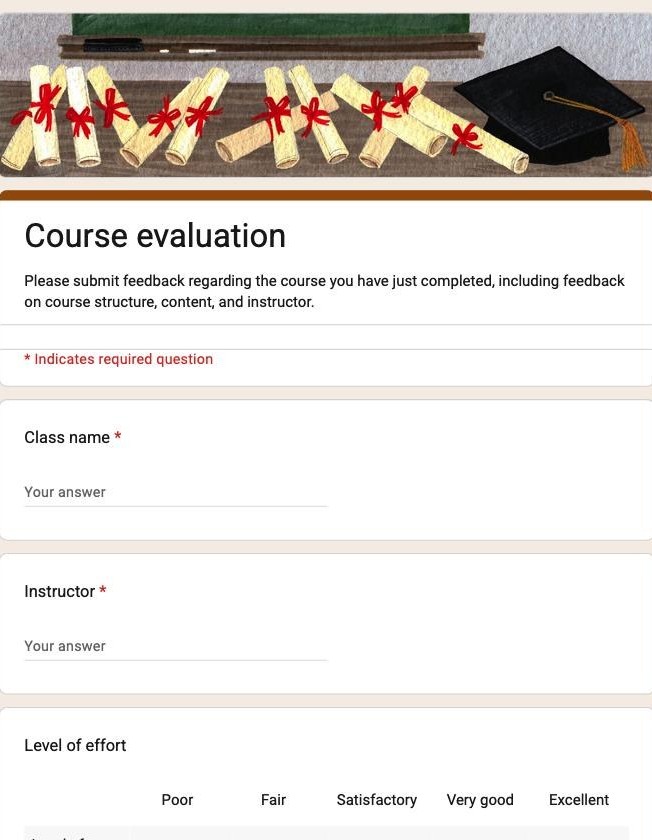
Where it stops. Anonymity and duplicate prevention are mutually exclusive here: stopping repeat submissions requires sign-in, which removes the anonymity.
Why Formester's Course Evaluation Form is the better choice
Honest feedback and one response per student, at the same time.
- Anonymous submissions that do not store identity
- Duplicate control by IP, so repeats are blocked without asking anyone to sign in
- Summary analytics across every rating question
How to open a Google Forms template
- Go to forms.google.com signed in to the Google account you want to own the form.
- Click Template gallery in the top bar. If you are on a Workspace account you will also see a tab named after your organisation, which holds templates your admin published.
- Click a tile. Google creates a copy in your Drive immediately and opens it in the editor.
That last point catches people out. The gallery has no preview: clicking a template is the same as taking it. If you were only looking, delete the new form afterwards or your Drive fills with half-opened templates.
How to customise a template after you open it
Everything in a template is editable. What you can change divides cleanly into content and appearance.
- Questions. Click any question to edit it. The type dropdown covers short answer, paragraph, multiple choice, checkboxes, dropdown, file upload, linear scale, multiple choice grid, checkbox grid, date and time. Toggle the asterisk to make one required.
- Form settings. Open the Settings tab beside Questions and Responses. Collecting email addresses, response receipts, editing after submit and the confirmation message all live there.
- Appearance. The palette icon changes theme colour, header image and font. There are four font choices and no way to load your own, so a template can look tidy but never quite on brand.
Two limits are worth knowing before you build a process on a template. Branching works at section level, driven by a multiple choice answer, so you cannot show or hide an individual field based on a previous answer. And there is no calculation field anywhere, so any total on an order form is manual.
Google Forms templates for students and teachers
Classroom use is the most common reason people go looking, and the needs are narrow.
- Collecting work. Start from Assessment or Worksheet and add a file upload field. Switch on Collect email addresses so submissions match to students without anyone typing an address.
- Quick checks. Exit Ticket, unchanged. Three questions and one screen is the whole point.
- Graded tests. Blank Quiz, because the quiz setting is already on. Answer keys work on six question types, and a short answer near miss is left ungraded rather than marked wrong, so plan for a manual pass.
- Parent consent. Build from Contact Information, add a required checkbox for the permission itself, and keep it to one page so it survives being filled in on a phone.
File uploads consume your Drive quota, so a class of thirty submitting photos eats space faster than expected.
Google Forms templates for business use
Business use pushes on the thinnest parts of Google Forms.
- Client intake. Contact Information plus your own scope questions. Fine until you need different follow-ups per service line.
- Purchase requests. Work Request with cost centre and line items added. The total cannot be calculated or validated.
- Employee feedback. Customer Feedback with Collect email addresses off and no name field. Say so in the form description, because people will assume otherwise.
- Vendor onboarding. Do not collect bank or tax identifiers in a Google Form. There is no field-level encryption and the response sheet inherits your Drive sharing.
That last one is the honest limit rather than a pitch. For anything regulated, the form is the wrong tool no matter which template you start from.
Are Google Forms templates free, and can you export to PDF?
Every template in the gallery is free, on personal and Workspace accounts alike. There is no paid tier for the gallery and no cap on how many forms you build.
PDF is the awkward part. Google Forms has no export-as-PDF for a form or for a single response. The options are printing the form from your browser to PDF, or opening the linked response sheet and exporting that. Neither gives you a per-response document that looks designed. Our guide to saving a Google Form as PDF covers both routes and where each breaks.
Need a template the gallery does not have? Formester ships 796 templates across 193 categories, with conditional logic, native payments and a formatted PDF per response. Free forever plan, unlimited forms and responses, no credit card.
Try it freeWhen 17 templates is not enough
The gallery covers the common cases and stops there. Three gaps send people looking elsewhere, and they are the same three every time.
| What you need | Google Forms templates | Formester templates |
|---|---|---|
| Take payment on the form | No payment field at all | Stripe and PayPal as native fields |
| Show or hide a single question | Section-level branching only | Per-question conditional logic |
| A formatted PDF per response | Print to PDF, or export the sheet | Generated per submission |
| Calculated totals | No calculation field | Calculated fields |
| Library size | 17 in the native gallery | 796 across 193 categories |
Formester's templates are not Google Forms templates and will not open in your Drive. If staying inside Google is the requirement, use the 17 above and accept the ceiling. If the ceiling is the problem, browse the library and start from something closer to the finished thing.
Related reading
- Link a Google Form to a Google Sheet - send responses to a sheet and fix it when they stop arriving.
- Build a Google Forms quiz with scoring - answer keys, point values and releasing grades.
- Generate a form from a prompt - describe the form you need instead of starting from a template.
- Why teams move off Google Forms - an honest look at where it stops being the right tool.