bevdkbdf.formester.com/f/eTrCuAS9c

Professional Invoice Number Generator

An invoice number generator that issues sequential invoice numbers and produces a full invoice PDF with line items, tax, total, and signature.

Finance

About this template

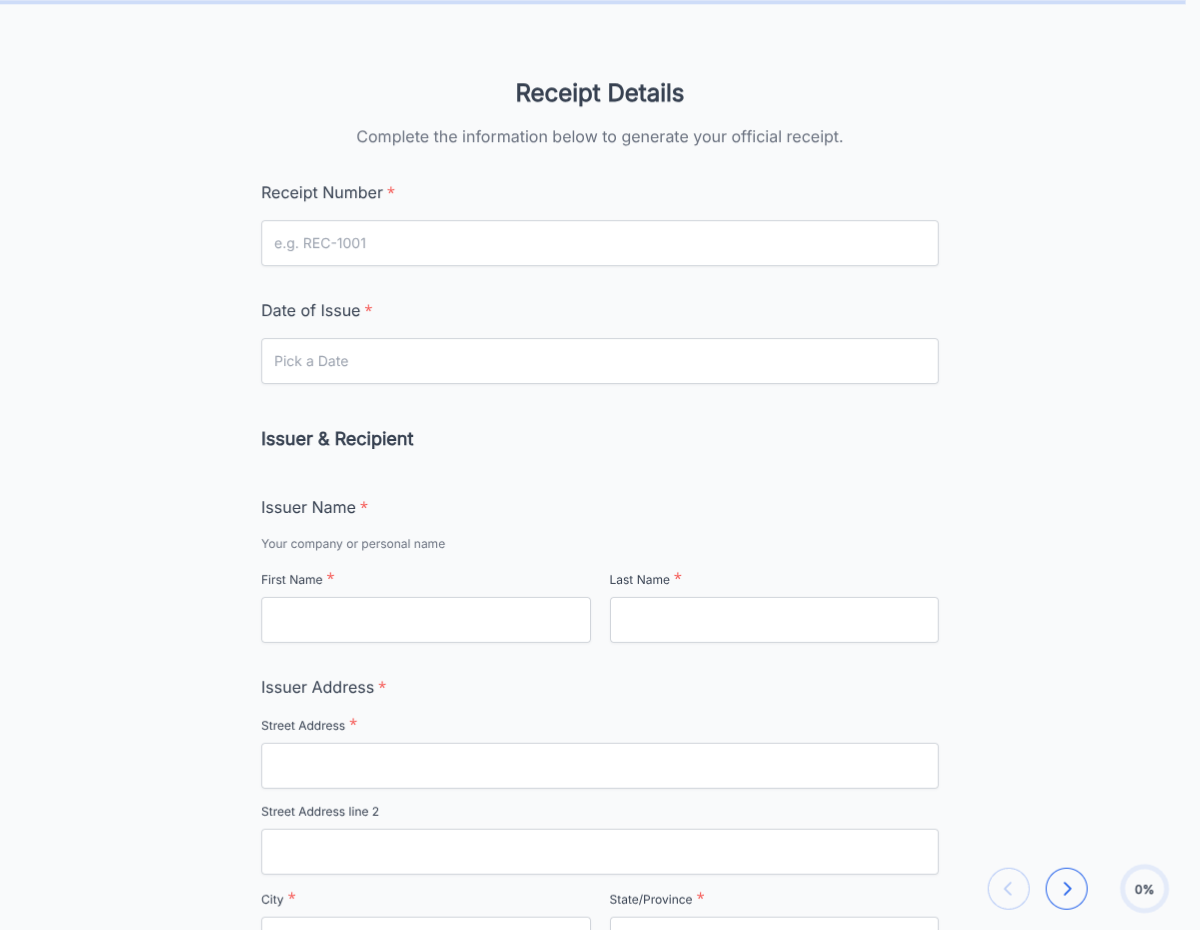
This invoice number generator runs on Formester's drag-and-drop form builder and ships with two pieces working together: an auto-incrementing invoice-number field, and a full invoice layout that uses the number to produce a clean PDF. No more spreadsheet of "last invoice number" to check before billing.

Each submission produces a uniquely numbered invoice PDF in your dashboard. Send it to the client via Autoresponder Email, sync the transaction to your accounting platform through Zapier, or include a payment link so the client pays inside the same flow.

Use conditional logic to switch between project-based, retainer, and time-and-materials billing structures, surface late-fee terms for past-due accounts, or reveal a deposit-applied block for milestone billing. Customize the number format with a prefix (INV-2026-0001, AGY-1001) so invoices match your accounting scheme.

Running a specific billing workflow (agency retainer, contractor hourly, milestone-based)? Generate a tailored variant with the AI form generator in minutes.
How to use this invoice number generator

Seven steps to a working sequential-invoice workflow. Most freelancers and small teams finish in under 15 minutes.

Open the template

Click Use Template. Auto-numbering, line-item fields, and signature flow load into the Formester builder.

Brand the invoice

Drop in your business logo, address, tax ID, and remit-to details so the PDF is ready to send.

Configure the number format

Set a prefix (INV-, AGY-, your initials) and a starting number. Each submission increments the counter automatically.

Set payment terms

Edit the payment terms field: due on receipt, net 15, net 30, net 60. Late-fee terms surface conditionally past the due date.

Customize line items

Set the line-item structure for your billing: hours and rate, project deliverable, milestone, retainer block. Each row sums to subtotal.

Apply conditional logic

Use conditional logic to switch billing structures, reveal deposit-applied fields, or surface late-fee terms for past-due accounts.

Sync to accounting

Push each invoice to QuickBooks, Xero, FreshBooks, or your accounting system via Zapier so AR stays current automatically.

When to use this invoice number generator

Six billing scenarios this template handles out of the box.

Freelancer monthly billing

Freelancer bills two to ten clients each month. The form increments the next sequential number, captures hours and rate, and produces the PDF in seconds; no spreadsheet to maintain.

Agency retainer billing

Agency bills retainers on the first of the month. Conditional logic switches to a retainer-block layout that captures monthly amount, hours included, and overage rate.

Hourly contractor

Contractor bills by the hour across multiple projects. Form captures project, hours per project, rate per project, and produces a single multi-line invoice.

Milestone and deliverable billing

Service business bills against project milestones. Conditional logic surfaces milestone description, deposit applied from prior invoice, and balance owed.

Recurring subscription invoicing

SaaS or service business issues recurring invoices. Pre-fill customer details from Google Sheets so each cycle generates the full batch in minutes.

Construction and trade billing

Contractor bills for materials and labor on each phase. Form captures phase, materials cost, labor cost, change orders, and signed acceptance from the client.

Fields included in this template

Every line a clean invoice needs. Drop the ones not applicable; the rest work on the free tier.

  • Invoice number Auto-incremented

    Sequential. Customize prefix and starting number.

  • Invoice date Date picker

    When the invoice is generated.

  • Due date Auto-calculated

    Invoice date plus payment terms (15, 30, 60 days).

  • Bill-to Full address block

    Customer name, company, billing address, contact.

  • Project or work reference Short text

    Project name, PO number, or contract reference.

  • Line items Repeatable rows

    Description, quantity or hours, unit rate, line total.

  • Subtotal Auto-calculated

    Sum of line items.

  • Deposit applied Currency, conditional

    For milestone billing. Reduces amount owed.

  • Discount Currency or percent

    Pre-tax discount, optional.

  • Tax Auto-calculated

    Sales tax or VAT on subtotal after discount.

  • Total Auto-calculated

    Subtotal plus tax minus deposit minus discount.

  • Payment terms Dropdown

    Due on receipt, net 15, net 30, net 60. Late-fee terms surface conditionally.

  • Payment instructions Long text

    Wire info, ACH details, check remit-to, or payment link.

  • Authorized signature E-signature + date

    Signer for the invoice.

Questions we get a lot

Freelancer and small-business questions about numbering, payment, and accounting sync.

Does the invoice number increment automatically?
Yes. Each submission increments the counter by one. Customize the prefix (INV-2026-0001, AGY-1001) and starting number to match your accounting scheme.
Can I take payment in the invoice?
Yes. Connect Stripe or PayPal and include a payment link in the PDF or the autoresponder email. Clients can pay the invoice in one click from their email.
Can I bill recurring clients without rebuilding the invoice each time?
Yes. Pre-fill recurring client details from Google Sheets or your CRM. Each billing cycle generates the full batch in minutes.
Can I sync invoices to my accounting software?
Yes. Push each invoice to QuickBooks, Xero, FreshBooks, or any accounting platform via Zapier or webhooks so AR stays current.
Can I handle different billing structures?
Yes. Conditional logic switches between hourly, project-based, milestone, retainer, and recurring billing structures within the same template.
Where are invoices stored?
Every submission saves to your dashboard with a PDF copy. Filter by invoice number, client, date, or status, and export the archive as CSV for accounting or tax season.