bevdkbdf.formester.com/f/Uqd4yxBqq

Official Employee Corrective Action Form

An employee write-up form that documents the incident, manager notes, employee response and a signed PDF for the file.

Hr Documentation

About this template

This employee write-up template runs on Formester's drag-and-drop form builder, so you can match the form to your HR handbook: change the disciplinary steps, add policy references, or include witness fields without writing code. Every write-up follows the same structure, so your records are consistent and defensible.

Document the incident, the policy violated, prior warnings, corrective actions, manager notes, and employee response in one place. Each submission produces a signed PDF for the employee file, with timestamps and e-signatures captured automatically.

Use conditional logic to surface the right disciplinary step (verbal warning, written warning, final warning, PIP) based on the violation severity, reveal a witness signature field when the employee refuses to sign, or attach the relevant policy section to the write-up automatically. E-signature fields capture acknowledgment for both manager and employee, and Autoresponder Email delivers a copy to the employee for their records.

Adapting the template for a specific industry (restaurant, retail, healthcare)? Generate a variant with the AI form generator so the policy categories and disciplinary steps match your sector's norms.
Questions we get a lot

HR and manager questions about defensibility, signatures, and records.

Is the form legally defensible?
The structure helps create a consistent, factual record. Defensibility depends on how the form is used in conjunction with your HR policies. Have HR or legal review the language before launch.
Do employees have to sign the write-up?
The form supports e-signature for both manager and employee. If the employee refuses, use conditional logic to reveal a witness signature field.
Where are records stored?
Every submission is saved with a PDF copy. Filter by employee, date, manager, or disciplinary step, and export the full archive for HR audit.
Can I link to the policy in the handbook?
Yes. Add a link to your handbook in the policy dropdown, so the relevant policy section is one click away during the conversation.
Can the employee get a copy automatically?
Yes. Turn on Autoresponder Email so the employee receives the signed PDF the moment the write-up is submitted.
Can I include a Performance Improvement Plan?
Yes. Use conditional logic to reveal a PIP section (goals, milestones, check-in cadence) when final warning or PIP is selected.

How to use this employee write-up form

Seven steps to a fair, defensible write-up workflow. Most HR teams finish in under 20 minutes.

Open the template

Click Use Template. Disciplinary categories, signature blocks, and PDF layout load into the Formester builder.

Adapt to your handbook

Replace placeholder policy categories and disciplinary-step language with the wording in your employee handbook. Have HR or legal review before launch.

Configure disciplinary steps

Set up your progression (verbal, written, final, PIP) so the form can suggest the next step based on the employee's history.

Apply conditional logic

Use conditional logic to surface a witness signature field when the employee refuses to sign, or reveal a PIP section when final warning is selected.

Configure signatures

Manager and employee both sign with e-signature. Add a witness signature option for refusal-to-sign cases.

Turn on autoresponder

Enable Autoresponder Email so the employee receives a PDF copy the moment it is submitted; no dispute about delivery.

File and archive

Every submission is saved to your dashboard, searchable by employee and date, ready for HR review and audit.

When to use this employee write-up form

Six disciplinary situations where consistent, defensible documentation matters.

First verbal warning

Manager documents the verbal warning within the hour. Capture the incident, the policy cited, the next step, and the employee acknowledgment without rebuilding the form.

Final written warning before separation

Document the prior warnings, the cure-or-leave conversation, and the corrective action timeline. The PDF goes into the file the moment both parties sign.

Performance Improvement Plan kickoff

Final warning escalates to a PIP. The form reveals milestones, check-in dates, and a goal list when PIP is selected; manager and employee both sign the plan.

Attendance and tardiness record

Repeat offenders show up as a pattern. Each instance gets one submission; the dashboard sorts by employee so the second conversation pulls every prior instance.

Refusal-to-sign cases

Employee declines to sign the write-up. The form reveals a witness signature field instead so a third party can attest to the conversation; the record holds up in HR review.

Severe policy violation

Theft, harassment, or safety violation triggers an unconditional next step. The form captures the full incident, the witnesses, and the immediate suspension or termination decision.

Fields included in this template

Every detail a fair and defensible write-up needs. Drop the ones you do not need; the rest work on the free tier.

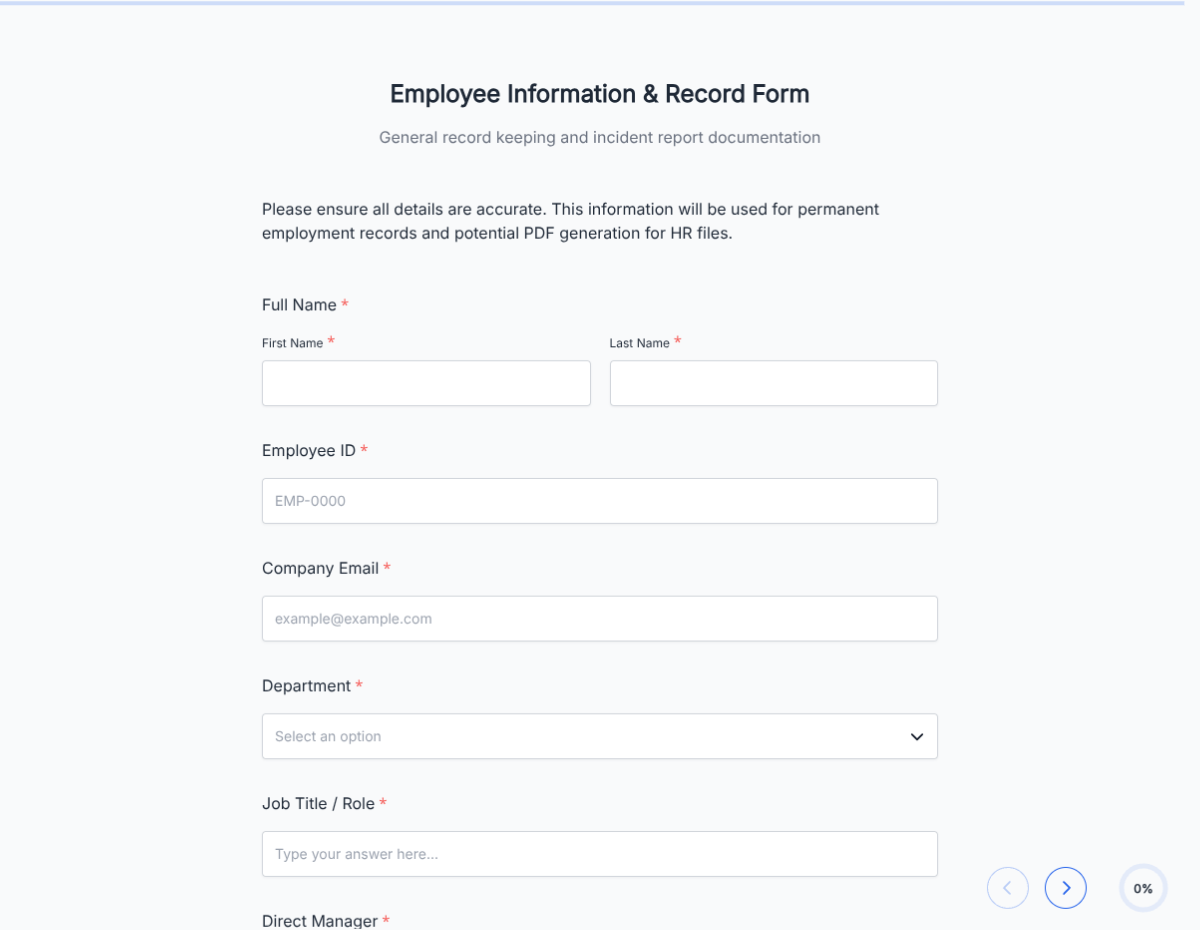
  • Employee name Short text

    Subject of the write-up.

  • Employee ID Short text

    Internal ID, useful for HR records.

  • Job title and department Short text

    Context for the role.

  • Manager name Short text

    Person issuing the write-up.

  • Date of incident Date picker

    When the event occurred.

  • Location of incident Short text

    Where the event occurred.

  • Incident description Long text

    Detailed factual account.

  • Policy violated Dropdown + link

    Specific handbook policy.

  • Prior warnings Repeatable line

    Date and type of previous warnings.

  • Disciplinary step Dropdown

    Verbal, written, final, PIP, termination.

  • Corrective action required Long text

    What the employee must do to remedy.

  • Timeline for improvement Date range

    Deadlines for change.

  • Manager notes Long text

    Additional context for HR.

  • Employee response Long text

    Employee's perspective on the incident.

  • Manager signature E-signature + date

    Acknowledgment.

  • Employee signature E-signature + date

    Acknowledgment, with witness field option.

Questions we get a lot

HR and manager questions about defensibility, signatures, and records.

Is the form legally defensible?
The structure helps create a consistent, factual record. Defensibility depends on how the form is used in conjunction with your HR policies. Have HR or legal review the language before launch.
Do employees have to sign the write-up?
The form supports e-signature for both manager and employee. If the employee refuses, use conditional logic to reveal a witness signature field.
Where are records stored?
Every submission is saved with a PDF copy. Filter by employee, date, manager, or disciplinary step, and export the full archive for HR audit.
Can I link to the policy in the handbook?
Yes. Add a link to your handbook in the policy dropdown, so the relevant policy section is one click away during the conversation.
Can the employee get a copy automatically?
Yes. Turn on Autoresponder Email so the employee receives the signed PDF the moment the write-up is submitted.
Can I include a Performance Improvement Plan?
Yes. Use conditional logic to reveal a PIP section (goals, milestones, check-in cadence) when final warning or PIP is selected.