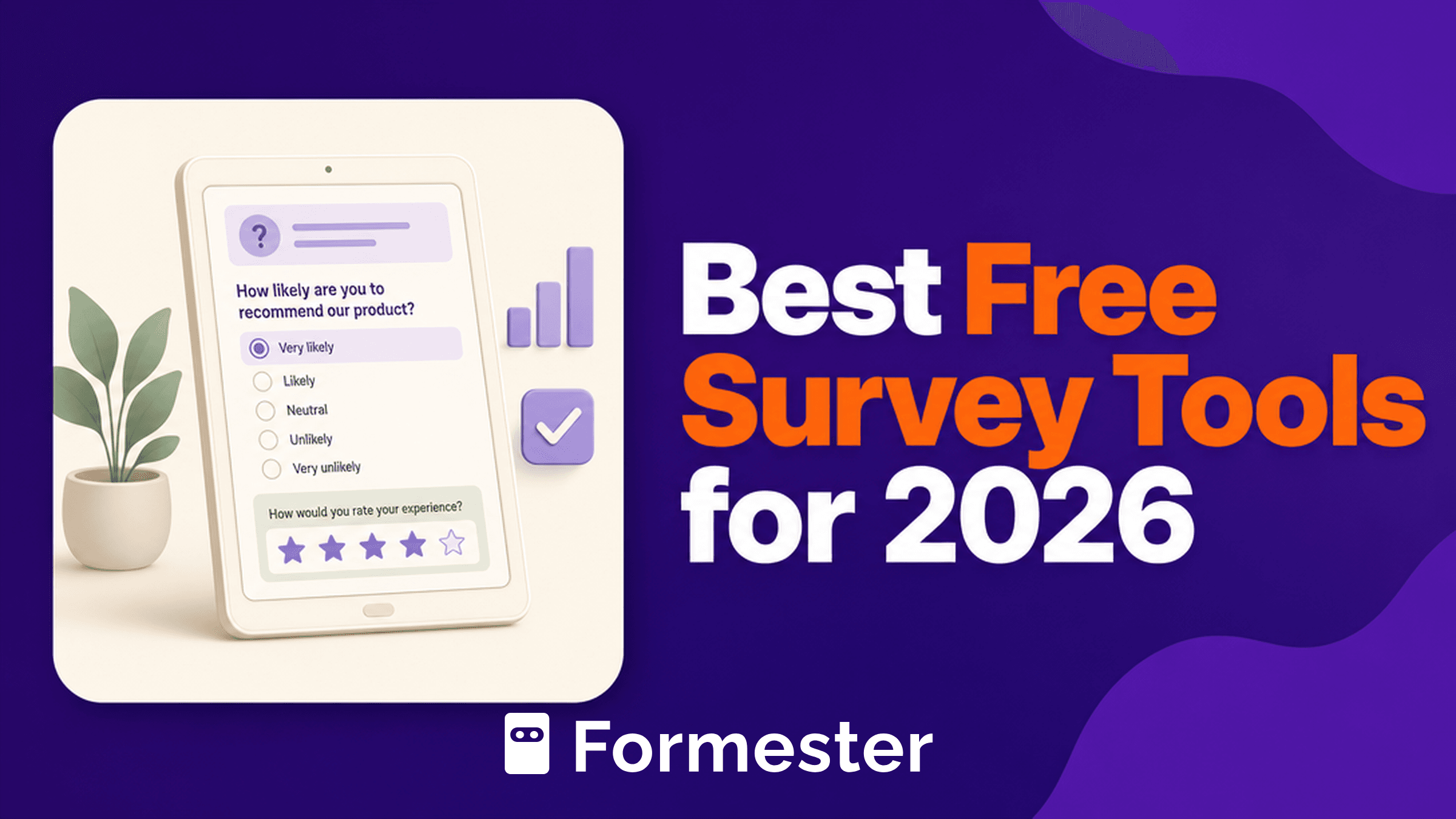
Most "free" survey tools stop being free the moment your survey starts working. The free plan caps at 25 responses, the export button is locked behind Pro, and the branding stays on every page you send out.
The list below ignores the marketing pages and looks at what each tool actually lets you do without paying, who it suits, and where it breaks.
We picked tools built specifically for surveys, not generic form builders dressed up as survey software. If you are running an NPS quarterly, a customer churn study, an academic questionnaire, or an internal pulse, one of the ten below will fit.
We have flagged the response caps, branching limits, export options, and the moment each tool forces an upgrade so you do not pick the one that costs you a week of rework.
Quick answer
Three free survey tools cover almost every case
Google Forms
Best for: anything internal, free, or unlimited where you analyze in Sheets. No response cap, native Sheets sync, no vendor logo.
Qualtrics XM Free
Best for: research with real logic and a respectable cap. 500 responses, skip/display/branch logic, SPSS export, no expiration.
Tally
Best for: indie creators and small teams who want unlimited responses, conditional logic, and a clean design without paying.
What we evaluated
Six criteria. Every tool in the list is scored against the same checklist.
-
1
Free response cap per month or per survey
The number that decides whether the tool survives past your first send.
-
2
Question types and survey logic
Skip logic, conditional branching, multi-page, matrix questions, NPS scale.
-
3
Analytics depth on the free plan
Cross-tabulation, sentiment, filters, real-time dashboards, or just CSV.
-
4
Export options
CSV, Excel, SPSS, Google Sheets sync, PDF reports.
-
5
Mobile completion experience
Single-question-per-screen, responsive layouts, offline collection.
-
6
Branding on the free plan
Whether the vendor logo stays on every page and email.
The 10 best free survey tools, ranked. We lead with the top picks: Google Forms, Qualtrics XM Free, and Tally. The rest follow in order of where each tool earns its place.
Google Forms: the only one with no response cap
Truly free, truly unlimited, included with any Google account. No response cap, no question cap, native Google Sheets sync, file uploads, and section-based branching. The catch is shallow analytics, no real cross-tabs, and a default visual style that screams "form".
Free plan
Unlimited surveys, unlimited questions, unlimited responses
Logic
Section-based branching only
Export
Google Sheets sync (live), CSV download
Branding
No vendor logo; Google footer only
Best for: Internal surveys, classroom use, anything where you own the analysis in Sheets.
Source: Google Workspace plans
Qualtrics XM (Free Account): the academic favorite
Qualtrics is the enterprise research platform behind most university IRB studies. The free account gives you 3 active surveys, 30 questions per survey, 500 responses, 8 question types, and skip/display/branch logic. No credit card, no expiration. The most generous free tier for actual research design.
Free plan
3 active surveys, 30 questions per survey, 500 responses total
Logic
Skip, display, and branch logic on the free account
Export
CSV, SPSS, basic reports
Branding
Qualtrics branding on the survey
Best for: Students, researchers, dissertations, panel studies on a budget.
Source: Qualtrics free account
Tally: unlimited free, fair-use policy
Tally gives unlimited forms and unlimited submissions on the free plan under a fair-use guideline. Conditional logic, calculations, file uploads, payments, and signatures are all on the free plan. Tally branding stays until you pay $24/mo for Pro. The deepest free plan in this list after Google Forms.
Free plan
Unlimited forms, unlimited submissions (fair use)
Logic
Conditional logic and calculations on free
Export
Google Sheets, Notion, Airtable integrations on free
Branding
Tally watermark stays on free; removed on Pro ($24/mo)
Best for: Indie creators, small teams, anyone who hates response caps.
Source: Tally pricing
SurveyMonkey: the default for one-off surveys
The name everyone knows. The free Basic plan gives you unlimited surveys but caps each one at 10 questions and 40 responses, and the export to CSV/XLS is locked behind the Standard plan ($39/mo). Fine for a single short poll, painful for anything recurring.
Free plan
10 questions per survey, 40 responses per survey, unlimited surveys
Logic
Skip logic on free plan
Export
Locked on free; available from Standard ($39/mo)
Branding
SurveyMonkey logo stays on free
Best for: A single short survey where you only need the in-tool summary.
Source: SurveyMonkey pricing
Typeform: the conversational interface, expensive past 10 responses
Typeform invented the one-question-at-a-time format that lifted completion rates across the industry. The free plan now caps at 10 questions per form and 10 responses per month, which is barely a test run. Paid starts at $28/mo (Basic, annual) for 100 responses.
Free plan
10 questions per form, 10 responses per month, unlimited forms
Logic
Conditional logic on every paid tier; limited on free
Export
CSV on paid; Google Sheets/HubSpot integrations on paid
Branding
Typeform logo stays until Plus plan ($56/mo)
Best for: Trying the format before committing to a paid plan.
Source: Typeform pricing
Microsoft Forms: free with any Microsoft 365 account
If your company has Microsoft 365, you already have Forms. No separate signup, no separate billing. Unlimited surveys, automatic Excel export to OneDrive, and branching logic. The interface is plain, the question types are limited, and design control is minimal, but for an internal pulse or a quick poll it is usable.
Free plan
Unlimited surveys, 200 responses per form on free Microsoft accounts; higher on Microsoft 365 business plans
Logic
Branching logic
Export
Excel via OneDrive
Branding
Microsoft footer only
Best for: Internal teams already on Microsoft 365.
Source: Microsoft Forms
SurveySparrow: trial first, then free Basic
SurveySparrow leads with a 14-day trial of paid features and falls back to a Forever Free Basic plan suited to "students, freelancers, and personal projects". Their published Basic tier on the pricing page starts at the entry of the paid ladder; the free fallback exists but you have to opt in to it deliberately during signup. Conversational and chat-style surveys are the differentiator.
Free plan
Forever Free Basic tier with limited responses and 1 user; trial unlocks Business features for 14 days
Logic
Display and skip logic; advanced workflows on paid tiers
Export
CSV; integrations on paid
Branding
SurveySparrow branding on free
Best for: Conversational/chat-style surveys, NPS programs trialling.
Source: SurveySparrow pricing
Survicate: continuous feedback on a trial, paid after
Survicate is built for in-product surveys: NPS widgets, intercept polls, post-purchase flows. The free option is a 10-day trial of all features, after which paid starts at $114/mo (Growth, annual). Generous trial, no permanent free tier.
Free plan
10-day trial; no permanent free plan
Logic
Standard survey logic on Growth, advanced on Pro
Export
Webhooks and Export API on Growth
Branding
Removable on Growth plan
Best for: SaaS teams trialling in-product feedback before they commit.
Source: Survicate pricing
Jotform: 5 forms, 100 submissions, full feature set
Jotform's free Starter includes 5 forms, 100 monthly submissions, and 500 total submission storage, with the entire feature set unlocked: conditional logic, 100 fields per form, payment integrations (10 monthly payment submissions), e-signatures. Jotform branding stays. Paid starts at $39/mo (Bronze) for 25 forms and 1,000 submissions.
Free plan
5 forms, 100 monthly submissions, 500 total submission storage
Logic
Conditional logic, calculations, full feature set
Export
CSV, Excel, PDF; 100+ integrations
Branding
Jotform logo on free; removed on Bronze ($39/mo)
Best for: Multi-purpose surveys with payments, signatures, or file uploads.
Source: Jotform pricing
Sogolytics: 200 responses a year on FREE Pro
Sogolytics (formerly SoGoSurvey) publishes a FREE Pro plan: 15 projects/year, 100 responses per project, 200 responses per year, 200 emails per year. All Pro features are included, just with lower volume caps. Tighter limits than most on this list, but the feature parity is real.
Free plan
15 projects/year, 100 responses/project, 200 responses/year
Logic
All Pro features including branching, piping, randomization
Export
CSV, Excel, PDF on free
Branding
Sogolytics branding on free
Best for: A small, polished project with deep question types.
Source: Sogolytics pricing
When you need more than a survey tool
A survey tool is built for one job: ask questions, see results, move on. Most of the above are excellent at that.
The picture changes when the survey is not the end of the workflow. If a "yes" on question 7 needs to trigger a different email than a "no", route the response to a different CRM stage, charge a different price, or hand off to a different team owner, you are not building a survey anymore. You are building a workflow with a survey in front of it. Pure survey tools do not handle this cleanly: they will export to Sheets and expect you to bolt on Zapier, Make, or a custom script. That is fine until the third or fourth condition, when the duct tape starts to show. The same is true if you are collecting payments alongside answers, asking for file uploads that need to land in a specific Drive folder by respondent type, or running a form that has to feel branded end-to-end on mobile. At that point a form builder with survey logic outperforms a survey tool with a payments add-on. Formester is built for that hybrid case: conditional logic, payments, file uploads, signatures, Google Sheets and CRM sync, and custom branding all on the same plan, no Zapier required.
At-a-glance comparison
Free response cap, logic supported, export, branding, mobile design, and the job each tool is built for.
| Tool | Free response cap | Logic supported | Export on free | Branding removed on free | Mobile design | Best for |
|---|---|---|---|---|---|---|
| SurveyMonkey | 40 per survey | Skip logic | No | No | Responsive | Quick one-off survey |
| Google Forms | Unlimited | Section branching | Yes (Sheets, CSV) | No (Google footer) | Responsive | Internal, education |
| Typeform | 10/month | Limited on free | No | No | Conversational | Trying the format |
| Qualtrics XM Free | 500 total | Skip, display, branch | Yes (CSV) | No | Responsive | Academic research |
| Microsoft Forms | 200 per form (free MS account) | Branching | Yes (Excel) | No (MS footer) | Responsive | Microsoft 365 teams |
| SurveySparrow | Forever Free Basic limits | Display, skip | CSV | No | Conversational | NPS trial |
| Survicate | 10-day trial only | Standard | API on paid | No | Embedded widgets | In-product feedback |
| Tally | Unlimited (fair use) | Conditional, calc | Yes (Sheets, Notion) | No | Responsive | Indie creators |
| Jotform | 100/month, 5 forms | Conditional, calc | Yes (CSV, Excel) | No | Responsive | Multi-purpose surveys |
| Sogolytics | 200/year | All Pro features | Yes | No | Responsive | Polished small project |
| FormesterHybrid pick | Per plan; full feature parity across tiers | Conditional, multi-step, calculations | Yes (Sheets, CRM, API) | On paid plans | Responsive, mobile-first | Survey + workflow + payments in one |
Pricing and free-plan caps checked June 2026. Always confirm on the vendor's pricing page before you commit.
How to pick the right one
Match your job to the tool. Most picks here are a survey tool. The last is honest about when a form builder fits better.
For friends, family, or a class
Google Forms or Tally. Both are unlimited and free, both handle the basics cleanly. Pick Google if you live in Sheets, Tally if you want a cleaner look.
Quarterly NPS or CSAT program for customers
SurveyMonkey if your team already uses it, SurveySparrow if you want conversational NPS widgets, Survicate if the survey lives inside your product.
Branching and follow-up questions
Typeform for the conversational format if response volume is small, Qualtrics XM Free for proper research-grade branching, or Formester if the responses need to trigger different workflows by segment.
Internal employee pulse or workplace survey
Microsoft Forms if you are on Microsoft 365, Google Forms if you are on Workspace, SurveySparrow if you want recurring pulse cadences.
Dissertation or research panel
Qualtrics XM Free, every time. 500 responses, real logic, recognized by university IRBs.
Survey that also takes payments, files, or signatures
Jotform on the free plan if 100 submissions a month is enough, Formester if it is not and you need full feature parity without paying per feature.
Run real surveys on a free plan, without hitting a question wall
Multi-step forms, conditional logic, AI translate to 180+ languages. Free plan includes 100 responses/month.
Start free on FormesterFree forever plan•No credit card•Setup in 2 minutes
Related on Formester
Close cousins: makers, alternatives, and feedback workflows. All free to start.
Online survey maker
Form builder with survey logic, payments, and Sheets sync on the same plan.
Build a survey AIAI survey generator
Describe the topic, get a full survey draft with logic ready to edit.
Generate a survey PollPoll maker
Quick polls, single-question or multi-step, embeddable anywhere.
Make a poll QuestionnaireQuestionnaire maker
Structured questionnaires with branching, scoring, and clean exports.
Build one AlternativeSurveyMonkey alternative
Same job, no per-survey response caps and no locked CSV export.
Compare RoundupBest SurveyMonkey alternatives
A wider roundup of SurveyMonkey alternatives with pricing context.
Read the list FeedbackBest customer feedback tools
Tools built for continuous feedback, NPS, and CSAT programs.
Browse picks PricingFormester pricing
Free plan with full feature parity. Paid tiers lift response caps and branding.
See plans